Time Clock App for Financial Services: What to Look For
Quick-read version · 1 minFinancial services teams need employee time records that are easy to review, not another system that tries to run the whole firm.
A community bank, credit union, tax office, accounting firm, or finance team may have tellers, office staff, seasonal employees, branch employees, or back-office support working different schedules. Before payroll, the business needs to know who worked, what changed, who approved it, and where the record lives.
Start with the payroll record
Before choosing a time clock, write down the record the business needs before payroll:
- Employee.
- Clock-in and clock-out times.
- Breaks, if your process tracks them.
- Branch, office, department, or role when that detail helps review.
- Missed punches and manual edits.
- The reason for each correction.
- Manager approval.
- Payroll export or summary status.
- Searchable records after payroll closes.
For the full workflow, read how to track employee hours for payroll.
Branch and department detail should stay practical
Some financial services teams only need simple clock-ins and approvals. Others need branch, department, role, or location detail because payroll or managers review time that way.
The useful question is simple: will someone check this detail before payroll or later when there is a question? If yes, capture it while the work happens. If no, do not make employees choose extra fields just to make the system look more complete.
For setup guidance, read how to track employee hours by job or location.
Corrections should be easy to explain
Financial services teams tend to care about records, review steps, and clean handoffs. The time-clock workflow should match that expectation without becoming complicated.
Managers should be able to see:
- Missing clock-ins or clock-outs.
- Manual edits without reasons.
- Employees close to overtime.
- Time cards that still need approval.
- Corrections made after the first review.
- The record behind the final payroll total.
For the approval step, read how to approve employee time cards before payroll. For audit-trail basics, read time card audit trail.
Use a time clock, not a second core system
A financial services time clock should not pretend to replace the systems that run the business.
Clockspot may be a good fit if you need focused employee time tracking:
- Hourly employees clock in and out from a browser, phone, or shared device.
- Managers review missed punches, edits, approvals, jobs, departments, or locations.
- Approved hours are ready before payroll.
- The business keeps the record behind the paycheck.
Clockspot may be a poor fit if you need one system for banking operations, loan origination, CRM, document management, commissions, accounting, payroll processing, HR files, compliance management, or scheduling.
The demo below shows the time-card workflow: employee hours, corrections, approvals, and payroll-ready records in one place.
No login required. Opens in one click.
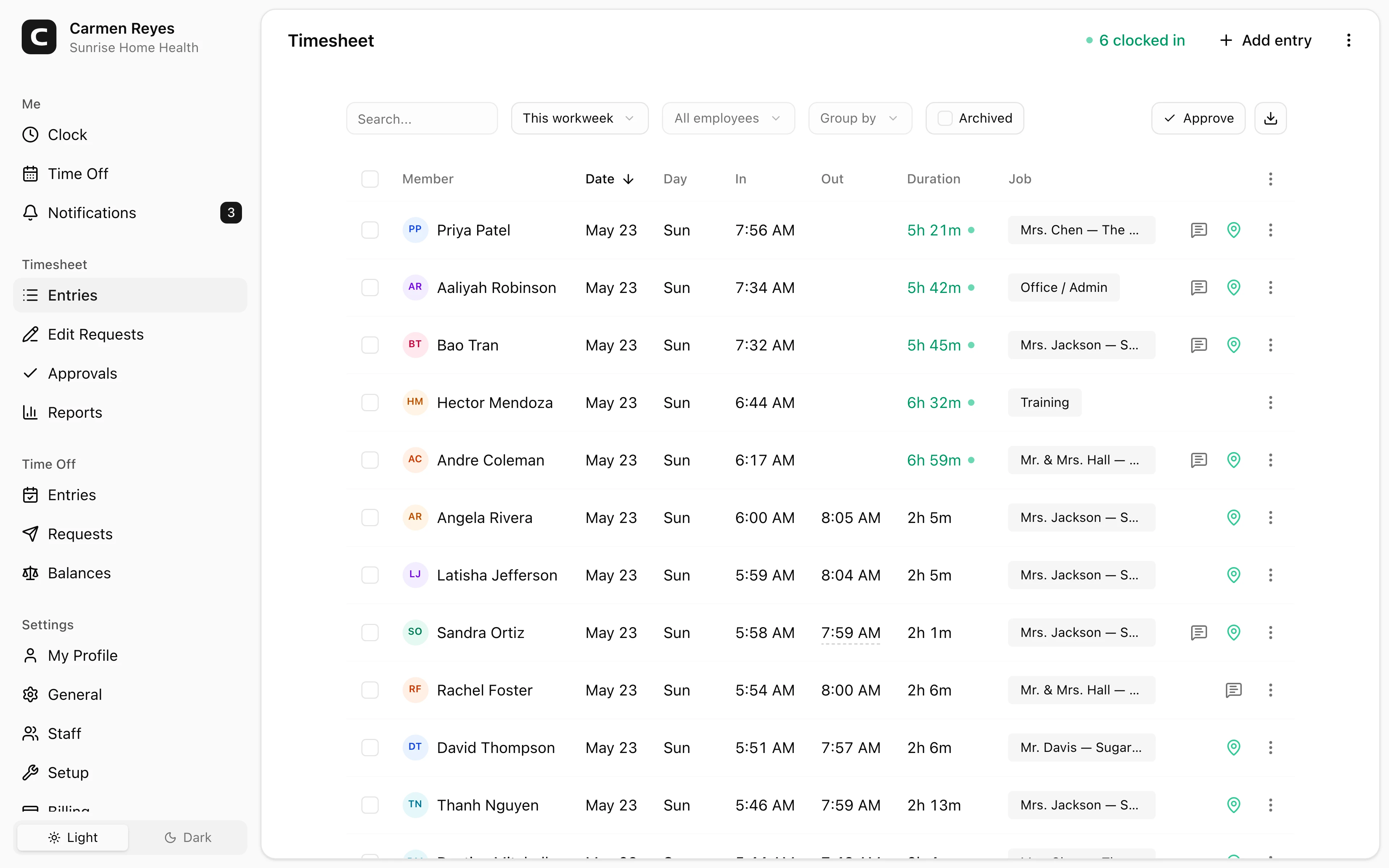
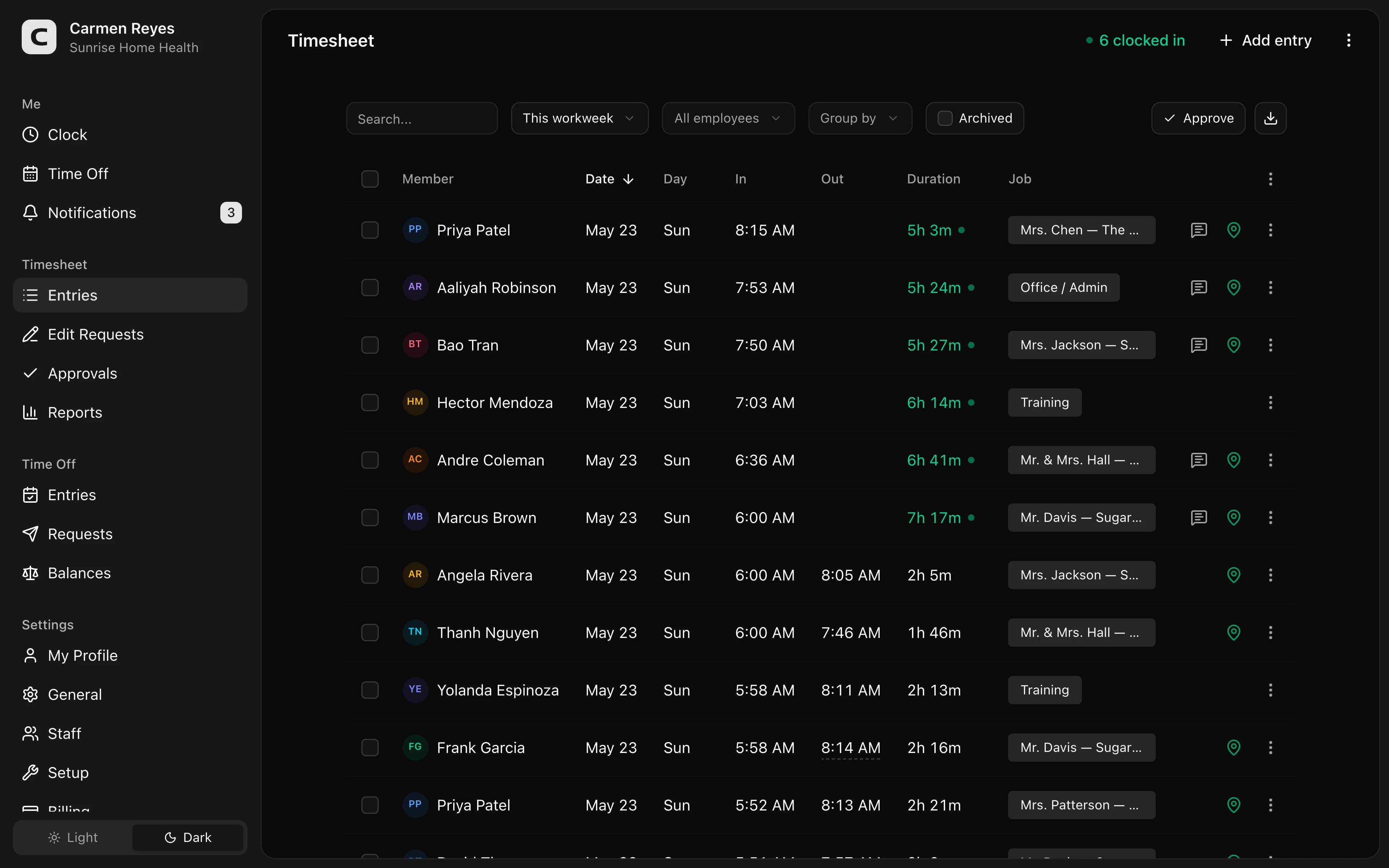 Open a no-login Clockspot demo with time entries, edits, approvals, and payroll-ready records.
If this is the workflow you need, open the demo above, then check Clockspot pricing or start a free trial.
Questions to ask before choosing
Ask:
- Can employees clock in without training?
- Can managers see missing punches before payroll?
- Can corrections include a reason?
- Can branch, department, office, or role detail be captured only when useful?
- Can time cards be approved before payroll export?
- Can the business find old records by employee, date, branch, department, or location?
- Is the system simpler than paper forms, payroll edits, or manager spreadsheets?
For a broader buying guide, read best employee time clock for small business.
FAQ
What should a financial services time clock track?
It should track clock-in and clock-out times, missed punches, corrections, edit reasons, manager approvals, payroll-ready summaries, and branch or department detail when that helps review.
Do banks or finance offices need GPS time tracking?
Usually not as the main reason to buy. Some teams may use location detail for branches, offices, or remote work, but the core record is still accurate hours, visible corrections, approval, and payroll-ready handoff.
Does Clockspot replace banking, accounting, or payroll software?
No. Clockspot tracks employee time and payroll-ready records. Banking systems, accounting software, payroll processing, HR files, compliance systems, document management, and scheduling are separate systems.
The bottom line
A financial services time clock should make employee hours easier to review before payroll.
Choose the system that employees can use, managers can approve, and the business can explain later without rebuilding the week from scattered notes.
Keep reading
How to Track Employee Hours for Payroll
Use this payroll-ready time tracking workflow to capture hours, review exceptions, approve edits, and keep records you can explain later.
How to Approve Employee Time Cards Before Payroll
Use this time card approval workflow to review exceptions, confirm corrections, and send payroll hours you can explain later.
Best Employee Time Clock for Small Business: What to Look For
Choose an employee time clock for small business by checking payroll workflow, missed punches, approvals, overtime, breaks, locations, and records.
How to Track Employee Hours by Job or Location
Track employee hours by job or location so payroll, job costing, overtime review, and manager approval all use the right time record.
About Clockspot
Clockspot helps small businesses track employee time and keep payroll-ready records. Used in all 50 states since 2007, we focus on getting time and pay right — including the wage-and-hour rules that shape both.
Clockspot helps financial services teams keep employee hours, corrections, approvals, and payroll-ready time records together. See how Clockspot supports financial services time tracking.