How to Track Employee Hours for Payroll
Quick-read version · 1 minMost payroll problems start before payroll. They start when an employee forgets to clock out, a manager approves hours from memory, or a correction gets made with no note explaining why.
If you run a small business, the goal is not to build a complicated timekeeping department. The goal is simpler: collect the right hours every day, review exceptions before payday, and keep records you can explain later.
The payroll-ready time tracking workflow
Before payroll runs, the business should be able to follow each hour from the clock-in to the approved payroll total:
- Employees record start time, stop time, breaks, job, and location when the work happens.
- Managers review missing punches, long shifts, edits, and overtime before payroll closes.
- Every correction includes a reason, timestamp, and approver.
- Overtime is calculated from the workweek, not guessed at the end of the pay period.
- Approved hours are exported or summarized for payroll.
- The original time records stay available after payroll is done.
That sounds basic, but it is where many small businesses get exposed. A clean payroll report is useful only if the hours behind it are accurate.
Quick checklist
Before you run payroll, you should be able to answer five questions:
- Did every hourly employee have a complete time record for each shift?
- Did anyone work overtime, miss a break, or work outside the expected job or location?
- Were manual edits reviewed with a reason attached?
- Did a manager approve the final hours?
- Can you still see the records behind the payroll total after export?
If the answer is no, payroll is not ready yet. You may still be able to pay employees on time, but you are paying from a record you cannot fully explain.
The demo below shows the kind of source record payroll should start from: entries, edits, approvals, and payroll-ready details kept together. Use it to see what "ready for payroll" looks like before the article breaks down each step.
No login required. Opens in one click.
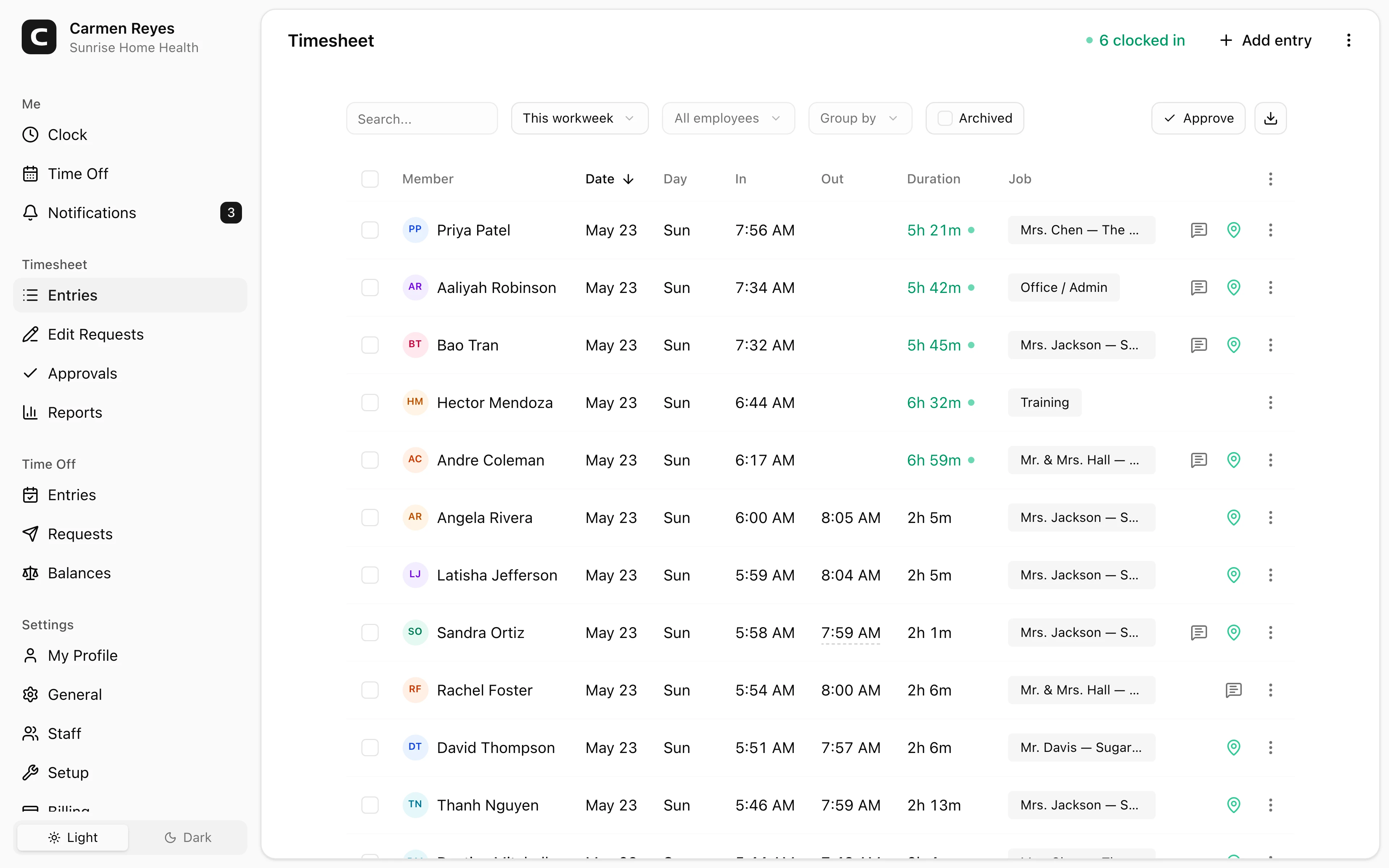
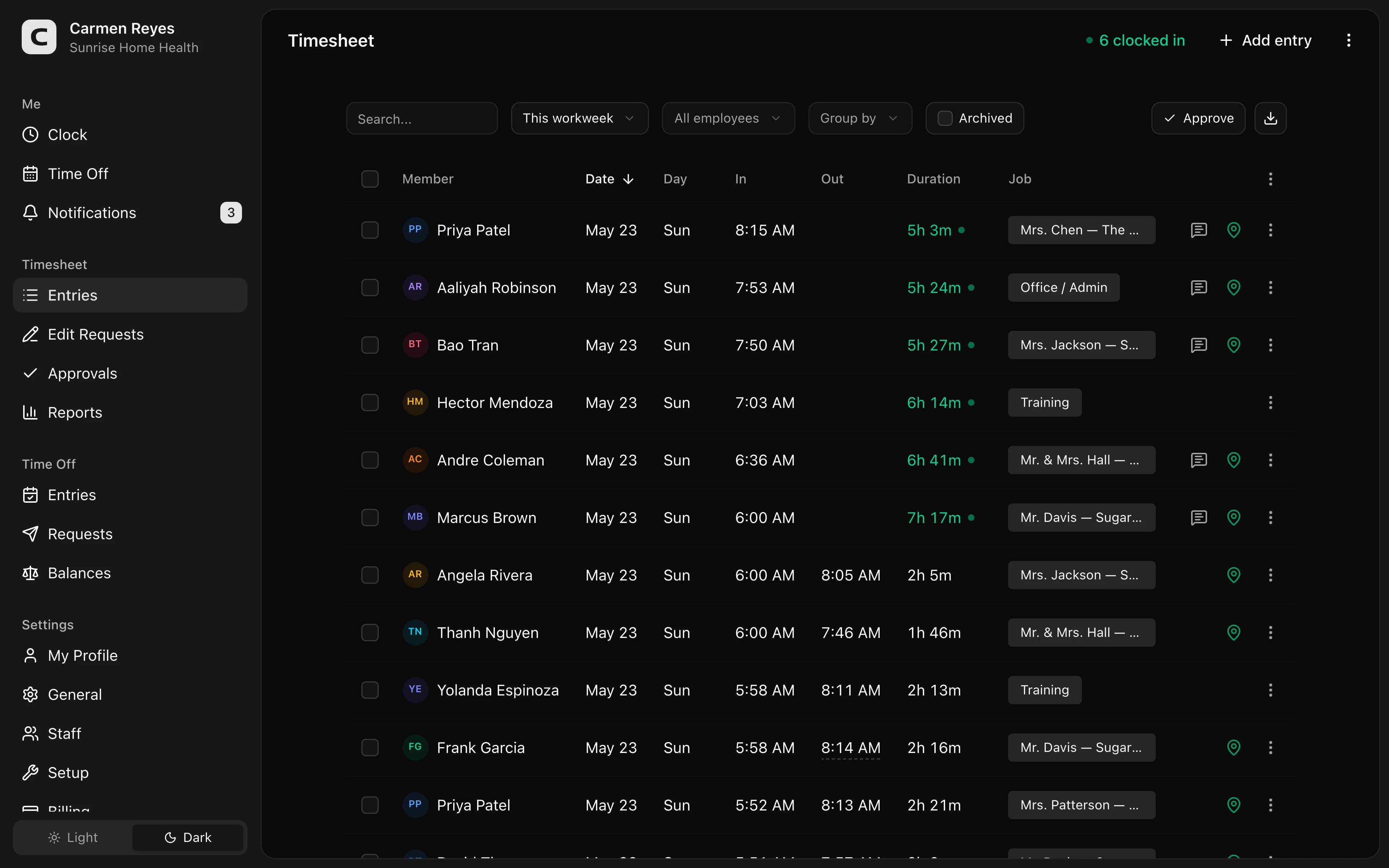 Open a no-login Clockspot demo with time entries, edits, approvals, and payroll-ready records.
Choose one source of truth
Decide where the final time record lives. If hours are split across paper time cards, text messages, a manager spreadsheet, and payroll edits, nobody owns the final record.
Pick one source of truth for time. That system should hold the raw punches, edits, approvals, and payroll export status. Payroll can receive the final numbers, but payroll should not be the only place the business can see how the numbers were built.
For small teams, this is the line between "we can fix it" and "we have to reconstruct it." When an employee asks why their check is short, you want to open the record, not search through messages.
What to capture on every shift
At minimum, track when the employee started, when they stopped, and how many hours they worked each day and workweek. Federal recordkeeping rules require employers to keep accurate wage and hour records, and the Department of Labor says there is no required form as long as the records are complete and accurate.
For payroll operations, the legal minimum is not enough. You also want the details that explain the hours:
- Job or department.
- Work location.
- Meal break start and end, if breaks matter in your state.
- Notes for missed punches or manual edits.
- Manager approval status.
- Exported payroll period.
Those details help answer the questions that usually slow payroll down: Who worked where? Was this overtime expected? Did the employee miss a break? Did a manager approve the edit?
Assign ownership before there is a problem
Time records fall apart when employees, managers, payroll, and the owner all assume someone else is checking them.
Give each part of the workflow an owner:
- Employees own clocking in, clocking out, and flagging mistakes.
- Managers own missed punches, job or location corrections, break exceptions, and approval.
- Payroll owns final review, export, and pay-period close.
- The business owner owns the policy: when edits are allowed, who can approve them, and how long records are kept.
The names matter less than the handoff. The employee should know who fixes a missed punch. The manager should know what needs a note. Payroll should know when hours are final.
Build the week around exceptions
The worst time to discover bad time data is the morning payroll is due. A better workflow is to review exceptions throughout the week.
Start with the problems that change pay:
- Missing clock-out.
- Shift longer than expected.
- Employee over 40 hours for the week.
- California or other daily-overtime state employee over the daily threshold.
- Break missing, short, or late.
- Manual edit without a reason.
- Employee working at a different location or job than scheduled.
You do not need to audit every normal shift by hand. You need a system that makes abnormal shifts easy to find.
This is also where payroll and compliance connect. If an employee worked overtime, you generally still owe the overtime even if the employee was not scheduled to work it. If you need to check overtime rules by state, read US overtime rules by state. For rounding rules, read time clock rounding rules.
Handle edits like an audit trail, not a cleanup chore
Every business has missed punches. The risk is not that an edit exists. The risk is that nobody can explain it later.
A strong edit workflow answers four questions:
- What changed?
- Who changed it?
- When did they change it?
- Why was the change made?
Do not let managers replace the original punch with a clean-looking final number and no history. Keep the original clock event, the corrected value, and the approval record. That preserves the story behind payroll.
This matters most when an employee later says they worked more than the record shows. The record is stronger when it shows the original entry, the employee or manager correction, and the approval path.
Approve before payroll, not after payroll
Approval should happen before hours move to payroll. Once payroll is run, corrections become retro pay, manual checks, or trust problems.
For a small business, a simple approval cadence is enough:
- Employees review their own hours at the end of each shift or week.
- Managers approve exceptions daily or every few days.
- Payroll does a final review before export.
- Any late correction gets documented and included in the next payroll process.
The key is to make approval part of the timekeeping workflow, not a separate spreadsheet that appears after the fact.
Close the pay period deliberately
Closing a pay period should be a small checklist, not a rush to export.
Before payroll closes:
- Confirm every employee has complete daily records.
- Resolve missing punches.
- Review overtime and break exceptions.
- Approve manual edits.
- Export or summarize approved hours.
- Lock the period or mark it as closed.
- Document late corrections separately.
This gives you a clean stopping point. If a correction comes in later, it is handled as a correction, not quietly blended into the old record.
Keep raw time records after payroll closes
Payroll summaries are not the same as time records. A payroll register may show the employee was paid 78.25 hours. It may not show the daily start and stop times, the missed punch correction, the break record, or the manager approval.
Federal rules generally require payroll records to be kept for at least 3 years and supporting time records, such as time cards and schedules, for at least 2 years. Some states and claims can require longer windows. For the deeper retention guide, read recordkeeping requirements by state.
Operationally, that means you should keep:
- Raw clock-in and clock-out records.
- Edited time records.
- Approval history.
- Payroll export records.
- Schedules that explain expected hours.
- Notes tied to missed punches or corrections.
Do not treat payroll export as the end of the record. It is one output of the record.
Common mistakes
Letting managers approve from memory
If a manager approves Friday hours on Monday by memory, the record gets weaker. Build review into the week while the shift is still fresh.
Tracking total hours but not daily detail
Weekly totals are not enough in states with daily overtime, meal-break rules, or day-by-day recordkeeping expectations. Even outside those states, daily detail helps explain how the total was built.
Letting payroll become the time system
Payroll is where hours get paid. It should not be the only place hours are explained. Keep the timekeeping record separate enough that you can see the original shift detail after payroll has processed.
Fixing missed punches without notes
"Fixed punch" is not a reason. Use short notes that explain the correction: forgot to clock out, worked until close, duplicate punch, wrong job selected.
Waiting until payroll day
Payroll day should be a final check, not the first review. If every exception waits until payday, payroll becomes a scramble and mistakes become more likely.
Keeping only the payroll report
A payroll report is not enough by itself. Keep the underlying time records that support it. If pay stubs are part of the issue, read pay stub requirements by state.
A simple weekly cadence
For many small businesses, this cadence is enough:
Daily: Employees clock in and out. Managers clear missed punches and obvious exceptions.
Midweek: Review overtime risk, long shifts, location mismatches, and break exceptions.
Before payroll close: Employees or managers confirm hours. Payroll reviews remaining exceptions.
After payroll: Lock the period, keep the records, and document any late correction as retro pay or an adjustment.
The point is not to add bureaucracy. It is to avoid discovering preventable problems after money has already moved.
FAQ
What is the best way to track employee hours for payroll?
Use a time tracking system that records clock-in time, clock-out time, breaks, edits, approvals, and payroll exports. Spreadsheets can work for very small teams, but they become fragile when employees miss punches, work overtime, or need corrections.
Do employees need to approve their time cards?
Federal law does not require one universal employee-approval form, but employee review is a strong operational control. It catches mistakes before payroll and creates a clearer record if the employee later disputes the hours.
Should I keep original punches after editing a time card?
Yes. Keep the original punch, the corrected time, the reason for the edit, and the approver. A clean final number without history is harder to defend.
How often should managers review time cards?
At least before each payroll run. For hourly teams, daily or midweek exception review is better because missing punches and overtime risk are easier to fix while the work is still fresh.
Is a payroll report enough for recordkeeping?
No. A payroll report may show what was paid, but you should also keep the time records that support the pay: daily hours, time cards, schedules, edits, and approvals.
The bottom line
Good time tracking gives payroll hours that were captured, reviewed, approved, and kept with the record behind them.
If the record shows when the employee worked, what changed, who approved it, and how the final payroll number was built, payroll gets easier and disputes get smaller.
Keep reading
How to Handle Missed Punches Before Payroll
Use this missed-punch workflow to correct time cards before payroll, keep an audit trail, and avoid paying from hours nobody can explain.
How to Approve Employee Time Cards Before Payroll
Use this time card approval workflow to review exceptions, confirm corrections, and send payroll hours you can explain later.
How to Write an Employee Time Tracking Policy
Create a simple employee time tracking policy that tells workers when to clock in, how to report mistakes, who approves time, and what records the business keeps.
Paper Timesheets vs Time Clock Software
Compare paper timesheets and time clock software for small business payroll, missed punches, approvals, overtime, edits, and recordkeeping.
About Clockspot
Clockspot helps small businesses track employee time and keep payroll-ready records. Used in all 50 states since 2007, we focus on getting time and pay right — including the wage-and-hour rules that shape both.
Clockspot keeps clock-ins, edits, approvals, and payroll-ready time records in one workflow. See how the pieces fit together before your next payroll run. See Clockspot time tracking.