Time Clock App for Accounting and Tax Firms: What to Look For
Quick-read version · 1 minAccounting and tax firms need employee time records that stay clear when the office gets busy.
During tax season, a firm may have preparers, reception, admin staff, bookkeepers, seasonal employees, and managers working longer hours or different office schedules. Before payroll, the business needs clean time cards, visible corrections, and approval records it can find later.
Start with the pay-period record
Before choosing a time clock, decide what the firm needs before payroll:
- Employee.
- Clock-in and clock-out times.
- Breaks, if your process tracks them.
- Office, department, role, or client-support category when that detail helps review.
- Missed punches and manual edits.
- The reason for each correction.
- Manager approval.
- Payroll export or summary status.
- Records that can be found after the deadline passes.
For the full workflow, read how to track employee hours for payroll.
Keep billable work and payroll time separate
Many accounting and tax firms already track client work somewhere else. That system may handle billable time, project notes, tax returns, client communication, or practice management.
Payroll time is different. It answers a narrower question: when did the employee work, what changed, who approved the time card, and what record supports the payroll total?
If office, department, role, or location detail helps payroll review, capture it in the time clock. If it only belongs in practice management or billing, keep it there.
For setup help, read how to track employee hours by job or location.
Corrections should not disappear during busy season
Busy offices create small time-record problems:
- An employee forgets to clock out after a late client appointment.
- A seasonal preparer clocks under the wrong office.
- A lunch break needs review.
- A manual edit is made after the first payroll check.
- A manager approves time before all corrections are attached.
The time clock should make those records visible before payroll, not hide them inside a spreadsheet or payroll adjustment.
For the approval step, read how to approve employee time cards before payroll. For record history, read time card audit trail.
When Clockspot is a good fit
Clockspot is a good fit when an accounting or tax firm needs focused employee time tracking:
- Hourly employees clock in and out from a browser, phone, or shared device.
- Managers review missed punches, edits, approvals, jobs, departments, or locations.
- Approved hours are ready before payroll.
- The firm keeps the record behind the paycheck.
Clockspot may be a poor fit if you need one system for tax preparation, bookkeeping, accounting, client billing, practice management, CRM, document storage, payroll processing, HR files, or scheduling.
The demo below shows the time-card workflow: employee hours, corrections, approvals, and payroll-ready records in one place.
No login required. Opens in one click.
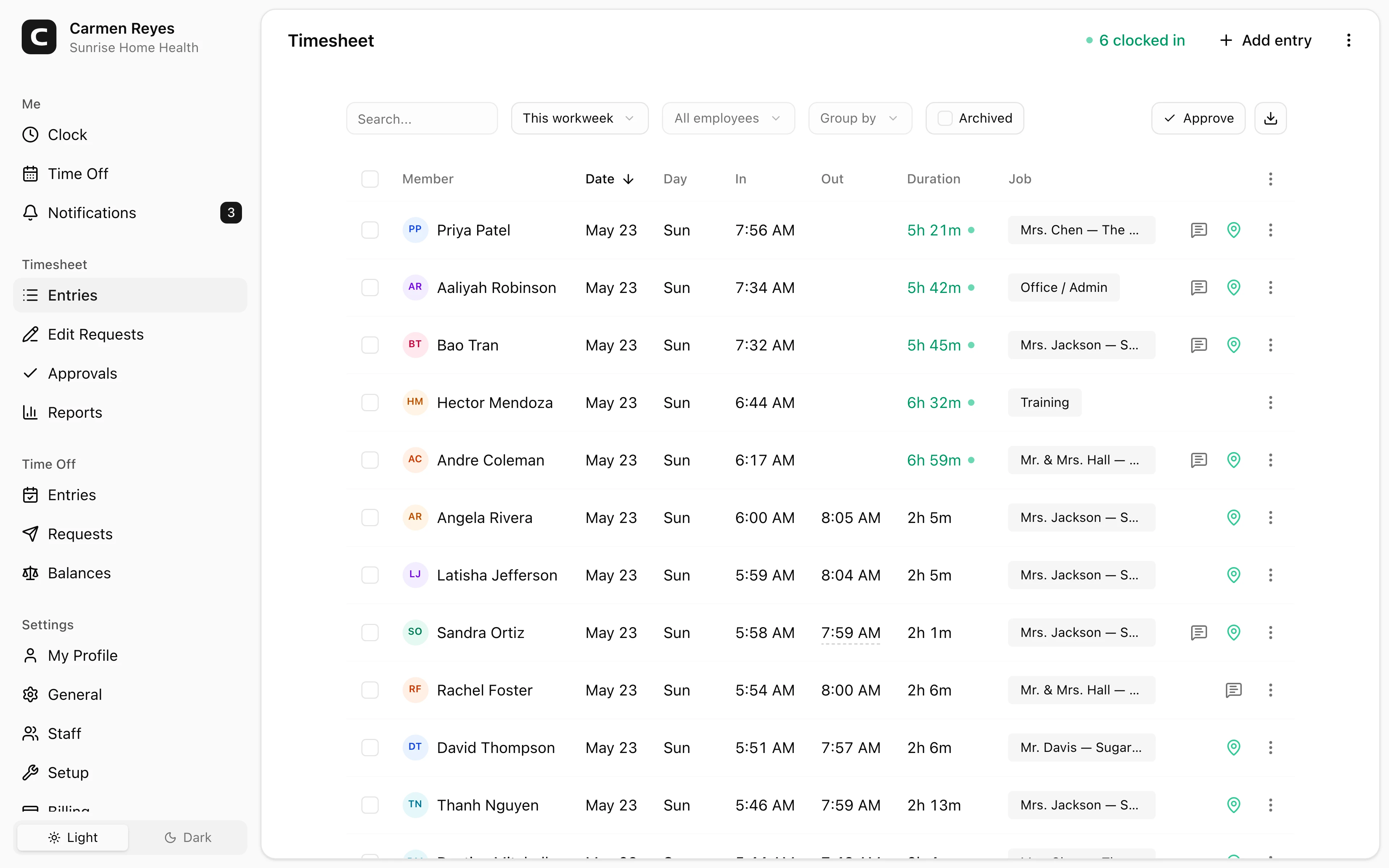
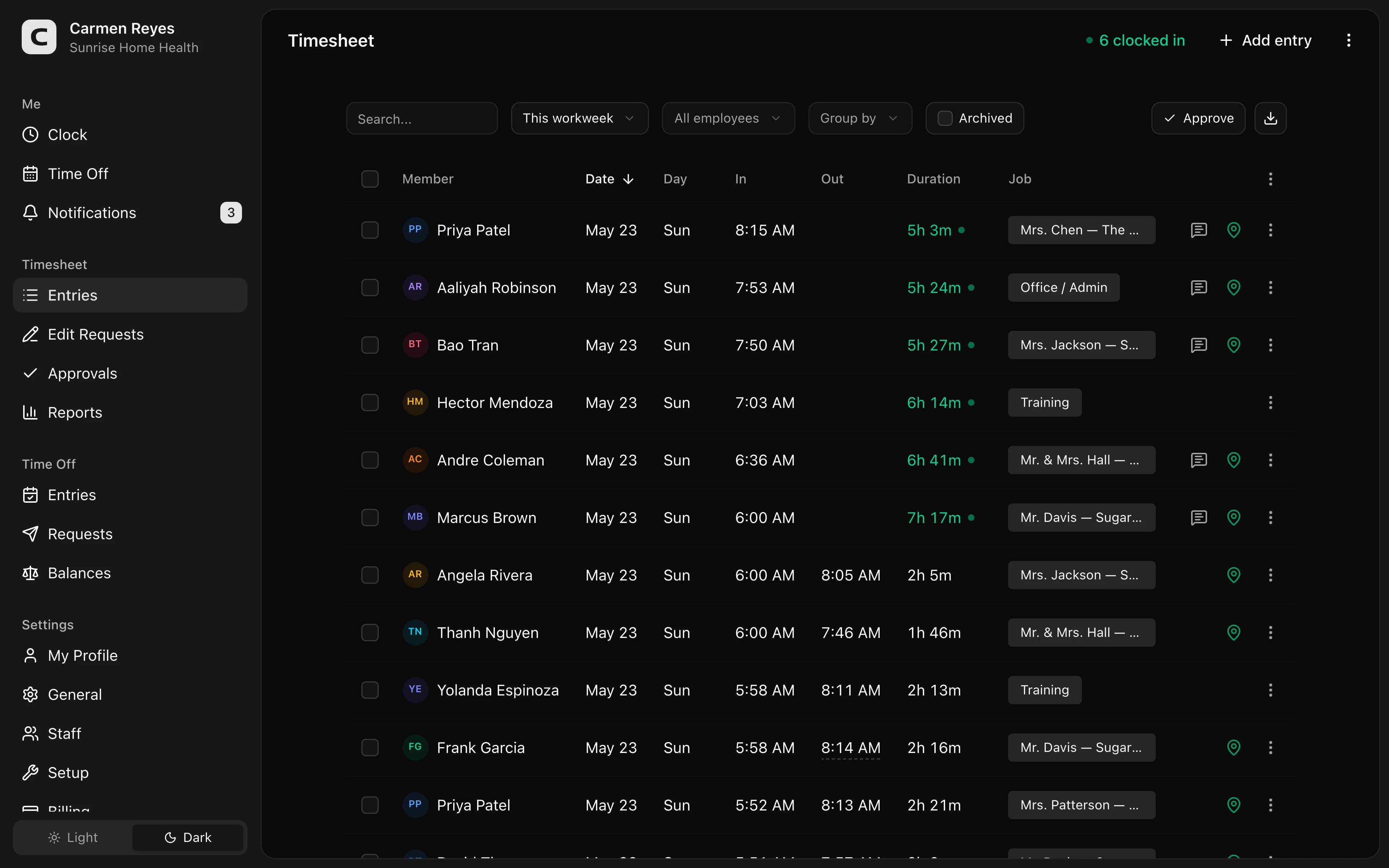 Open a no-login Clockspot demo with time entries, edits, approvals, and payroll-ready records.
If this is the workflow you need, open the demo above, then check Clockspot pricing or start a free trial.
FAQ
What should an accounting or tax firm time clock track?
It should track clock-ins, clock-outs, missed punches, corrections, edit reasons, manager approval, payroll-ready summaries, and office or role detail when that helps review.
Is a time clock the same as billable time tracking?
No. Billable time usually supports client work or invoicing. A time clock supports employee payroll records: when employees worked, what changed, who approved it, and what record supports the payroll total.
Does Clockspot replace tax, accounting, or practice management software?
No. Clockspot tracks employee time and payroll-ready records. Tax software, accounting systems, client billing, practice management, document storage, payroll processing, HR, and scheduling are separate systems.
The bottom line
An accounting or tax firm time clock should make employee hours easier to review before payroll.
Choose the system that keeps clock-ins, corrections, approvals, and payroll-ready records clear during the weeks when the office has the least time to clean them up.
Keep reading
How to Track Employee Hours for Payroll
Use this payroll-ready time tracking workflow to capture hours, review exceptions, approve edits, and keep records you can explain later.
How to Approve Employee Time Cards Before Payroll
Use this time card approval workflow to review exceptions, confirm corrections, and send payroll hours you can explain later.
How to Track Employee Hours by Job or Location
Track employee hours by job or location so payroll, job costing, overtime review, and manager approval all use the right time record.
Time Card Audit Trail: What Small Businesses Should Keep
Keep a time card audit trail that shows punches, edits, reasons, approvals, late corrections, and the records behind payroll totals.
About Clockspot
Clockspot helps small businesses track employee time and keep payroll-ready records. Used in all 50 states since 2007, we focus on getting time and pay right — including the wage-and-hour rules that shape both.
Clockspot helps accounting and tax firms keep employee hours, corrections, approvals, and payroll-ready time records together. See how Clockspot supports accounting firm time tracking.