Time Clock App for Insurance Agencies: What to Look For
Quick-read version · 1 minInsurance agencies usually do not need a complicated field-service platform to track employee time.
Most agencies need something more basic and more important: hourly staff can record time clearly, managers can review exceptions before payroll, and the business can find the record later if an employee, bookkeeper, or owner has a question.
Start with the agency workflow
Before choosing a time clock, map the normal week:
- Hourly employees clock in when paid work starts.
- Employees clock out when paid work ends.
- Missed punches and manual edits are visible.
- Edits include a reason for the change.
- A manager or office lead approves final time cards.
- Approved hours are ready before payroll.
- Time records stay searchable after payroll runs.
That workflow matters whether the agency has one office, multiple branches, remote customer-service staff, or producers and support employees working different schedules.
The demo below shows the basic time-card workflow: entries, edits, approvals, and payroll-ready records in one place. Use it to see whether the office could review time before payroll without rebuilding the week from emails, texts, or spreadsheets.
No login required. Opens in one click.
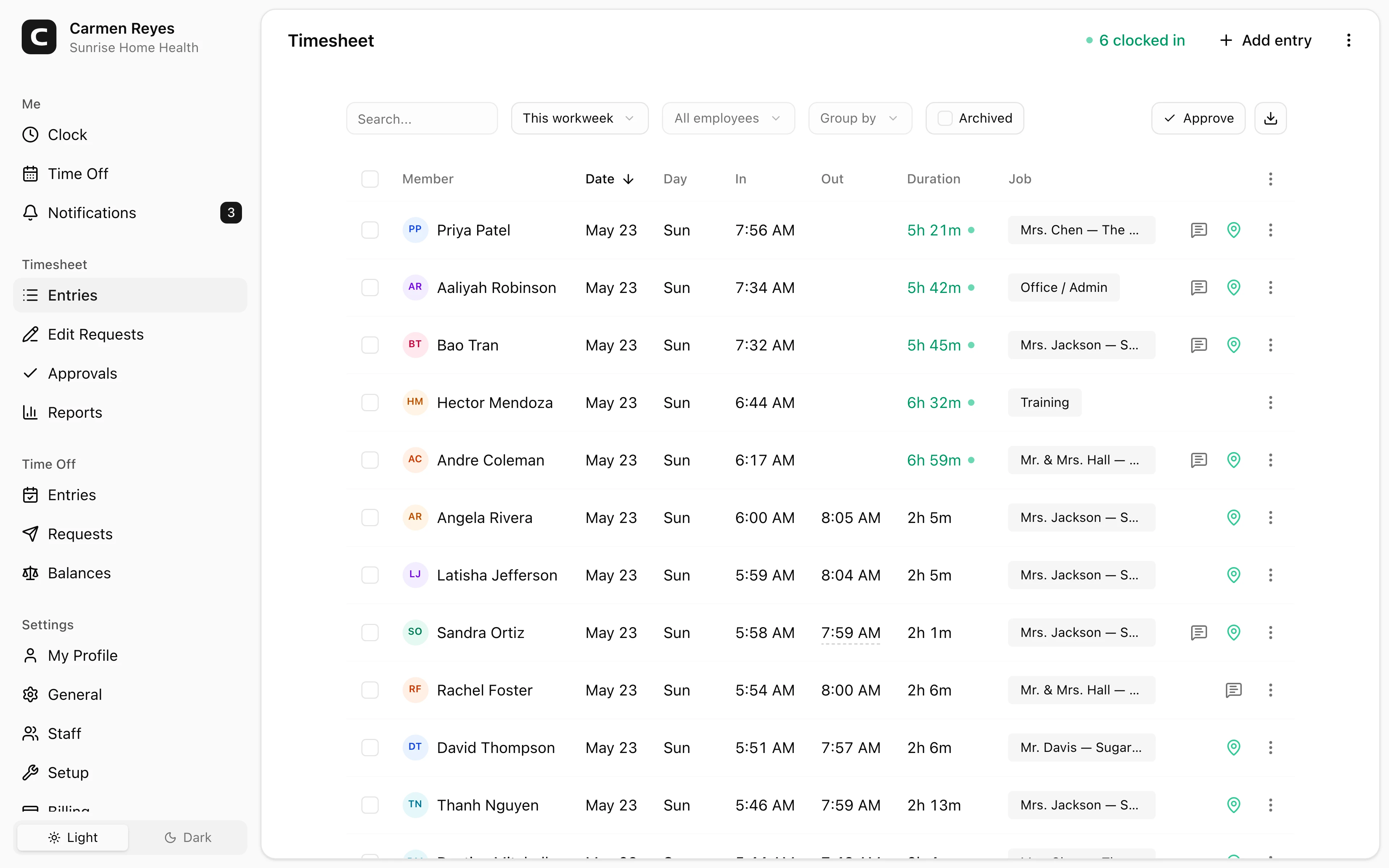
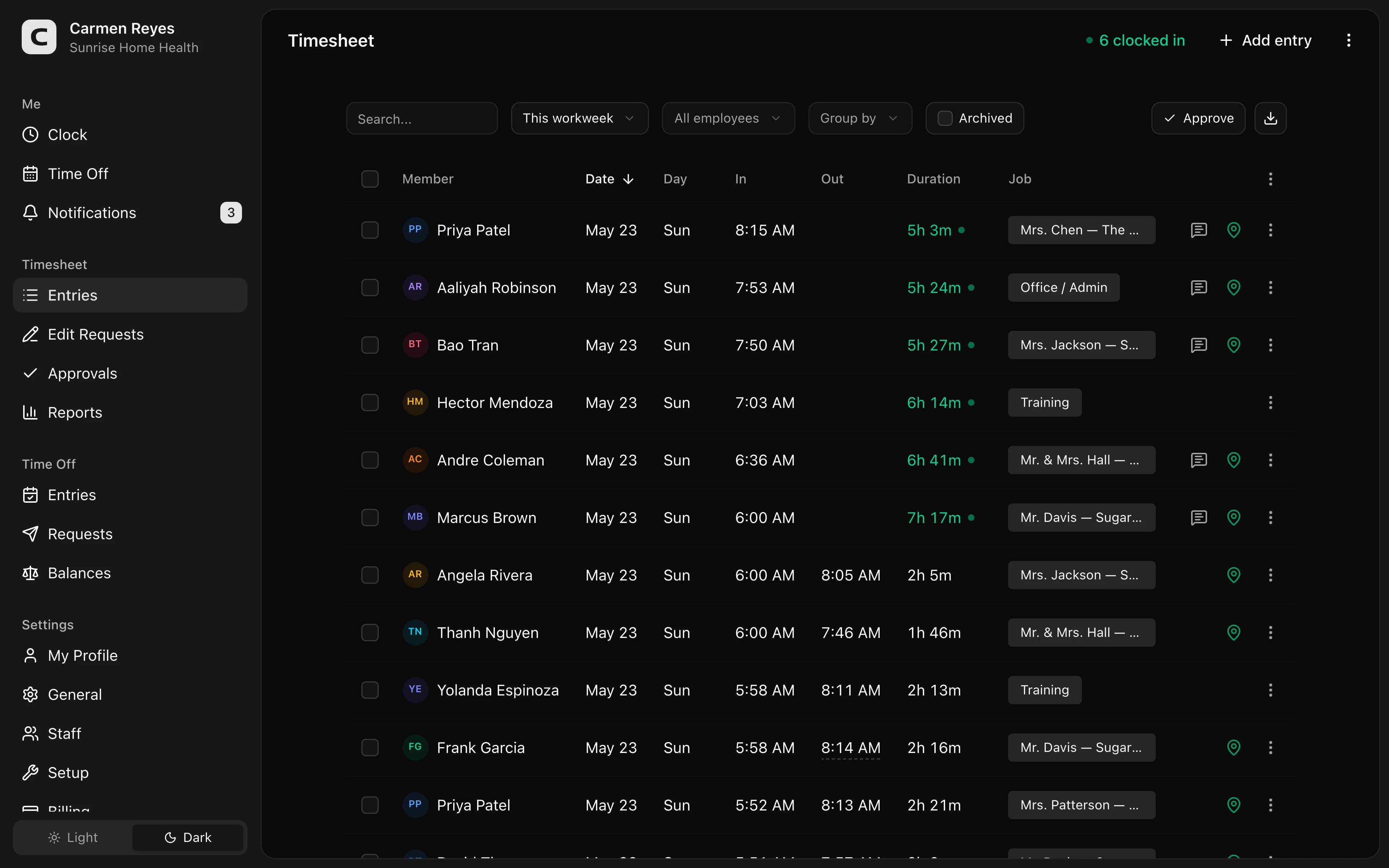 Open a no-login Clockspot demo with time entries, edits, approvals, and payroll-ready records.
Keep the system simple enough for the office
Insurance agencies often have a mix of roles: customer service representatives, account managers, administrative staff, producers, reception, claims support, and managers.
The time clock should be simple enough that employees actually use it. Do not add fields just because software makes them available. Require the details managers will review:
- Employee.
- Clock-in and clock-out.
- Breaks, if your process tracks them.
- Department, office, or location when that detail matters.
- Notes for missed punches or edits.
- Manager approval.
- Payroll export or summary status.
If job, department, or location detail affects reporting, read how to track employee hours by job or location.
For an agency-specific setup, read how to track insurance agency hours by office or role.
Manager review should happen before payroll
A time clock is not just a place to collect punches. It should help the office catch the records most likely to affect pay:
- Missing clock-ins or clock-outs.
- Manual edits without reasons.
- Overtime or near-overtime weeks.
- Breaks that need review.
- Employees assigned to the wrong office, department, or location.
- Unapproved time cards before payroll.
For the review step, read how to approve employee time cards before payroll. For the full weekly process, read how to track employee hours for payroll.
When Clockspot is a good fit
Clockspot is a good fit when an insurance agency needs focused employee time tracking:
- Hourly employees clock in and out from a browser, phone, or shared device.
- Managers review missed punches, edits, approvals, jobs, departments, or locations.
- Approved hours are ready before payroll.
- The agency keeps the record behind the paycheck.
It may be a poor fit if the agency wants one system for insurance agency management, commissions, carrier appointments, CRM, quoting, document management, payroll processing, HR files, and scheduling in the same platform.
If this is the kind of agency time-clock workflow you need, open the demo above, then check Clockspot pricing or start a free trial.
Questions to ask before choosing
Ask:
- Can employees clock in without training?
- Can managers see missed punches quickly?
- Can time-card edits include a reason?
- Can time cards be approved before payroll?
- Can payroll receive approved hours?
- Can old time records be found by employee, date, office, department, or location?
- Is the system simpler than the spreadsheet, paper, or payroll-edit process it replaces?
For a general small-business buying guide, read best employee time clock for small business.
FAQ
What is the best time clock app for an insurance agency?
The best app is the one that fits the agency's payroll workflow: easy clock-in, visible missed punches, edit reasons, manager approval, payroll export, and records the office can find later.
Do insurance agencies need GPS time tracking?
Usually not as the main reason to buy. Some agencies may use location or office tracking for remote, branch, or hybrid work, but most agency time tracking starts with accurate hours, corrections, approvals, and payroll-ready records.
Should an insurance agency track time by department or office?
Yes, when the detail helps managers review time or understand labor by team, office, or location. If nobody uses the detail, do not add friction just to collect it.
The bottom line
An insurance agency time clock should make employee hours easier to review before payroll.
Choose the system that employees can use, managers can approve, and the agency can explain later without rebuilding the week from memory.
Keep reading
How to Track Employee Hours for Payroll
Use this payroll-ready time tracking workflow to capture hours, review exceptions, approve edits, and keep records you can explain later.
Best Employee Time Clock for Small Business: What to Look For
Choose an employee time clock for small business by checking payroll workflow, missed punches, approvals, overtime, breaks, locations, and records.
How to Track Insurance Agency Hours by Office or Role
Track insurance agency hours by office, department, or role with simple time records, corrections, approvals, and payroll-ready review.
How to Approve Employee Time Cards Before Payroll
Use this time card approval workflow to review exceptions, confirm corrections, and send payroll hours you can explain later.
About Clockspot
Clockspot helps small businesses track employee time and keep payroll-ready records. Used in all 50 states since 2007, we focus on getting time and pay right — including the wage-and-hour rules that shape both.
Clockspot helps insurance agencies and office teams keep clock-ins, corrections, approvals, and payroll-ready time records together. See how Clockspot supports agency time tracking.