Employee Time Tracking App for Small Business: What Matters
An employee time tracking app should make payroll easier, not just make clocking in digital.
For a small business, the important question is whether the app helps employees record time accurately, helps managers review exceptions, and gives payroll records the business can explain later.
What the app needs to do
Before comparing app features, write down what has to happen each week before payroll can trust the hours:
- Employees clock in and out when the work happens.
- The app shows missing punches.
- Employees or managers correct mistakes with reasons.
- Managers approve time cards.
- Payroll receives hours after manager approval.
- Time records stay available after payroll closes.
If the app does not support that flow, it may only move your old timesheet problems onto a phone.
That is the main difference between a clock-in app and a payroll-ready time tracking app. A clock-in app records an event. A payroll-ready app helps the business review the event, correct mistakes, approve the final record, and keep the trail after payroll runs.
Mobile matters when work is mobile
Mobile time tracking is useful when employees start work away from a shared computer or kiosk.
It matters for:
- Field service.
- Home health.
- Mobile crews.
- Multi-location teams.
- Delivery or route work.
- Employees who change job sites during the day.
If everyone works in one place, a browser or kiosk workflow may be simpler.
Do not pay for mobile complexity if the team clocks in from the same counter, shop, office, or front desk every day. Do pay attention to mobile if employees start work before they reach a manager or shared device.
The demo below shows the core workflow a small business should test first: employees create time entries, managers can review exceptions, and the final record stays connected before payroll. Start there before deciding which extra app features matter.
No login required. Opens in one click.
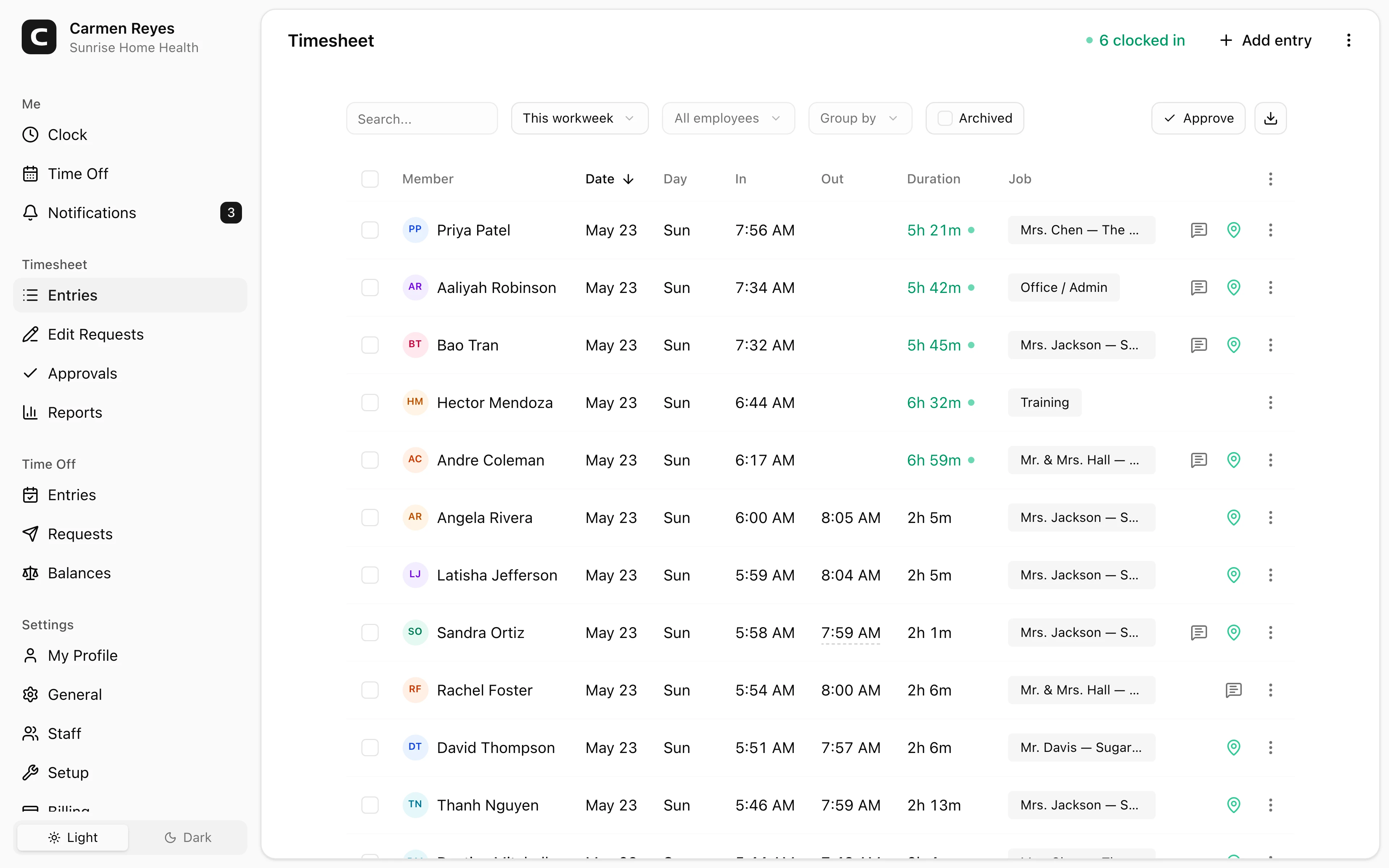
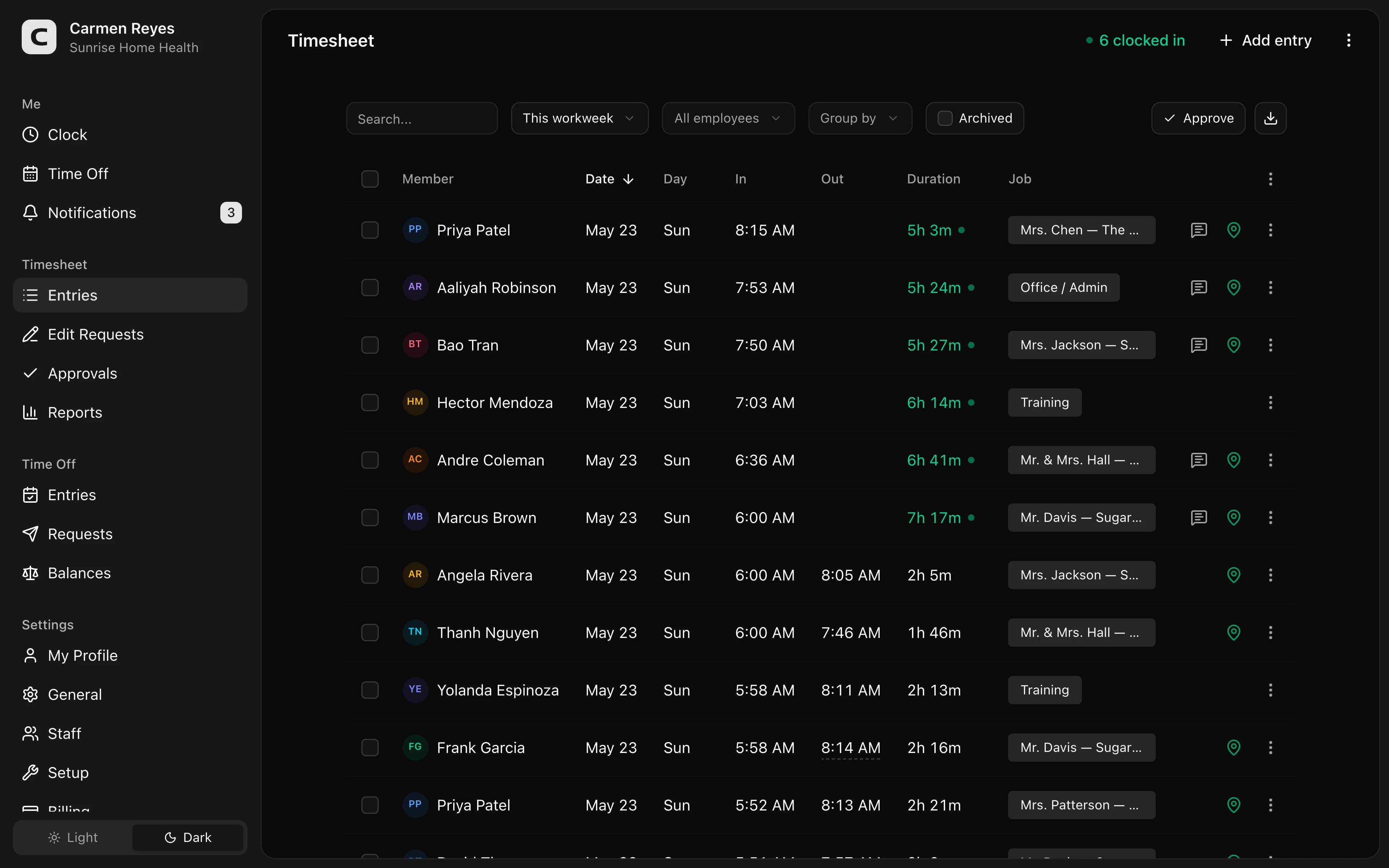 Open a no-login Clockspot demo with time entries, edits, approvals, and payroll-ready records.
Look for exception review
The app should make abnormal records easy to find:
- Missing clock-in or clock-out.
- Long shift.
- Overtime risk.
- Missed or short break.
- Manual edit.
- Wrong job or location.
- Unapproved time card.
Without exception review, the app may collect more data without making payroll easier.
Check edit and approval workflow
Mistakes happen. The app should not pretend they do not.
Look for:
- Time-card edits with reasons.
- Original records preserved.
- Manager approval.
- Post-approval changes visible.
- Payroll export based on final approved hours.
For the approval layer, read how to approve employee time cards.
Do not buy more app than you need
Some teams need scheduling, messaging, HR documents, hiring, payroll, and time tracking in one system.
Other teams just need a reliable time clock.
Be honest about which problem you are solving. If the pain is payroll-ready time records, choose the app that makes that workflow simple. Do not choose a large system just because it has more modules.
When Clockspot is a good fit
Clockspot is a good fit when you want focused online time tracking:
- Employees clock in from a browser or mobile workflow.
- Managers review missing punches, edits, jobs, locations, and approvals.
- Payroll receives manager-approved hours instead of a spreadsheet cleanup project.
- The business wants time records it can find later.
It may be a poor fit if your main buying need is a full HR suite, built-in payroll processor, applicant tracking system, or complex shift-scheduling platform. Those can be valid needs; they are just different from choosing a focused time tracking app.
If you are comparing apps now, start with the demo above. Then check Clockspot pricing or start a free trial when you are ready to test it with your team.
Questions to ask before choosing
- Can employees clock in quickly?
- Does it work where employees start work?
- Can managers find missing punches?
- Can time-card edits include the reason for the change?
- Can time cards be approved before payroll?
- Can payroll export approved hours?
- Can old records be found later?
- Is the workflow simple enough for your team to use every week?
For broader comparison, read paper timesheets vs time clock software.
FAQ
What is an employee time tracking app?
It is software employees use to record work time, usually from a phone, browser, or shared device. A useful app also helps managers review exceptions and prepare hours for payroll.
Does every small business need a mobile app?
No. Mobile matters when employees work away from a shared clock, move between sites, or need to record time from the field.
What is the most important feature?
Payroll-ready workflow. Easy clock-in matters, but the app also needs missed-punch review, edits, approvals, export, and records.
The bottom line
Choose the app that helps your team record time, review exceptions, approve hours, and find the record later.
The right employee time tracking app helps your team record time, fix mistakes, approve hours, and keep the records behind payroll.
Keep reading
How to Track Employee Hours for Payroll
Use this payroll-ready time tracking workflow to capture hours, review exceptions, approve edits, and keep records you can explain later.
How to Approve Employee Time Cards Before Payroll
Use this time card approval workflow to review exceptions, confirm corrections, and send payroll hours you can explain later.
Paper Timesheets vs Time Clock Software
Compare paper timesheets and time clock software for small business payroll, missed punches, approvals, overtime, edits, and recordkeeping.
How to Handle Missed Punches Before Payroll
Use this missed-punch workflow to correct time cards before payroll, keep an audit trail, and avoid paying from hours nobody can explain.
About Clockspot
Clockspot helps small businesses track employee time and keep payroll-ready records. Used in all 50 states since 2007, we focus on getting time and pay right — including the wage-and-hour rules that shape both.
Clockspot gives small businesses an online time tracking workflow for clock-ins, edits, approvals, jobs, locations, and payroll-ready records. See Clockspot's time tracking app.