Paper Timesheets vs Time Clock Software
Paper timesheets can work when the business is tiny and the schedule is simple.
They start breaking down when payroll depends on details: missed punches, break records, overtime, job changes, manager approvals, and records you may need months later. The question is not whether paper is always bad. The question is when paper stops being enough for the way your team actually works.
The practical difference
Paper timesheets ask the business to trust a written total.
Time clock software records the events behind the total:
- When the employee clocked in.
- When they clocked out.
- Whether a break was recorded.
- What changed after the original entry.
- Who approved the final time.
- Which pay period the hours went to payroll.
That difference matters when payroll is wrong, an employee disputes hours, or a manager needs to explain an edit.
When paper timesheets can work
Paper can be enough for a very small team when:
- Employees work predictable shifts.
- Everyone works in one place.
- Overtime is rare.
- Break rules are simple.
- One person reviews every timesheet carefully.
- Payroll questions are easy to reconstruct.
Even then, paper needs discipline. Employees should record time daily, managers should review before payroll, and the business should keep the records after payroll runs.
Where paper breaks down
Paper usually breaks when the business needs an audit trail.
Common problems:
- Employees write totals instead of start and stop times.
- Missed punches are fixed with no reason.
- Managers approve from memory.
- Overtime is discovered after payroll is already due.
- Breaks are not recorded clearly.
- Old records are hard to find.
- Payroll re-entry creates another chance for mistakes.
These are not just administrative annoyances. They affect payroll accuracy and the business's ability to explain what happened.
The demo below shows the digital version of the record paper usually fails to keep clean: clock times, edits, approvals, and payroll-ready details in one workflow. Use it as a comparison point against the paper process you have now.
No login required. Opens in one click.
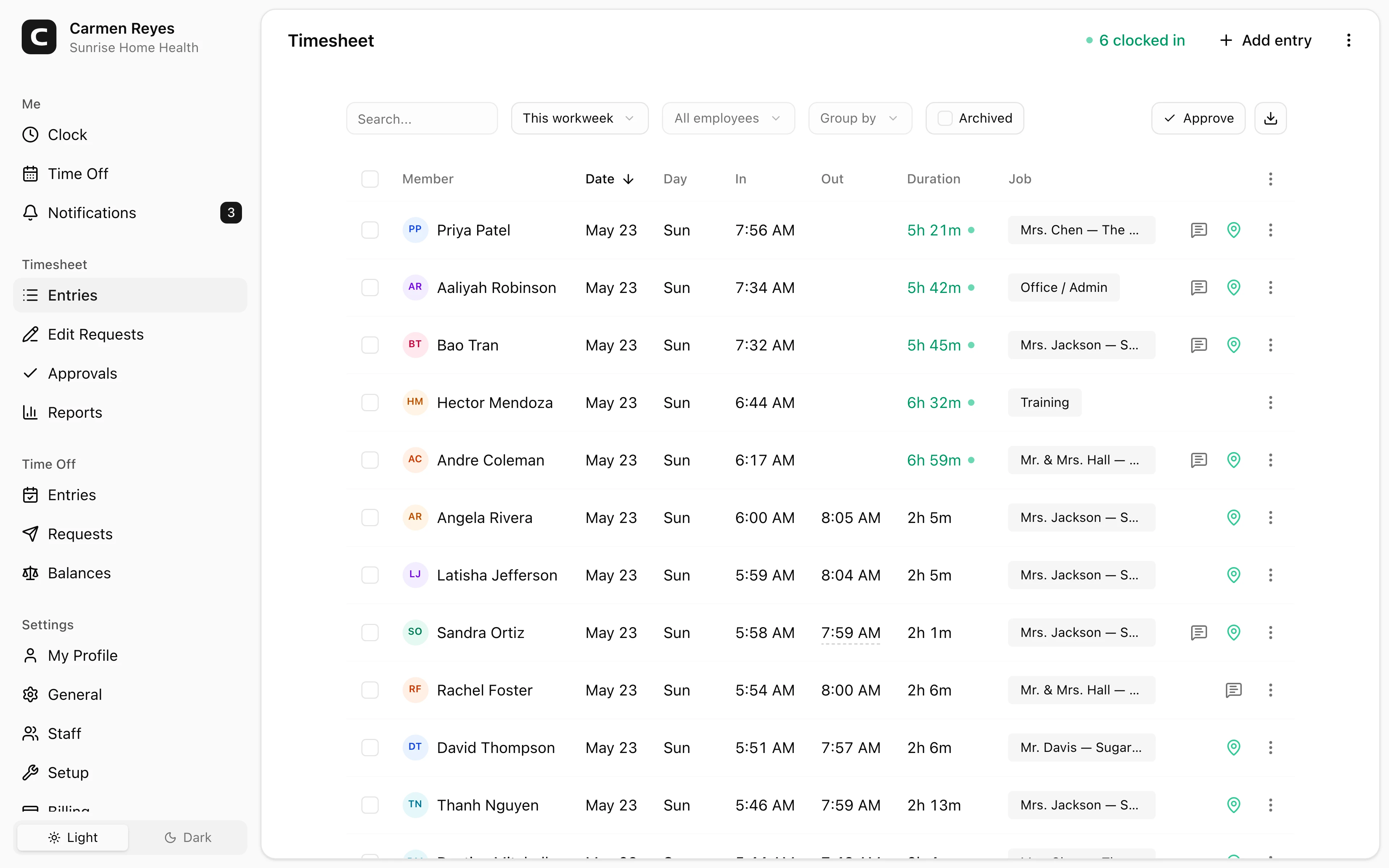
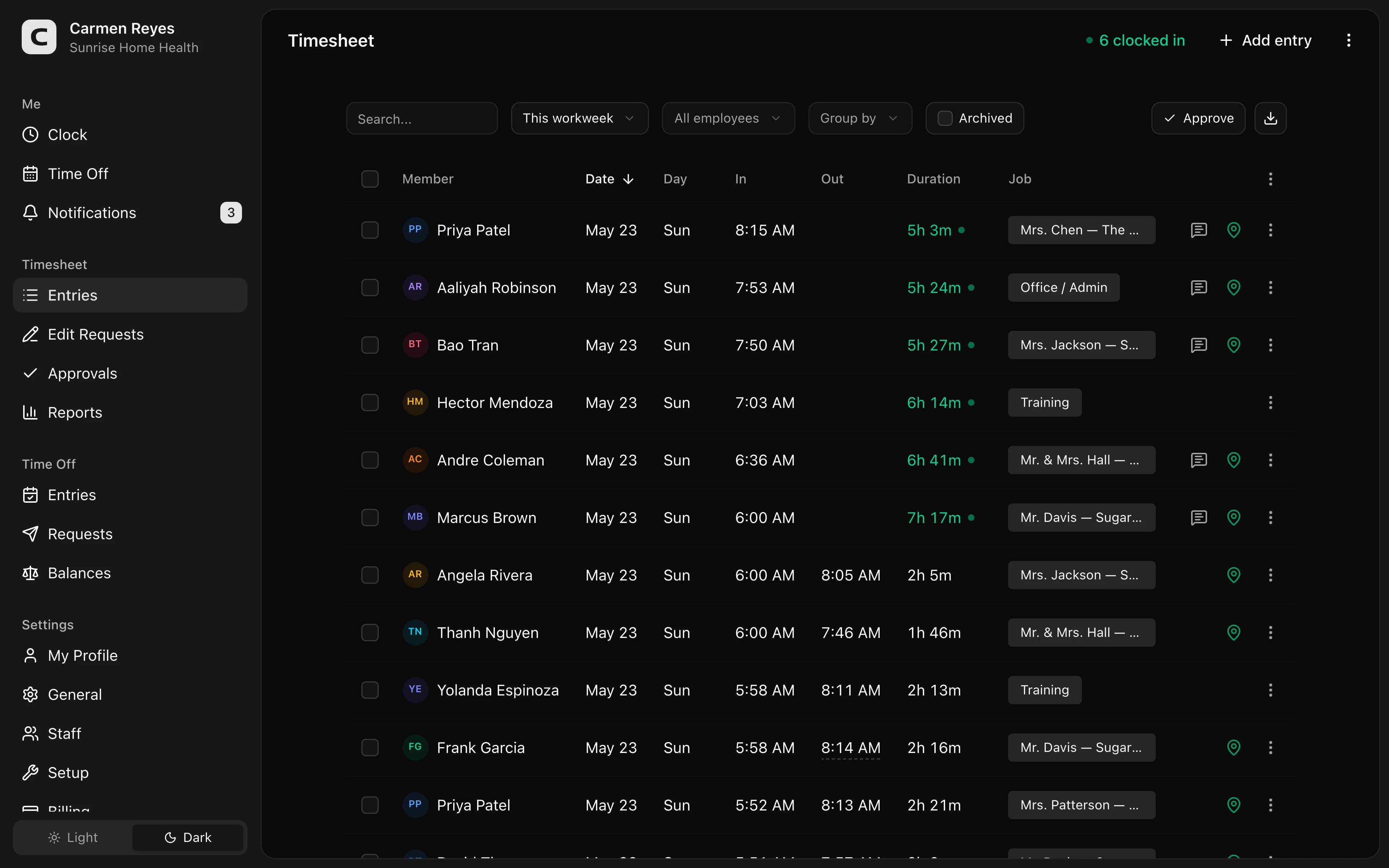 Open a no-login Clockspot demo with time entries, edits, approvals, and payroll-ready records.
What time clock software should improve
The value of time clock software is not just replacing paper with a screen.
It should improve the workflow:
- Employees record time when the work happens.
- Missed punches appear before payroll.
- Time-card edits include the reason for the change.
- Managers approve time cards before export.
- Payroll receives hours after manager approval.
- Time records stay searchable after payroll runs.
If software does not make those steps easier, it is just a digital timesheet.
For the full workflow, read how to track employee hours for payroll.
Paper vs spreadsheet vs time clock software
These are three different workflows:
- Paper timesheets are simple to start, but hard to search, audit, and correct cleanly.
- Spreadsheets improve math and formatting, but still depend on someone entering, reviewing, locking, and storing the record correctly.
- Time clock software captures the original time event and can attach edits, reasons, approvals, and payroll export status to the record.
If the only problem is adding totals, a spreadsheet may be enough. If the problem is knowing whether the totals are trustworthy, time clock software solves a different problem.
What paper still does well
Paper has advantages:
- It is familiar.
- It is cheap upfront.
- It does not require setup.
- It can work during internet outages.
- It can be enough for a very small, stable team.
Those advantages are real. But they are strongest before the business has payroll complexity.
What software does better
Software tends to win when the business needs:
- Faster payroll close.
- Better missed-punch handling.
- Manager approvals.
- Overtime visibility.
- Break tracking.
- Job or location tracking.
- Searchable records.
- Fewer manual payroll entries.
The more often you reconstruct hours from memory, the stronger the case for software.
When Clockspot is a good fit
Clockspot is a good fit when paper or spreadsheets are failing at the handoff to payroll:
- Employees forget to fill in time daily.
- Managers approve from memory.
- Missed punches need notes and approval.
- Payroll re-enters hours by hand.
- Old time cards are hard to find.
- The business needs a clearer record without adopting a large HR suite.
It may be a poor fit if paper is working well, the team is very small, every shift is predictable, and payroll questions are rare. In that case, the better move may be tightening the paper process before adding software.
If paper is starting to fail at payroll, compare the demo above with your current process. Then check Clockspot pricing or start a free trial.
Cost is not only subscription price
Paper looks cheaper because it has no monthly software bill.
But paper still has costs:
- Manager time reviewing incomplete sheets.
- Payroll time re-entering hours.
- Mistakes from unreadable or late entries.
- Weak records when an employee questions pay.
- Lost time finding old documents.
For some teams, paper is still the right tradeoff. For many hourly teams, the hidden cost is the payroll scramble.
Decision guide
Paper may be enough if your team is tiny, stable, and simple.
Consider time clock software if:
- Payroll takes too long.
- Missed punches are common.
- Managers approve from memory.
- Employees work different jobs or locations.
- Overtime surprises you.
- Break tracking matters.
- You need records after payroll closes.
FAQ
Are paper timesheets legal?
Federal law does not require one specific timekeeping form. Covered employers need accurate records of hours worked and wages earned. Paper can work if the records are complete and accurate.
Are spreadsheets better than paper?
Spreadsheets can make math easier, but they still depend on the same habits: complete entries, clear edits, approval, and record retention.
When should a small business switch to time clock software?
Switch when payroll depends on details paper does not preserve well: missed punches, edits, approvals, overtime, breaks, jobs, locations, and searchable records.
The bottom line
Paper timesheets are not automatically wrong. They are just easy to outgrow.
When payroll starts depending on edits, approvals, exceptions, and records you need later, time clock software becomes less about convenience and more about control.
Keep reading
How to Track Employee Hours for Payroll
Use this payroll-ready time tracking workflow to capture hours, review exceptions, approve edits, and keep records you can explain later.
Employee Time Tracking App for Small Business: What Matters
Choose an employee time tracking app for small business by checking clock-in workflow, missed punches, approvals, payroll export, records, and mobile fit.
How to Handle Missed Punches Before Payroll
Use this missed-punch workflow to correct time cards before payroll, keep an audit trail, and avoid paying from hours nobody can explain.
How to Approve Employee Time Cards Before Payroll
Use this time card approval workflow to review exceptions, confirm corrections, and send payroll hours you can explain later.
About Clockspot
Clockspot helps small businesses track employee time and keep payroll-ready records. Used in all 50 states since 2007, we focus on getting time and pay right — including the wage-and-hour rules that shape both.
Clockspot helps small businesses move from paper timesheets to online time cards with edits, approvals, and payroll-ready records in one place. See how Clockspot replaces paper timesheets.