Time Clock App for Cleaning Companies: What to Look For
Quick-read version · 1 minA cleaning company time clock has to work at the client site.
Cleaners move between homes, offices, buildings, short-term rentals, and recurring accounts. Crews may split up, switch locations, arrive after hours, or finish a job earlier than scheduled. If the time clock does not connect hours to the right client or job, payroll and job costing turn into cleanup.
Start with the cleaning workflow
Before comparing apps, map a normal day:
- Cleaner or crew clocks in at the client site.
- The time entry is assigned to the right client, job, building, or location.
- Manager sees missed punches, early departures, late arrivals, location exceptions, and overtime risk.
- Any time-card corrections include the reason for the change.
- Manager approves the final time before payroll.
- Approved hours are ready before payroll.
- Job-time records stay available after payroll and invoicing questions come up.
That workflow matters whether the company does residential cleaning, commercial janitorial work, Airbnb turnovers, construction cleanup, or multi-location contracts.
Job and client detail matter
Some cleaning companies only need total hours. Many need to know where the hours went.
That can mean:
- Residential client.
- Commercial building.
- Recurring contract.
- One-time deep clean.
- Airbnb or short-term rental turnover.
- Crew, route, or job code.
- Location or department for a larger account.
Do not make cleaners choose from fields the office never uses. But if client or job detail affects payroll, billing, job costing, or manager approval, capture it while the work happens.
If you need job or location detail on time cards, read how to track employee hours by job or location. For cleaning-company examples, read how to track cleaning crew hours by client or job.
The job-costing demo below shows how those client and job choices become something the office can review after the work is done. It shows hours by job or location so payroll, billing, and manager review are not working from separate guesses.
No login required. Opens in one click.
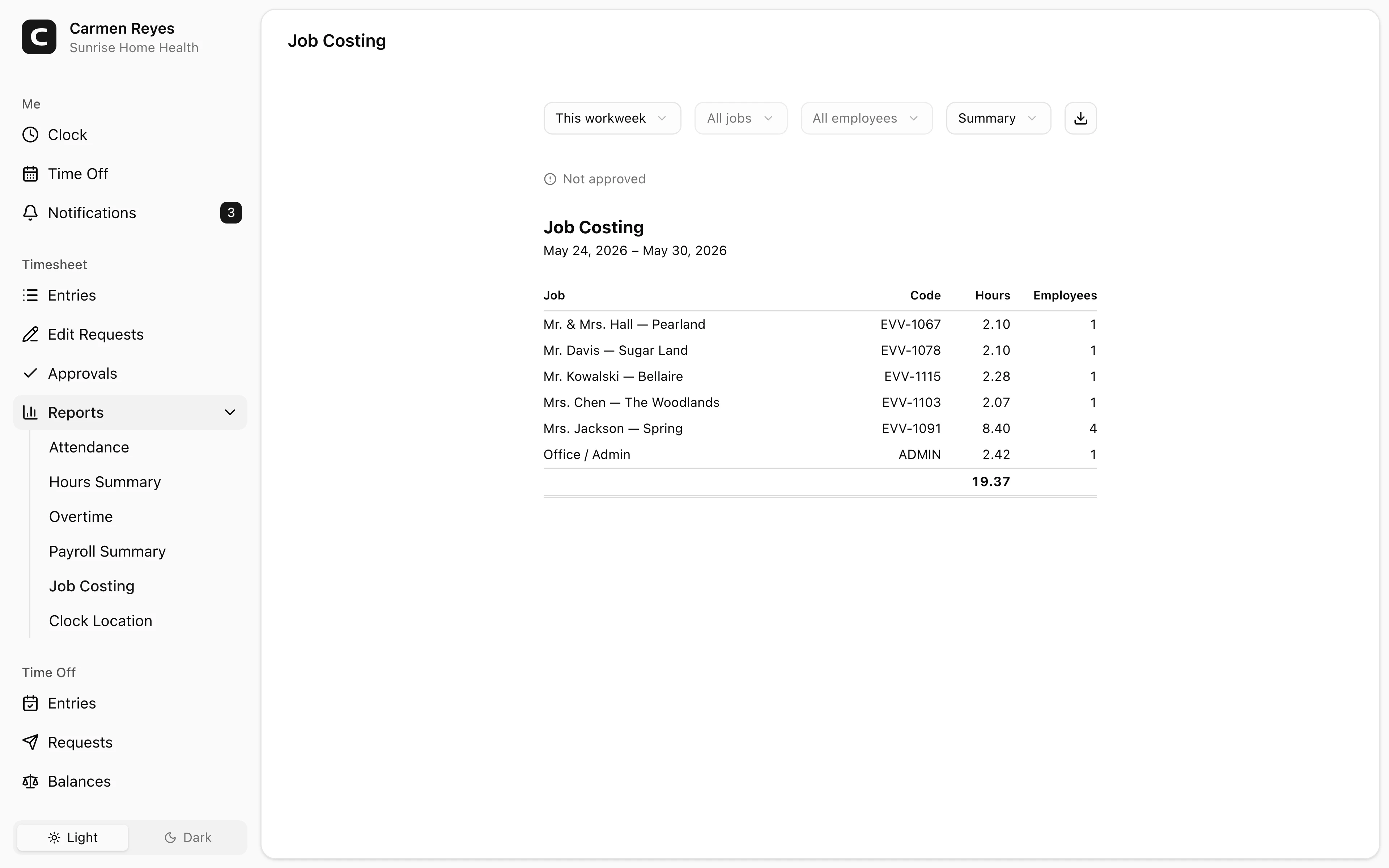
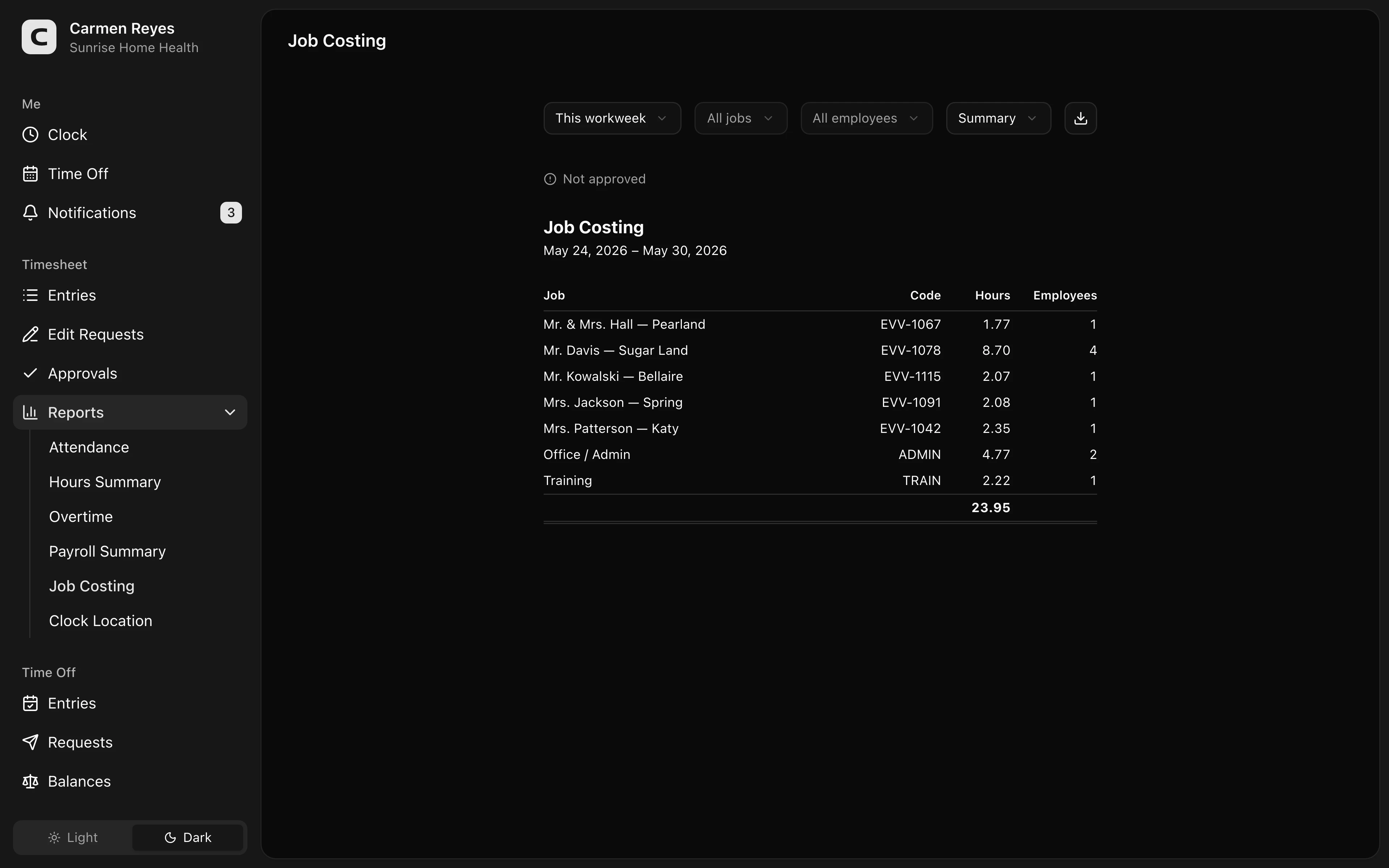 Open a no-login Clockspot demo with time entries, edits, approvals, and payroll-ready records.
GPS should answer a practical question
GPS can help show whether a clock-in happened near the expected client location.
That is useful when employees work away from a shared clock. It can also help the office review records without calling every supervisor or client.
But GPS should support review, not replace judgment. A location mismatch may mean the cleaner clocked in from the parking lot, had poor signal, went to a supply stop, or was reassigned. The workflow should flag the record, ask what happened, correct it if needed, and keep the reason.
For broader GPS guidance, read employee time clock with GPS.
Watch travel time between jobs
Cleaning companies often have drive time between client sites.
The app will not answer every legal question, but it should make the record clear:
- Where did the workday start?
- Which client or job did the employee work on?
- Did the employee move between sites?
- Was travel time recorded separately when needed?
- Did a manager approve the final hours?
For crews that move between client sites, read cleaning crew travel time between jobs. For the pay rules behind travel and mileage, read travel time pay and mileage reimbursement requirements by state.
What to look for in a cleaning company time clock
Look for:
- Mobile clock-in and clock-out.
- Client, job, or location assignment.
- GPS or location context for clock events.
- Missed-punch visibility.
- Time-card corrections with reasons.
- Manager approval before payroll.
- Payroll export or payroll-ready summaries.
- Records searchable by employee, date, client, job, or location.
The right app should make payroll easier and give the owner a clearer view of labor by job.
When Clockspot is a good fit
Clockspot is a good fit when a cleaning company needs focused time tracking, not a full cleaning-business management system:
- Cleaners clock in and out from client sites.
- Hours can be reviewed with client, job, location, or cost-code context.
- Managers review missed punches, corrections, and approvals.
- Approved hours are ready before payroll.
- The business can find old time records later.
It may be a poor fit if the company primarily needs route optimization, client booking, dispatch, inspection checklists, invoicing, or full cleaning-business management in the same system.
If that matches your cleaning workflow, open the job-costing demo above, then check Clockspot pricing or start a free trial.
Questions to ask before choosing
Ask:
- Can cleaners clock in quickly from the field?
- Can time be assigned to the right client, job, or location?
- Can managers review GPS or location exceptions fairly?
- Can labor by client be reviewed before payroll?
- Can payroll export approved hours?
- Can old records be searched by employee, date, client, or job?
- Is the app simpler than the paper, text-message, or spreadsheet process it replaces?
FAQ
What is the best time clock app for cleaning companies?
The best app is the one that fits the cleaning workflow: mobile clock-in, client or job tracking, location context, exception review, manager approval, payroll export, and searchable records.
Do cleaning companies need GPS time tracking?
Often, but not always. GPS helps when cleaners work away from a shared clock and the company needs location context for client-site work, missed punches, or job approval.
Should cleaning companies track time by client or job?
Yes, when client or job detail affects payroll, billing, job costing, manager approval, or customer questions. If the business never uses the detail, do not add friction.
The bottom line
A cleaning company time clock should make field hours easier to trust.
Choose the app that helps cleaners record time quickly, helps managers approve the right client or job, and leaves a clear time record behind each paycheck.
Keep reading
How to Track Employee Hours for Payroll
Use this payroll-ready time tracking workflow to capture hours, review exceptions, approve edits, and keep records you can explain later.
How to Track Cleaning Crew Hours by Client or Job
Set up cleaning crew time tracking so hours stay tied to the right client, job, location, approval, and payroll record.
Cleaning Crew Travel Time Between Jobs: What to Track Before Payroll
Track cleaning crew travel between client sites with job/location context, mileage notes, corrections, approvals, and payroll-ready records.
How to Track Employee Hours by Job or Location
Track employee hours by job or location so payroll, job costing, overtime review, and manager approval all use the right time record.
About Clockspot
Clockspot helps small businesses track employee time and keep payroll-ready records. Used in all 50 states since 2007, we focus on getting time and pay right — including the wage-and-hour rules that shape both.
Clockspot helps field teams keep employee hours, job/location context, corrections, approvals, and payroll-ready records connected. See how Clockspot supports cleaning company time tracking.