Time Clock App for Home Health Care: What Agencies Should Look For
Quick-read version · 1 minA home health time clock has to work for caregivers in client homes.
Caregivers and aides work in patient homes, move between visits, handle schedule changes, and sometimes spend part of the day driving. If the time clock only collects a weekly total, the agency still has to reconstruct visits, travel time, mileage, corrections, and payroll questions later.
Start with the caregiver workflow
Before comparing apps, map the week a caregiver actually works:
- Caregiver clocks in for the visit.
- The time entry is tied to the right client, patient, or service location.
- The agency can see missed clock-ins, missed clock-outs, late visits, and location exceptions.
- Any time-card corrections include the reason for the change.
- Supervisor or office staff approve the final time before payroll.
- Approved hours are ready before payroll.
- Visit and time records stay available after payroll runs.
That workflow matters more than a long feature list. A home care agency may also need scheduling, billing, care plans, documentation, and EVV. Those systems matter, but the payroll time record still has to be complete and explainable.
EVV and time tracking are related, but not identical
Electronic visit verification usually exists to verify covered visits for payer or program compliance. Time tracking exists to help the agency pay employees correctly and keep the records behind payroll.
Those jobs overlap. Both may care about:
- Who provided the service.
- Who received the service.
- Where the visit happened.
- When the visit started and ended.
- What service was provided.
But a basic time clock is not automatically an EVV system. If your agency needs state-certified EVV, confirm that requirement separately before choosing software. If you already have EVV, you may still need a cleaner payroll workflow for travel time, mileage, missed punches, approvals, and records.
For the deeper distinction, read EVV vs time tracking.
The location demo below shows the payroll time-tracking side of the home health workflow: employee hours with location context, corrections, approvals, and payroll-ready records. It is not an EVV module or clinical record; it shows the time record the office can review before payroll.
No login required. Opens in one click.
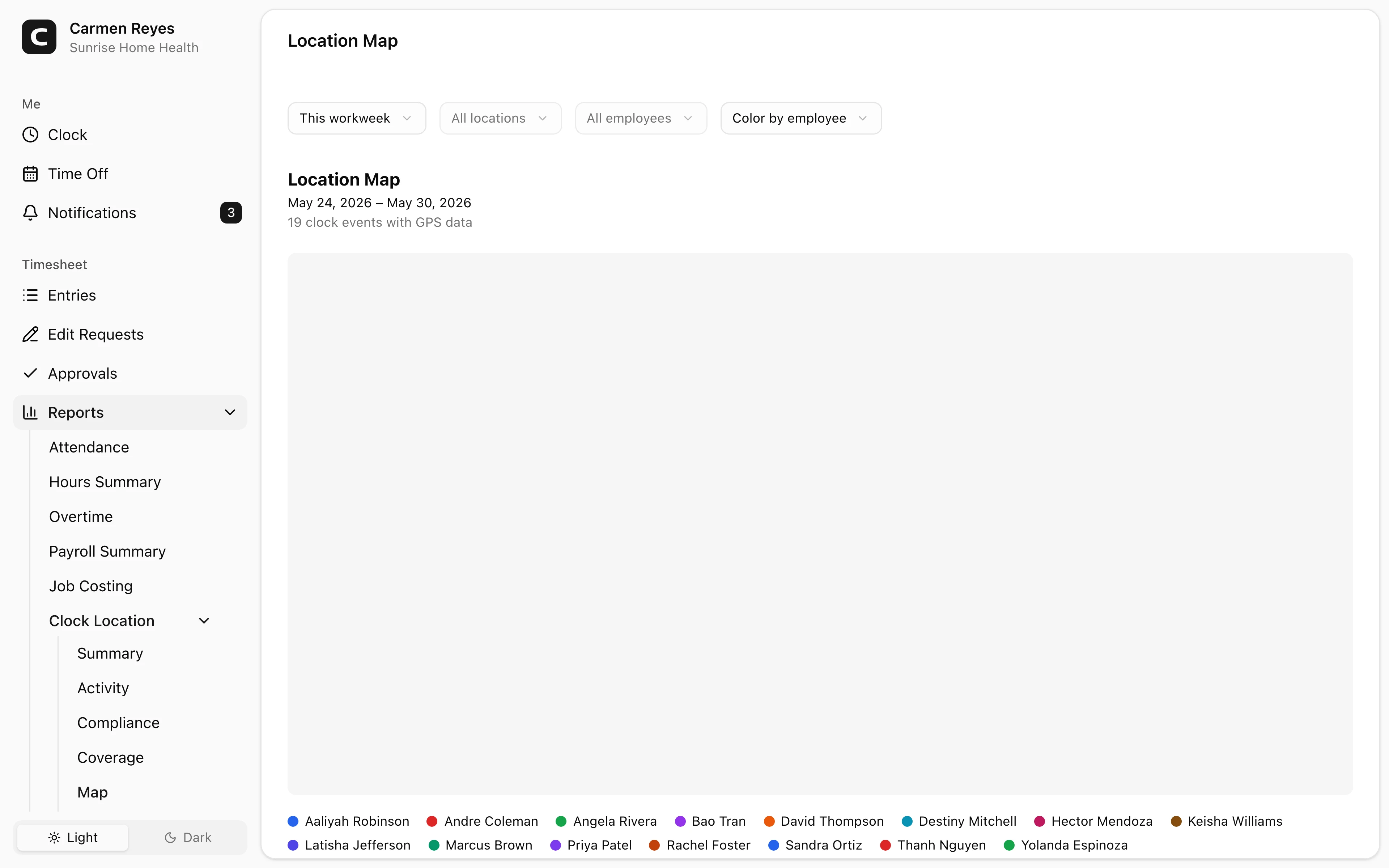
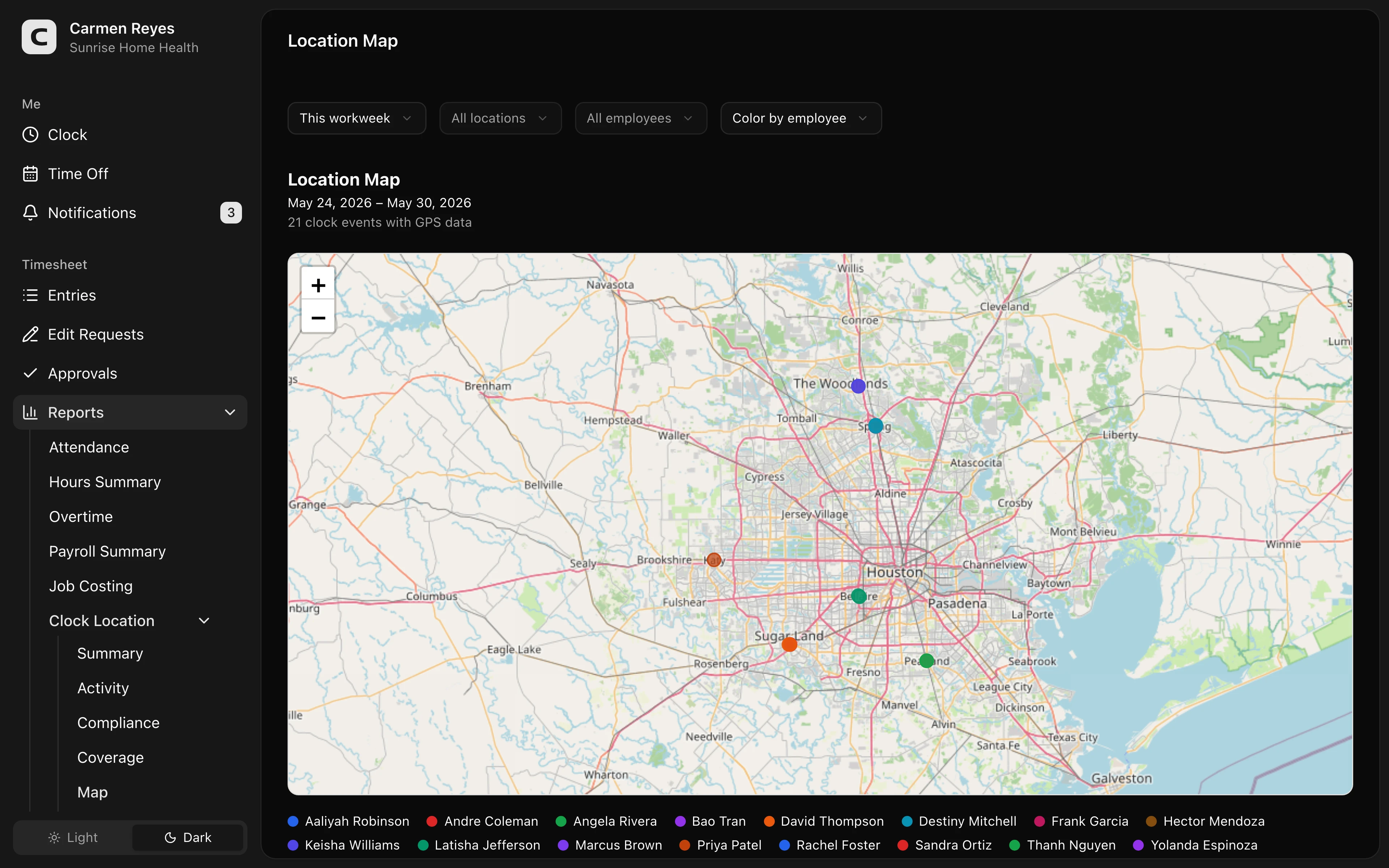 Open a no-login Clockspot demo with time entries, edits, approvals, and payroll-ready records.
Travel time and mileage need their own attention
Home health agencies often have workdays that are not one fixed shift at one fixed location.
A caregiver may:
- Drive from home to the first client.
- Drive between client homes.
- Return to the office for supplies or paperwork.
- Pick up a same-day visit.
- Spend time charting or contacting the office after a visit.
Not every mile or minute is treated the same way. The time clock app will not answer every legal question by itself, but it should help the agency see the record clearly enough to review it before payroll.
For a practical way to keep caregiver travel records clear, read caregiver travel time and mileage. For the pay rules behind travel and mileage, read travel time pay and mileage reimbursement requirements by state.
GPS should support review, not constant tracking
Location data can help confirm that a caregiver clocked in near the expected client location.
Use it as a review signal, not a final answer by itself. A location exception can happen for ordinary reasons: poor signal, apartment buildings, a last-minute schedule change, or the caregiver starting from a slightly different place than expected.
A fair workflow flags the exception, asks what happened, corrects the record if needed, and keeps the reason attached.
If you are deciding whether GPS belongs in your time clock, read employee time clock with GPS.
What to look for in a home health time clock
Look for the parts that make payroll easier:
- Mobile clock-in and clock-out.
- Visit, client, job, or location assignment.
- Location context for clock events.
- Missed-punch visibility.
- Time-card corrections with reasons.
- Supervisor approval before payroll.
- Payroll export or payroll-ready summaries.
- Records that can be found later by employee, date, client, or location.
If the app creates more office cleanup, it is not solving the right problem.
When Clockspot is a good fit
Clockspot is a good fit when a home health, home care, or field-service team needs focused time tracking, not a home-care management system:
- Employees clock in and out from the field.
- Hours can be reviewed with job or location context.
- Supervisors review missed punches, corrections, and approvals.
- Approved hours are ready before payroll.
- The business can find the time record later.
It may be a poor fit if the agency needs a full home care management platform with care plans, clinical documentation, payer billing, state-certified EVV, or patient records in the same system.
If that matches your agency's workflow, open the location demo above, then check Clockspot pricing or start a free trial.
Questions to ask before choosing
Ask:
- Can caregivers clock in quickly from a client home?
- Can the agency see missed punches before payroll?
- Can time be tied to the right client, visit, job, or location?
- Can supervisors review GPS or location exceptions fairly?
- Can travel time and mileage questions be reviewed from the record?
- Can payroll export approved hours?
- Can old records be searched later?
- Does the app work with, replace, or sit beside your EVV system?
FAQ
What is the best time clock app for home health care?
The best app is the one that fits the agency's field workflow: caregiver mobile clock-in, visit or location context, missed-punch review, supervisor approval, payroll export, and records you can find later.
Is a time clock app the same as EVV?
No. EVV usually verifies covered visits for payer or program compliance. Time tracking helps the agency manage payroll-ready hours, corrections, travel time, approvals, and records. Some agencies need both.
Do home health agencies need GPS time tracking?
Often, but not always. GPS helps when caregivers work away from the office and the agency needs location context for visit review, payroll questions, or missed-punch corrections.
The bottom line
A home health time clock should make caregiver hours easier to review, approve, and pay.
Choose the app that helps caregivers record visits without friction, helps the office review exceptions before payroll, and keeps the record behind each paycheck.
Keep reading
How to Track Employee Hours for Payroll
Use this payroll-ready time tracking workflow to capture hours, review exceptions, approve edits, and keep records you can explain later.
EVV vs Time Tracking: What Home Health Agencies Should Separate
Understand the difference between EVV visit verification and payroll time tracking, and why home health agencies may need both records to stay clean.
Caregiver Travel Time and Mileage: What Home Health Agencies Should Track
Track caregiver travel time, mileage, visits, location context, corrections, approvals, and payroll-ready records without treating EVV as payroll.
Employee Time Clock With GPS: When Small Businesses Need It
Use GPS time tracking when location affects payroll, job costing, field work, approvals, or trust. Here is what to look for before choosing a GPS time clock.
About Clockspot
Clockspot helps small businesses track employee time and keep payroll-ready records. Used in all 50 states since 2007, we focus on getting time and pay right — including the wage-and-hour rules that shape both.
Clockspot helps field teams keep employee hours, location context, corrections, approvals, and payroll-ready records connected. See how Clockspot supports field team time tracking.