Time Clock App for Medical and Dental Clinics: What to Look For
Quick-read version · 1 minMedical and dental clinics need employee time records that do not get lost in the pace of appointments.
Front desk staff, assistants, hygienists, technicians, billing staff, and office managers may have different schedules. If time records are scattered, payroll becomes one more end-of-week cleanup job.
Start with the staff record
Before choosing a time clock, decide what the clinic needs before payroll:
- Who worked.
- When each employee clocked in and out.
- Whether breaks were recorded under your process.
- Which punches or times were corrected.
- Who approved the final time.
- Whether old records can be found later.
For the full payroll-ready workflow, read how to track employee hours for payroll.
Keep clinic systems separate
A clinic time clock should do employee time tracking well. It should not try to replace patient scheduling, EHR, practice management, billing, charting, credentialing, payroll processing, HR, or accounting.
That boundary matters because the office may already have clinical systems. The time clock should make staff hours easier to review before payroll, not become another complicated operations platform.
Breaks, edits, and approvals matter
Clinics can have busy openings, lunches, late appointments, and staff covering for each other.
The manager should be able to see:
- Missed clock-ins or clock-outs.
- Break records that need review.
- Manual edits and the reason for the change.
- Employees close to overtime.
- Time cards that still need approval.
For break workflow, read how to track employee breaks for payroll. For approvals, read how to approve employee time cards.
The demo below shows the time-card workflow behind clinic staff time: employee hours, corrections, approvals, and payroll-ready records in one place.
No login required. Opens in one click.
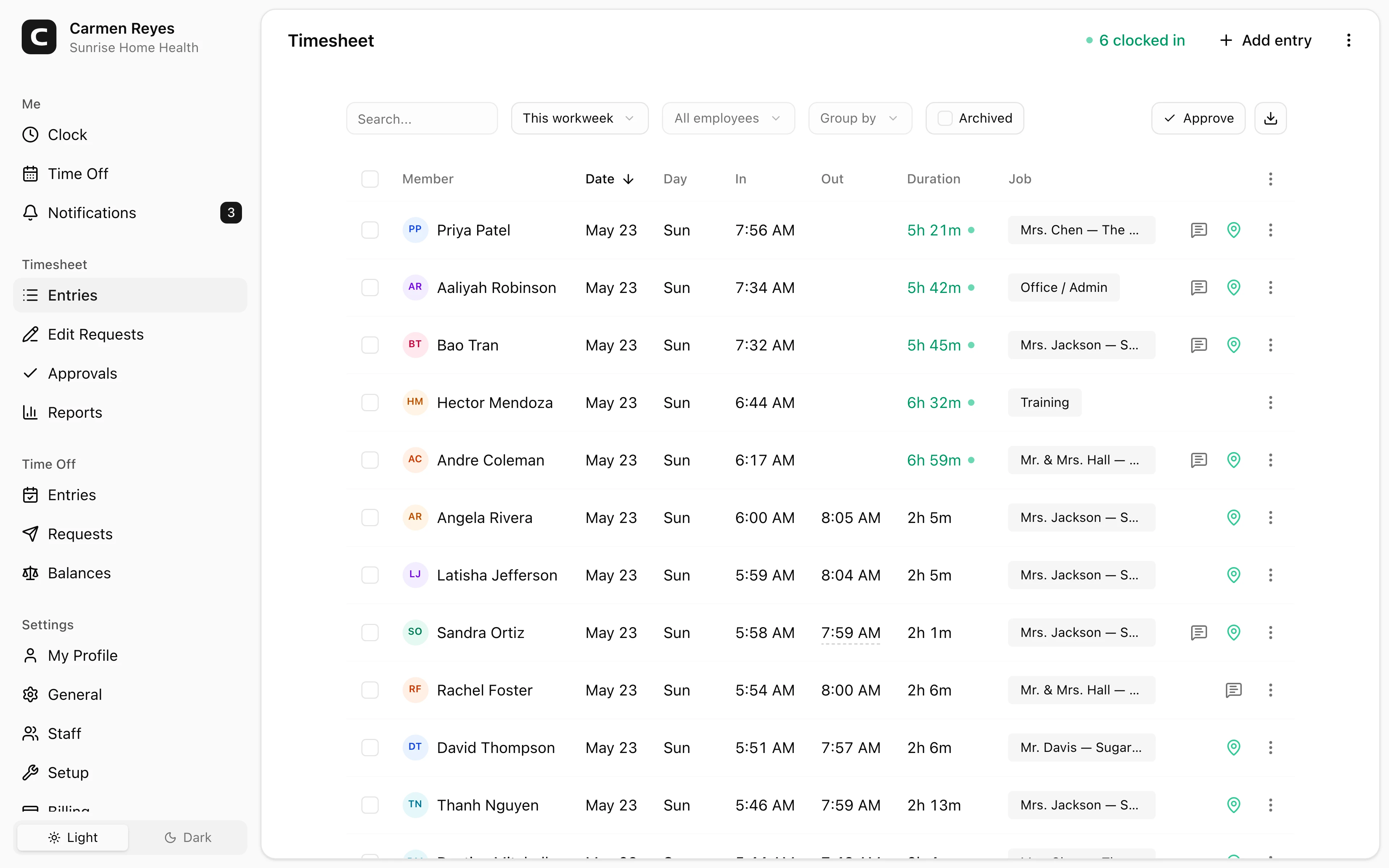
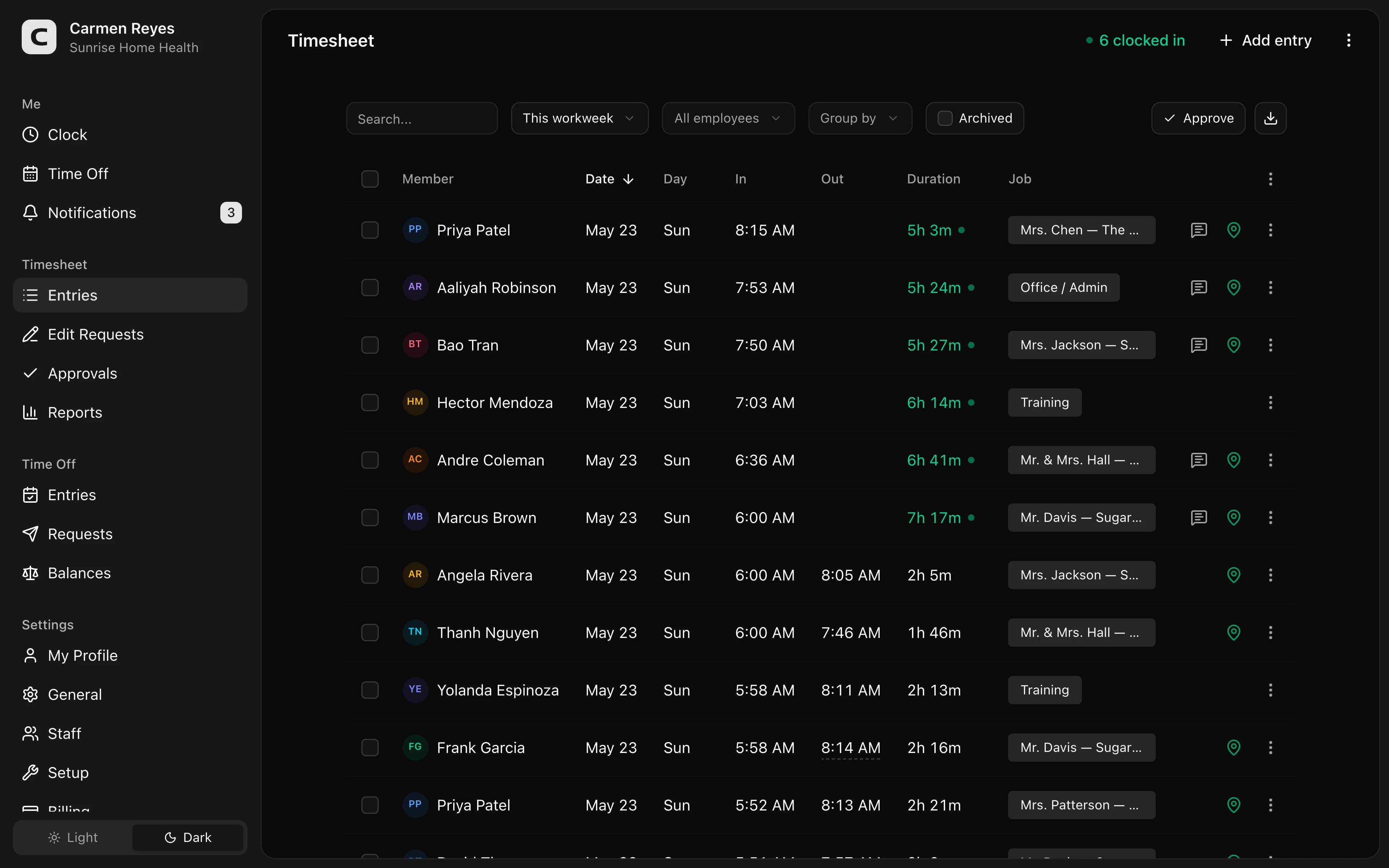 Open a no-login Clockspot demo with time entries, edits, approvals, and payroll-ready records.
When Clockspot is a good fit
Clockspot is a good fit when a clinic needs focused employee time tracking:
- Staff clock in and out.
- Managers review missed punches, breaks, edits, and approvals.
- Approved hours are ready before payroll.
- Time records stay available after payroll closes.
Clockspot may be a poor fit if you need one system for patient scheduling, EHR, practice management, billing, charting, credentialing, payroll processing, HR, or accounting.
If this is the workflow you need, open the demo above, then check Clockspot pricing or start a free trial.
FAQ
What should a clinic time clock track?
A clinic time clock should track clock-in and clock-out times, missed punches, break records when used, corrections, approvals, and payroll-ready records.
Does a medical or dental clinic need a healthcare-specific time clock?
Not always. Many clinics need reliable employee time tracking first. Patient scheduling, EHR, billing, credentialing, payroll processing, and HR are separate systems.
Should clinic managers approve time cards before payroll?
Yes. Approval helps the clinic review missed punches, edits, break records, overtime questions, and final hours before payroll.
The bottom line
A clinic time clock should make staff hours easier to review before payroll.
Choose the app that helps employees record time clearly, helps managers review the few records that need attention, and keeps approved hours connected to the record behind them.
Keep reading
How to Track Employee Hours for Payroll
Use this payroll-ready time tracking workflow to capture hours, review exceptions, approve edits, and keep records you can explain later.
How to Approve Employee Time Cards Before Payroll
Use this time card approval workflow to review exceptions, confirm corrections, and send payroll hours you can explain later.
How to Track Employee Breaks for Payroll
Track employee breaks for payroll by recording when breaks start and end, reviewing missed or short breaks, and keeping records with the time card.
Time Clock App for Schools and Childcare: What to Look For
Choose a school or childcare time clock by checking staff clock-ins, room or department detail, missed punches, breaks, approvals, payroll export, and records.
About Clockspot
Clockspot helps small businesses track employee time and keep payroll-ready records. Used in all 50 states since 2007, we focus on getting time and pay right — including the wage-and-hour rules that shape both.
Clockspot helps clinics keep employee hours, corrections, approvals, and payroll-ready records together. See how Clockspot supports clinic time tracking.