Time Clock App for Schools and Childcare: What to Look For
Quick-read version · 1 minSchools and childcare centers often have more hourly time records than one office person can easily clean up by memory.
Teachers, aides, substitutes, bus drivers, cafeteria staff, custodians, office staff, and after-school workers may all have different schedules. If clock-ins, missed punches, room changes, and approvals live in different places, payroll turns into a weekly reconstruction project.
Start with who is clocking in
Before choosing a time clock, list the staff groups that need hourly records:
- Classroom aides and assistants.
- Childcare teachers and floaters.
- Substitute or part-time staff.
- After-school or summer-program staff.
- Bus, cafeteria, custodial, maintenance, and front-office staff.
- Employees who split time across rooms, departments, programs, or locations.
The time clock should be simple enough for busy staff to use, but clear enough for managers to review before payroll.
Decide which detail helps review
Not every school or childcare center needs the same fields.
A small center may only need clock-in and clock-out times. A larger school or multi-site childcare business may need room, department, location, program, or job detail so the manager can understand where the hours belong.
The test is practical: if the detail affects payroll review, staffing review, grant or program reporting, or manager approval, capture it when the employee records time. If nobody reviews it, do not make the workflow harder just because the software has a field.
For help deciding which labels are worth tracking, read how to track employee hours by job or location.
Corrections need reasons
Missed punches are normal in schools and childcare. A teacher may clock in after greeting parents. An aide may forget to clock out after covering a late pickup. A custodian may stay longer after an event.
The important question is not whether mistakes ever happen. The important question is whether the correction is visible:
- What time changed?
- Who made the change?
- Why was it changed?
- Did a manager review it before payroll?
- Can the office find the record later?
For a written starting point, use the school and childcare time tracking policy template. For correction workflow, read how to handle missed punches before payroll.
Breaks and approvals should happen before payroll
If break records matter to your process, they should be reviewed before payroll export, not discovered afterward.
A manager should be able to see open questions before the pay period closes:
- Missing clock-ins or clock-outs.
- Manual edits without a clear reason.
- Break records that need review.
- Employees close to overtime.
- Staff clocked into the wrong room, department, program, or location.
- Time cards that still need approval.
The demo below shows the time-card side of that review: employee hours, corrections, approvals, and payroll-ready records in one place.
No login required. Opens in one click.
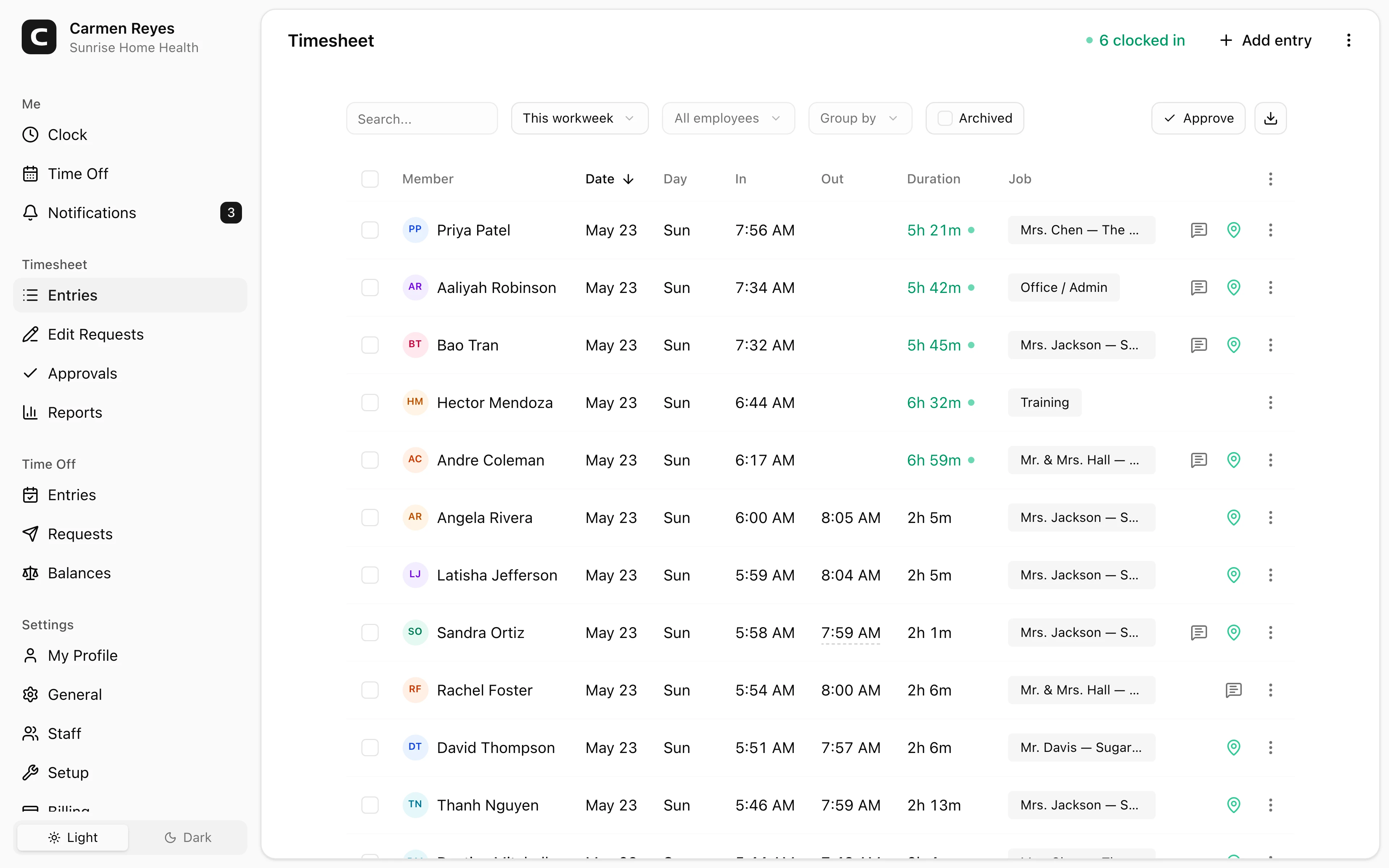
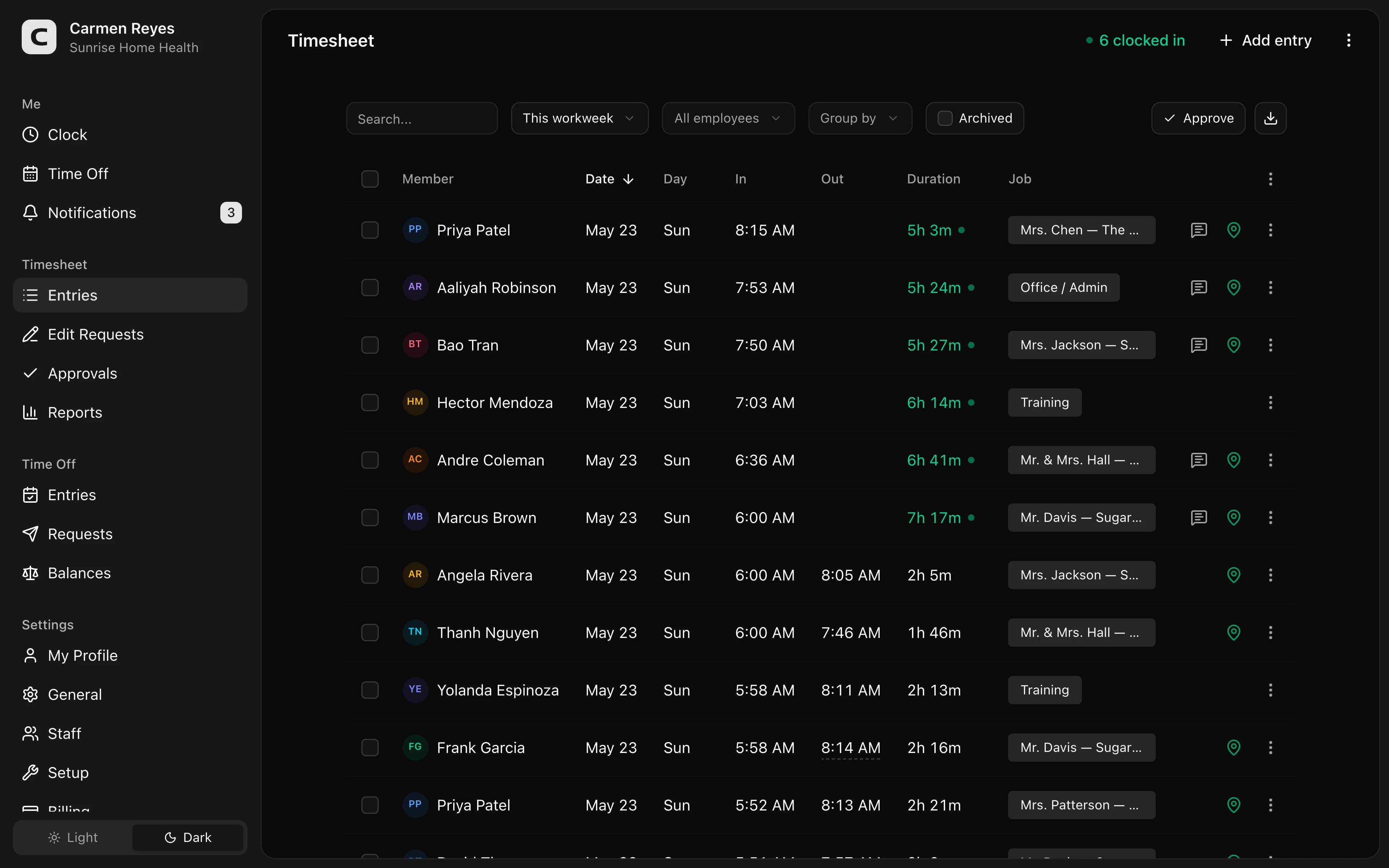 Open a no-login Clockspot demo with time entries, edits, approvals, and payroll-ready records.
Keep education systems separate from time tracking
A time clock is not a classroom management system.
Schools and childcare centers may also need student records, parent billing, classroom ratios, licensing records, staff credentials, scheduling, messaging, and HR files. Those are separate jobs.
The time clock should do its job well:
- Employees record paid work time.
- Managers review exceptions and corrections.
- Approved hours are ready before payroll.
- The business can find the record behind the final hours.
When Clockspot is a good fit
Clockspot is a good fit when the school, program, or childcare center needs focused employee time tracking:
- Staff clock in and out.
- Managers review missed punches, edits, breaks, and approvals.
- Room, department, location, program, or job detail can be used when it helps review.
- Approved hours are ready before payroll.
- Time records stay available after payroll closes.
Clockspot may be a poor fit if you need one system for classroom ratios, student attendance, parent billing, lesson plans, licensing records, staff credential tracking, scheduling, HR, or payroll processing.
If this is the workflow you need, open the demo above, then check Clockspot pricing or start a free trial.
Questions to ask before choosing
Ask:
- Can staff clock in quickly during arrival, dismissal, or shift changes?
- Can managers see missed punches and corrections before payroll?
- Can edits include a reason?
- Can room, department, location, program, or job detail be used only when needed?
- Can time cards be approved before payroll export?
- Can the office find old records without rebuilding the week from messages?
- Does the system stay focused on employee time tracking instead of trying to replace education or childcare software?
For the general buying guide, read best employee time clock for small business.
FAQ
What should a school time clock track?
A school time clock should track clock-in and clock-out times, missed punches, corrections, manager approvals, and any department, location, program, or job detail the school needs before payroll.
What should a childcare time clock track?
A childcare time clock should track employee hours, corrections, approvals, and room or location detail when that detail helps the center review staffing and payroll-ready records. It should not be treated as a replacement for classroom ratio, licensing, parent billing, or student records.
Do schools and childcare centers need GPS time tracking?
Some multi-site or field-based teams may use GPS as a review signal, but many schools and childcare centers need a simpler workflow first: accurate hours, visible corrections, manager approval, and records the office can find later.
The bottom line
A school or childcare time clock should make employee time easier to review before payroll.
Choose the app that helps staff record paid time clearly, helps managers catch the records that need attention, and keeps the final hours connected to the record behind them.
Keep reading
How to Track Employee Hours for Payroll
Use this payroll-ready time tracking workflow to capture hours, review exceptions, approve edits, and keep records you can explain later.
Best Employee Time Clock for Small Business: What to Look For
Choose an employee time clock for small business by checking payroll workflow, missed punches, approvals, overtime, breaks, locations, and records.
How to Handle Missed Punches Before Payroll
Use this missed-punch workflow to correct time cards before payroll, keep an audit trail, and avoid paying from hours nobody can explain.
How to Track Employee Hours by Job or Location
Track employee hours by job or location so payroll, job costing, overtime review, and manager approval all use the right time record.
About Clockspot
Clockspot helps small businesses track employee time and keep payroll-ready records. Used in all 50 states since 2007, we focus on getting time and pay right — including the wage-and-hour rules that shape both.
Clockspot helps schools and childcare teams keep employee hours, corrections, approvals, and payroll-ready records together. See how Clockspot supports school and childcare time tracking.