Time Clock App for Transportation and Delivery Teams: What to Look For
Quick-read version · 1 minTransportation and delivery teams need employee time records that stay clear across routes, stops, shifts, and dispatch changes.
The practical question before payroll is not just where a driver went. It is when paid work started, when it ended, what changed, who approved the record, and whether payroll received approved hours.
Start with the driver record
Before choosing a time clock, decide what managers need to review:
- Clock-in and clock-out times.
- Route, stop, job, office, or location detail when that helps review.
- Breaks, if your process tracks them.
- Travel, waiting, loading, or admin time when your process reviews it separately.
- Missed punches and manual edits.
- The reason for each correction.
- Manager approval.
- Payroll export or summary status.
For the general workflow, read how to track employee hours for payroll.
Keep dispatch and driver-compliance systems separate
A time clock should not pretend to replace the systems that run transportation work.
Dispatch, routing, vehicle maintenance, electronic logging devices, DOT hours-of-service compliance, billing, and fleet management are separate systems. Clockspot is for employee time tracking and payroll-ready records.
A small medical transport, delivery, courier, shuttle, or local logistics team may still need a simple way to approve employee hours before payroll, even when another system handles routes or vehicles.
GPS should explain the time record
GPS context can help managers review route-based work, but it should not be the only record. The time card still needs clock-ins, clock-outs, corrections, reasons, and approval.
For broader GPS guidance, read employee time clock with GPS. For paid travel-time basics, read travel time pay.
When Clockspot is a good fit
Clockspot is a good fit when a transportation or delivery team needs focused employee time tracking:
- Drivers, dispatch staff, office staff, or attendants clock in and out.
- Managers review missed punches, edits, GPS context, jobs, locations, and approvals.
- Approved hours are ready before payroll.
- The business keeps the record behind the paycheck.
Clockspot may be a poor fit if you need one system for dispatch, routing, ELDs, DOT compliance, fleet management, vehicle maintenance, billing, payroll processing, HR, or accounting.
The demo below shows the time-card workflow: employee hours, location context, corrections, approvals, and payroll-ready records in one place.
No login required. Opens in one click.
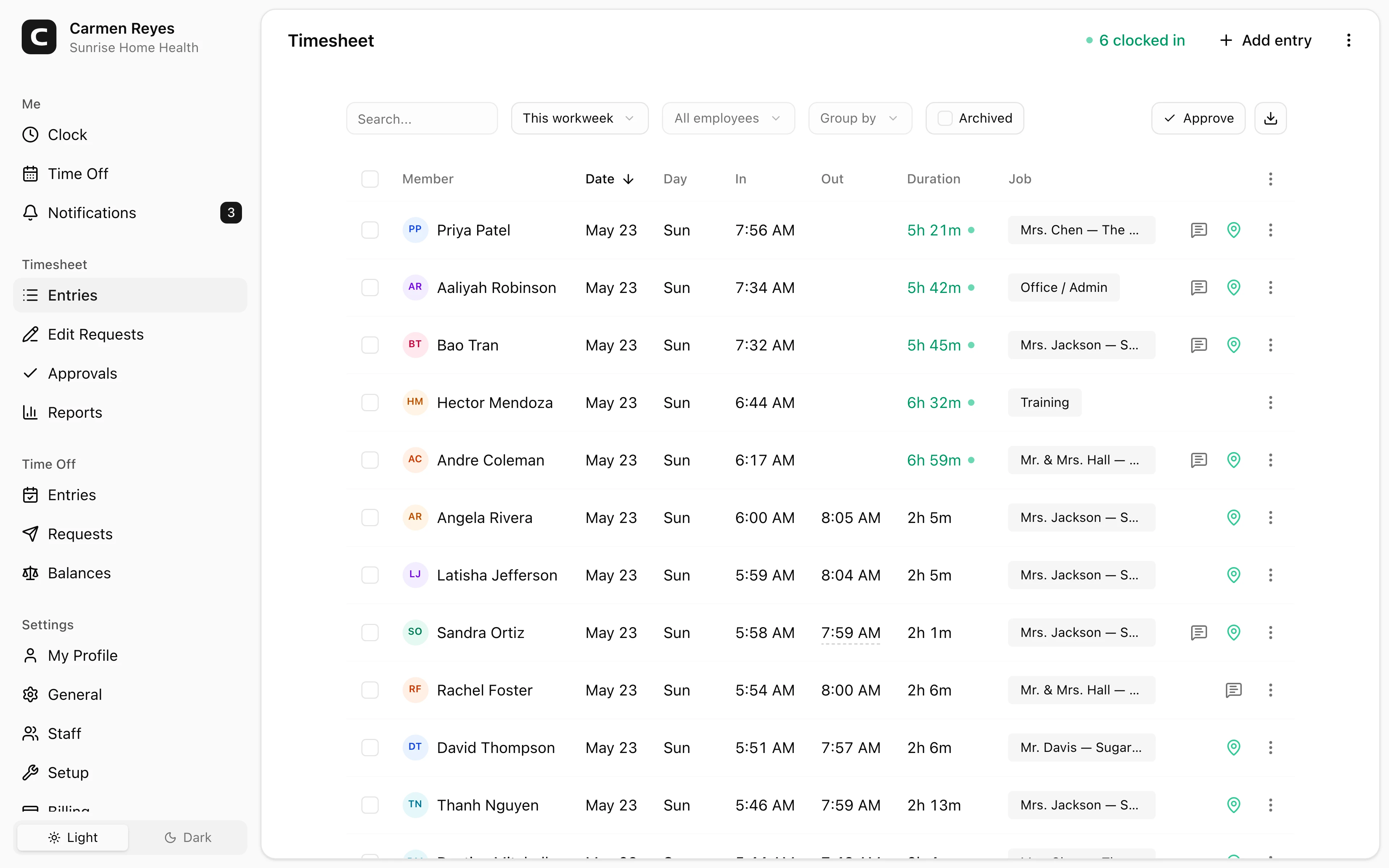
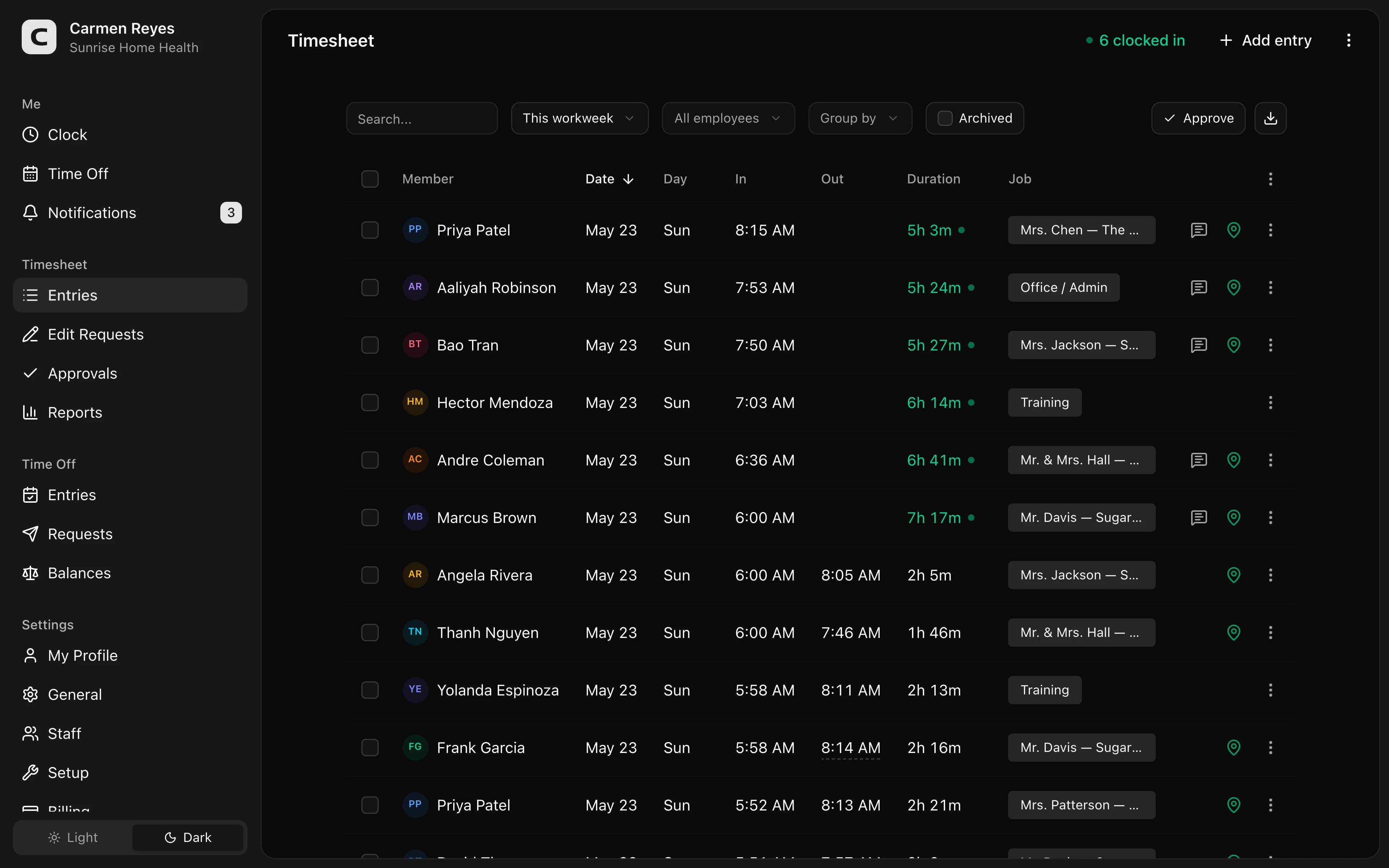 Open a no-login Clockspot demo with time entries, edits, approvals, and payroll-ready records.
If this is the workflow you need, open the demo above, then check Clockspot pricing or start a free trial.
FAQ
What should a transportation time clock track?
It should track clock-ins, clock-outs, missed punches, corrections, edit reasons, approvals, and route, job, office, or location detail when that helps managers review time before payroll.
Does Clockspot replace an ELD or DOT compliance system?
No. Clockspot tracks employee time and payroll-ready records. ELDs, DOT hours-of-service compliance, dispatch, routing, fleet management, billing, payroll processing, HR, and accounting are separate systems.
Should delivery or transport teams use GPS time tracking?
GPS can help when employees work across routes, customer stops, offices, or facilities. It should support review of the time record, not replace clock-ins, corrections, and approvals.
The bottom line
A transportation or delivery time clock should make driver and staff hours easier to review before payroll.
Choose the system that keeps hours, location context, corrections, and approvals clear without forcing payroll to rebuild the day from dispatch notes.
Keep reading
How to Track Employee Hours for Payroll
Use this payroll-ready time tracking workflow to capture hours, review exceptions, approve edits, and keep records you can explain later.
Employee Time Clock With GPS: When Small Businesses Need It
Use GPS time tracking when location affects payroll, job costing, field work, approvals, or trust. Here is what to look for before choosing a GPS time clock.
Time Clock App for Schools and Childcare: What to Look For
Choose a school or childcare time clock by checking staff clock-ins, room or department detail, missed punches, breaks, approvals, payroll export, and records.
Time Clock App for Event Staffing and Valet Teams: What to Look For
Choose an event staffing or valet time clock by checking venue clock-ins, job detail, missed punches, GPS review, approvals, and records.
About Clockspot
Clockspot helps small businesses track employee time and keep payroll-ready records. Used in all 50 states since 2007, we focus on getting time and pay right — including the wage-and-hour rules that shape both.
Clockspot helps transportation and delivery teams keep employee hours, location context, corrections, approvals, and payroll-ready records together. See how Clockspot supports transportation time tracking.