How to Track Insurance Agency Hours by Office or Role
Quick-read version · 1 minInsurance agencies usually need cleaner time records, not a complicated agency-management system.
If your agency has hourly CSRs, account managers, reception, administrative staff, or part-time help, the time clock should make the workweek easy to review before payroll. Office, department, or role detail can help, but only when managers actually use it.
Decide what the office manager needs to review
Start with the questions that come up before payroll.
An insurance agency may need to see hours by:
- Office or branch.
- Department.
- Role.
- Remote or in-office work location.
- Employee schedule.
- Overtime or near-overtime week.
Do not require extra fields just because the software can. If the owner or office manager never reviews the detail, it becomes friction. If the detail helps explain staffing, payroll review, or office coverage, capture it while employees clock in.
The demo below shows the time-card workflow where entries, edits, approvals, and payroll-ready records stay together. For an insurance agency, this is the core value: the office can review time before payroll without reconstructing the week from emails or notes.
No login required. Opens in one click.
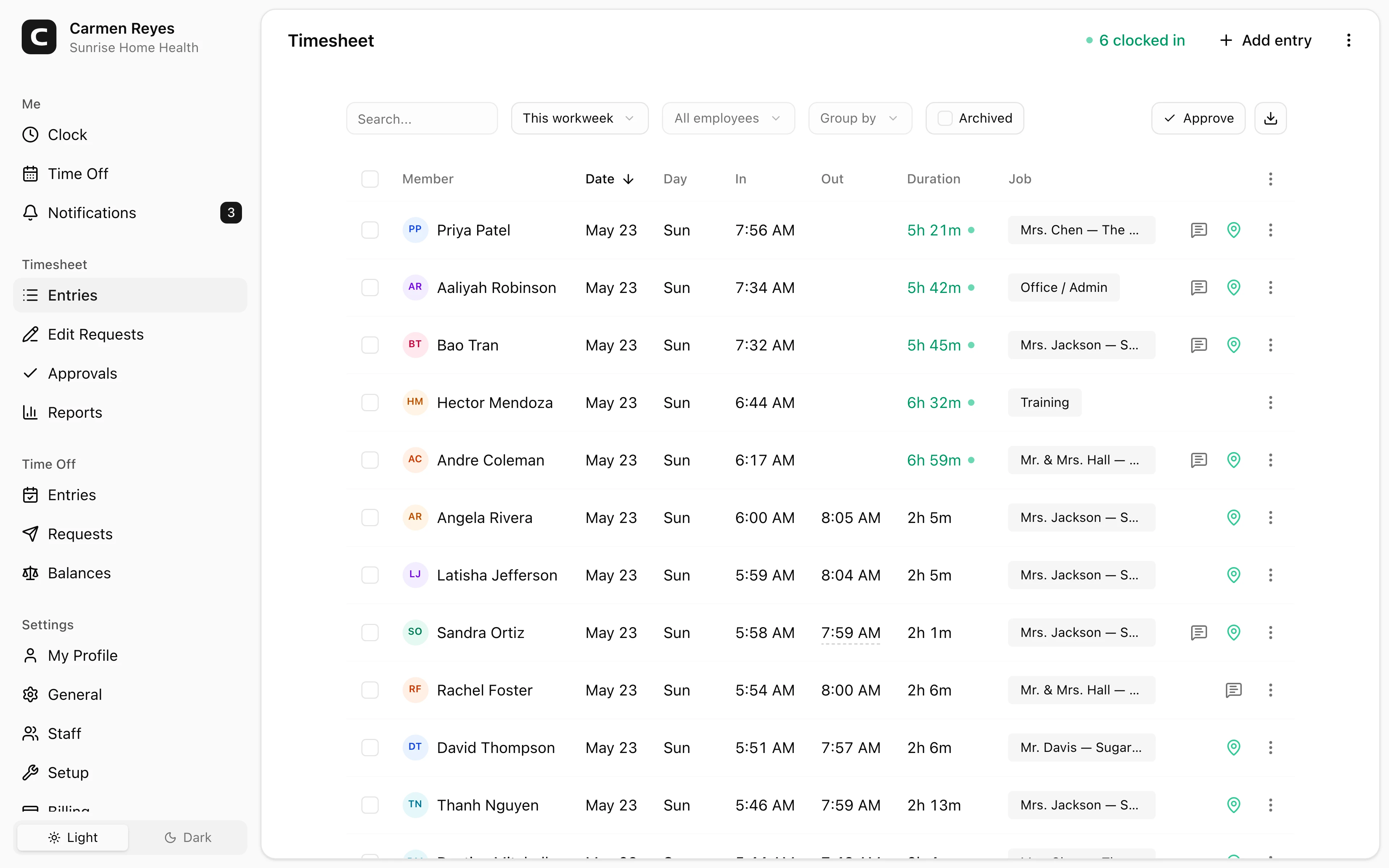
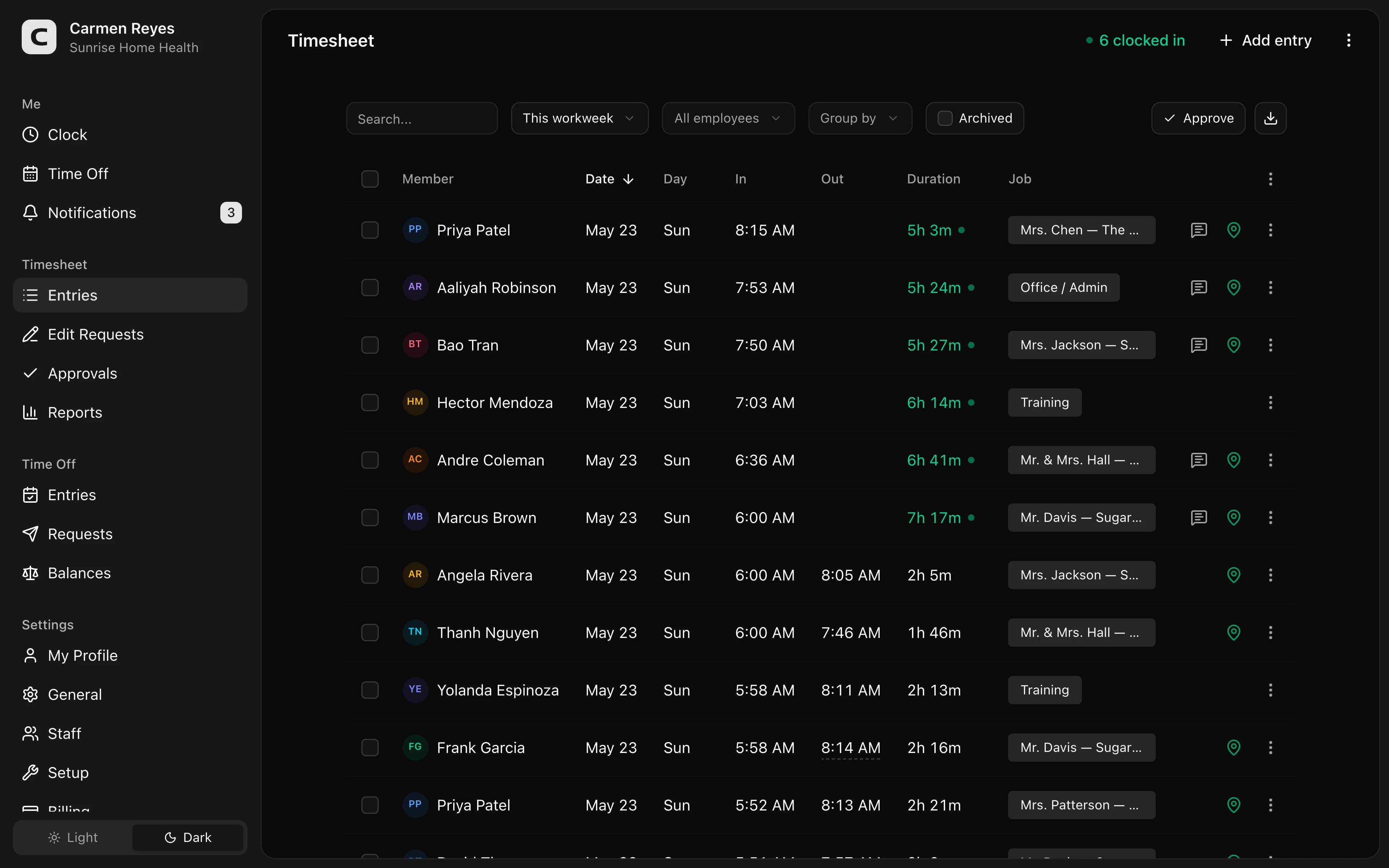 Open a no-login Clockspot demo with time entries, edits, approvals, and payroll-ready records.
Keep role tracking simple
Role tracking should match the way the agency already talks.
Examples:
- CSR.
- Account manager.
- Reception.
- Claims support.
- Producer support.
- Admin.
- Office manager.
The label does not need to mirror every HR title. It needs to answer the practical question: who worked, where, in what capacity, and whether the final time card is ready.
For a general guide to job, department, and location fields, read how to track employee hours by job or location.
Review exceptions before payroll
The office manager should not discover time problems after payroll starts.
Review:
- Missing clock-ins or clock-outs.
- Manual edits without reasons.
- Employees assigned to the wrong office, department, or role.
- Overtime or near-overtime weeks.
- Break records when your process tracks them.
- Unapproved time cards.
For the approval workflow, read how to approve employee time cards.
If your agency needs written expectations, start with the insurance agency time tracking policy template. If corrections are the recurring cleanup issue, use the timesheet correction form template.
Be careful with GPS
Most insurance agencies do not buy a time clock because they need GPS.
Location can still matter for branch, office, remote, or hybrid work. But the center of the workflow is usually simpler: accurate hours, edit reasons, approval, and records the office can find later.
If location detail matters, use it as review context. Do not make the system feel like surveillance when a simpler office or department field answers the question.
FAQ
Should an insurance agency track time by office?
Yes, when office detail helps with payroll review, branch reporting, staffing, or manager approval. If nobody uses the office detail, keep the time clock simpler.
Should an insurance agency track time by role?
Sometimes. Role detail can help when hourly employees split work across reception, CSR, admin, or producer-support duties. It should match how managers actually review time.
Do insurance agencies need GPS time tracking?
Usually not as the main feature. GPS may help some remote or branch workflows, but most agencies need accurate hours, corrections, approvals, and searchable records first.
The bottom line
Track the details your agency will actually review.
For most insurance agencies, that means simple clock-ins, office or role context when useful, correction reasons, manager approval, and payroll-ready records.
Keep reading
How to Track Employee Hours for Payroll
Use this payroll-ready time tracking workflow to capture hours, review exceptions, approve edits, and keep records you can explain later.
Time Clock App for Insurance Agencies: What to Look For
Choose an insurance agency time clock by checking staff hours, approvals, corrections, payroll-ready records, office tracking, and manager review.
How to Approve Employee Time Cards Before Payroll
Use this time card approval workflow to review exceptions, confirm corrections, and send payroll hours you can explain later.
How to Track Employee Hours by Job or Location
Track employee hours by job or location so payroll, job costing, overtime review, and manager approval all use the right time record.
About Clockspot
Clockspot helps small businesses track employee time and keep payroll-ready records. Used in all 50 states since 2007, we focus on getting time and pay right — including the wage-and-hour rules that shape both.
Clockspot helps insurance agencies keep employee hours, corrections, approvals, and payroll-ready records together. See how Clockspot supports agency time tracking.