Time Clock App for Landscaping and Farm Crews: What to Look For
Quick-read version · 1 minLandscaping and farm crews need a time clock that works away from the office.
Employees may start at a yard, meet at a job, move between properties, work in a field, or return for equipment. If hours are rebuilt at the end of the week, the record depends too much on memory.
Start with the crew record
Before choosing a time clock, decide what the office needs before payroll:
- Who worked.
- When each employee clocked in and out.
- Which job, property, field, route, crew, or location the time belongs to.
- Whether anyone moved between jobs or locations.
- Which punches or times were corrected.
- Who approved the final time.
For the full payroll-ready workflow, read how to track employee hours for payroll.
Mobile and GPS can help, but they are not the whole record
Mobile clock-in helps when crews start from the field. GPS can help managers review whether a punch was near the job, field, or property.
The business still needs the time entry, job or location label, correction reason, and approval. GPS is context, not the full answer.
For GPS-specific advice, read employee time clock with GPS.
The demo below shows the time-card workflow behind field crew work: employee hours, location context, corrections, approvals, and payroll-ready records in one place.
No login required. Opens in one click.
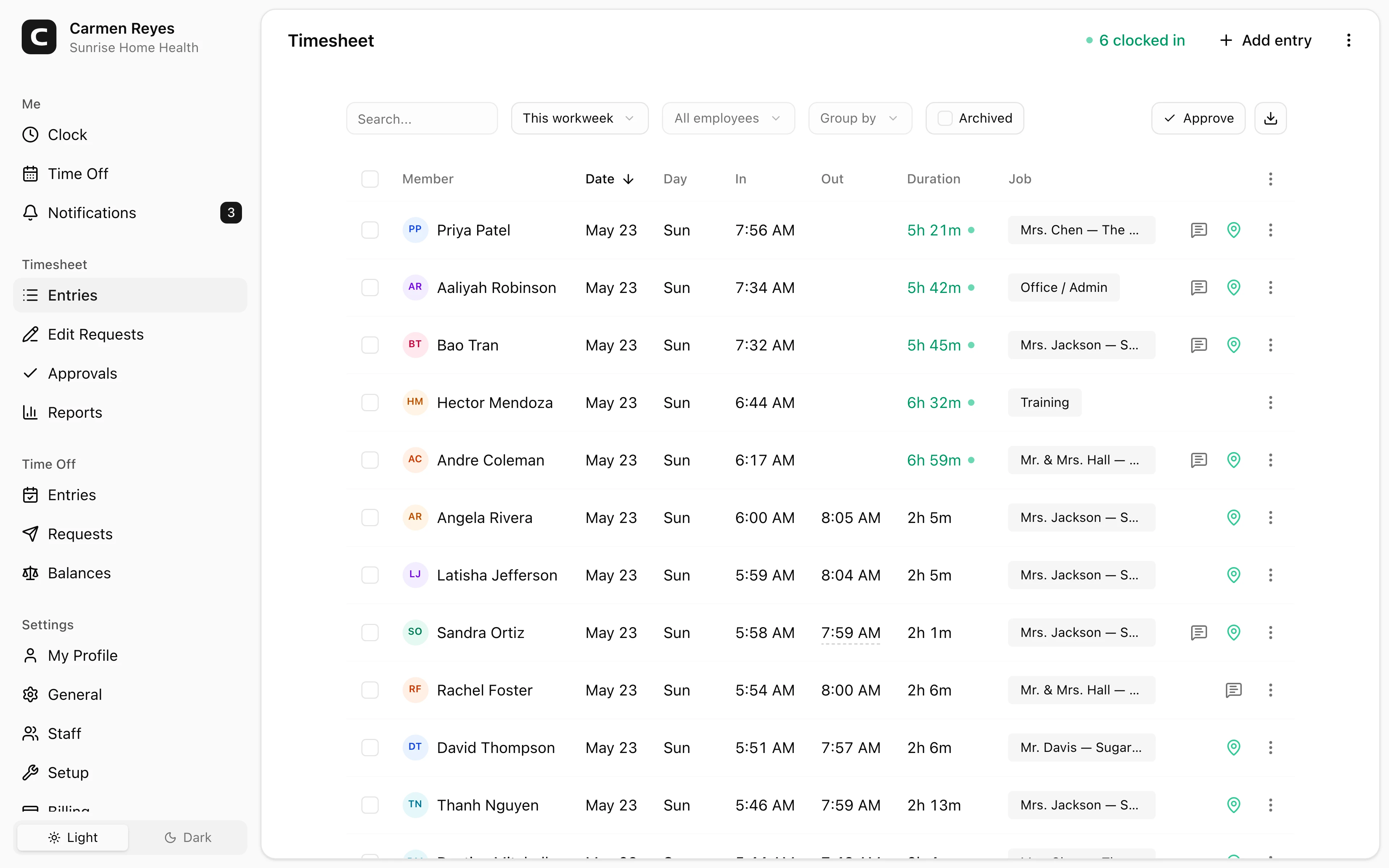
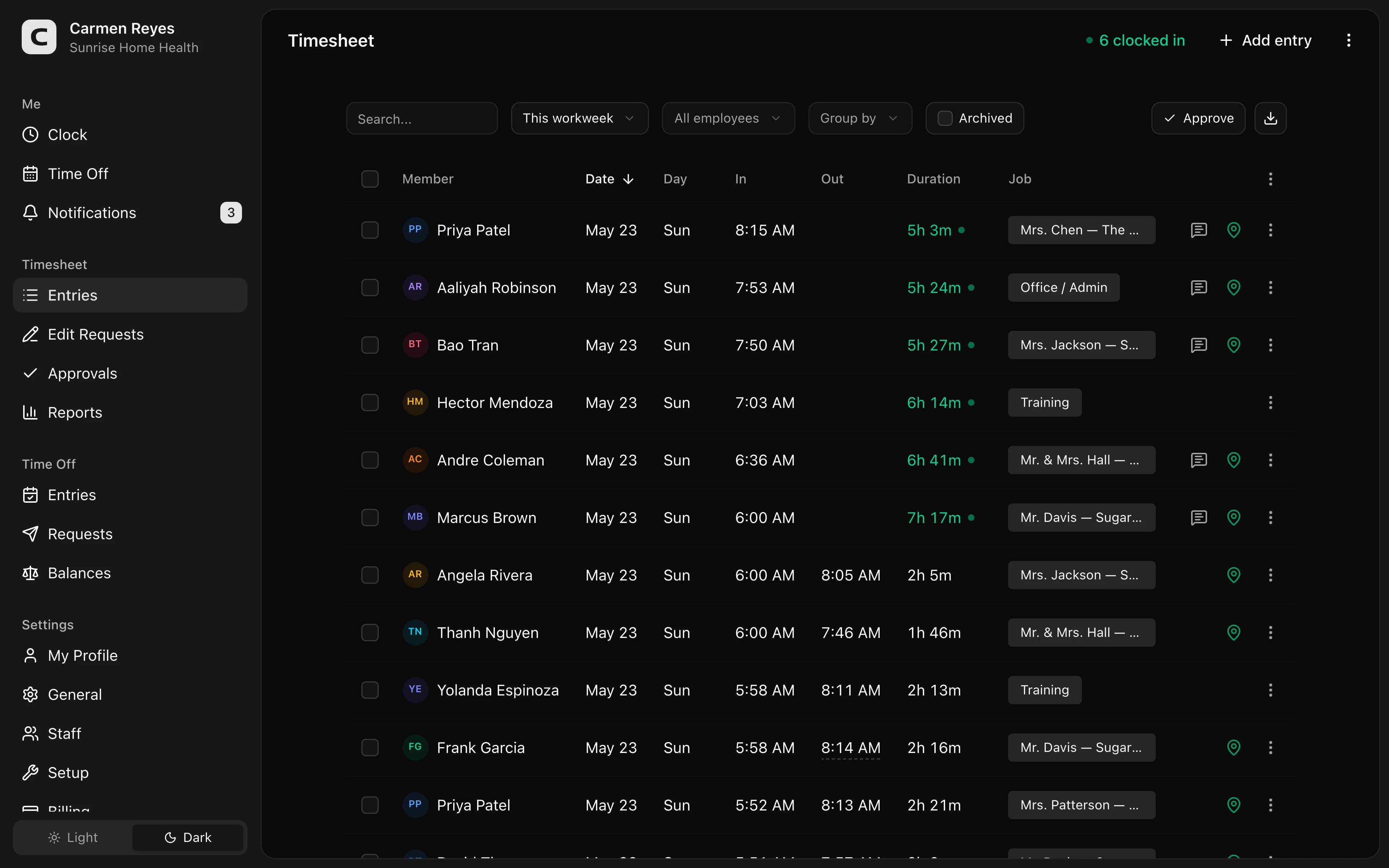 Open a no-login Clockspot demo with time entries, edits, approvals, and payroll-ready records.
Job and location detail should be reviewed
Job, property, field, route, or crew detail is useful when it helps the business approve hours or understand where labor went.
If the detail affects payroll review, job costing, billing questions, or manager approval, capture it while the work happens. If nobody uses it, keep the workflow simpler.
For setup help, read how to track employee hours by job or location. For travel-time questions, read travel time pay.
When Clockspot is a good fit
Clockspot is a good fit when a landscaping, farm, or field-service business needs focused employee time tracking:
- Crews clock in and out from the field.
- Managers review missed punches, GPS context, edits, and approvals.
- Job, property, field, route, crew, or location detail can be captured when it helps review.
- Approved hours are ready before payroll.
Clockspot may be a poor fit if you need one system for route optimization, dispatch, crop management, pesticide records, equipment tracking, customer invoicing, payroll processing, HR, or accounting.
If this is the workflow you need, open the demo above, then check Clockspot pricing or start a free trial.
FAQ
What should a landscaping time clock track?
A landscaping time clock should track clock-in and clock-out times, job or property detail, GPS context when useful, missed punches, corrections, approvals, and payroll-ready records.
Should farm crews use mobile time tracking?
Mobile time tracking can help when crews work away from a central office. The record still needs clear hours, location or field detail when used, corrections, and approval.
Does Clockspot handle route optimization or crop management?
No. Clockspot tracks employee time and payroll-ready records. Route optimization, crop management, pesticide records, equipment tracking, customer invoicing, payroll processing, HR, and accounting are separate systems.
The bottom line
A landscaping or farm crew time clock should make field hours easier to review before payroll.
Choose the app that helps crews record time clearly, helps managers approve job or location detail, and keeps the final hours connected to the record behind them.
Keep reading
How to Track Employee Hours for Payroll
Use this payroll-ready time tracking workflow to capture hours, review exceptions, approve edits, and keep records you can explain later.
How to Track Employee Hours by Job or Location
Track employee hours by job or location so payroll, job costing, overtime review, and manager approval all use the right time record.
Employee Time Clock With GPS: When Small Businesses Need It
Use GPS time tracking when location affects payroll, job costing, field work, approvals, or trust. Here is what to look for before choosing a GPS time clock.
Time Clock App for Schools and Childcare: What to Look For
Choose a school or childcare time clock by checking staff clock-ins, room or department detail, missed punches, breaks, approvals, payroll export, and records.
About Clockspot
Clockspot helps small businesses track employee time and keep payroll-ready records. Used in all 50 states since 2007, we focus on getting time and pay right — including the wage-and-hour rules that shape both.
Clockspot helps field crews keep employee hours, locations, corrections, approvals, and payroll-ready records together. See how Clockspot supports field crew time tracking.