Best Employee Time Clock for Small Business: What to Look For
The best employee time clock is not the one with the longest feature list.
For a small business, the best time clock is the one your employees will actually use, your managers can review, and payroll can trust. If it does not make payroll easier, it is not solving the main problem.
Start with the payroll workflow
Before comparing products, write down what must happen each week before payroll can trust the hours:
- Employees clock in and out when the work happens.
- Missed punches get flagged.
- Managers review the time cards most likely to change pay.
- Time-card edits include the reason for the change.
- Time cards are approved.
- Payroll receives hours after manager approval.
- Time records stay available after payroll runs.
If a time clock cannot support that basic flow, it may create more work than it saves.
That is the first filter. A product can have scheduling, messaging, hiring, HR files, and payroll add-ons, but if managers still chase missing punches in texts and payroll still fixes hours by hand, it is not the best time clock for your business.
Must-have vs nice-to-have
For most small businesses, the must-haves are the features that protect payroll:
- Easy clock-in and clock-out.
- Mobile or browser access, depending on where employees work.
- Missed-punch visibility.
- Manual edits with reasons.
- Manager approval.
- Overtime visibility.
- Break tracking, if breaks matter for your team.
- Job, department, or location tracking if payroll or reporting depends on it.
- Payroll export or clean payroll summaries.
- Searchable records after payroll closes.
Nice-to-have features depend on the business:
- Scheduling, if managers build schedules inside the same system.
- Team messaging, if employees need shift communication.
- PTO tracking, if time off is part of the same workflow.
- Biometric clocks, if identity verification is a serious issue.
- Advanced job costing, if labor needs to be split across customers or projects.
The point is not to buy every feature. The point is to cover the moments where payroll breaks, then decide which extra modules are actually worth the added complexity.
The demo below shows the baseline workflow to compare against your current process: employees create entries, managers review changes, and the record stays usable for payroll. Use it to judge the core time-clock experience before weighing extra modules.
No login required. Opens in one click.
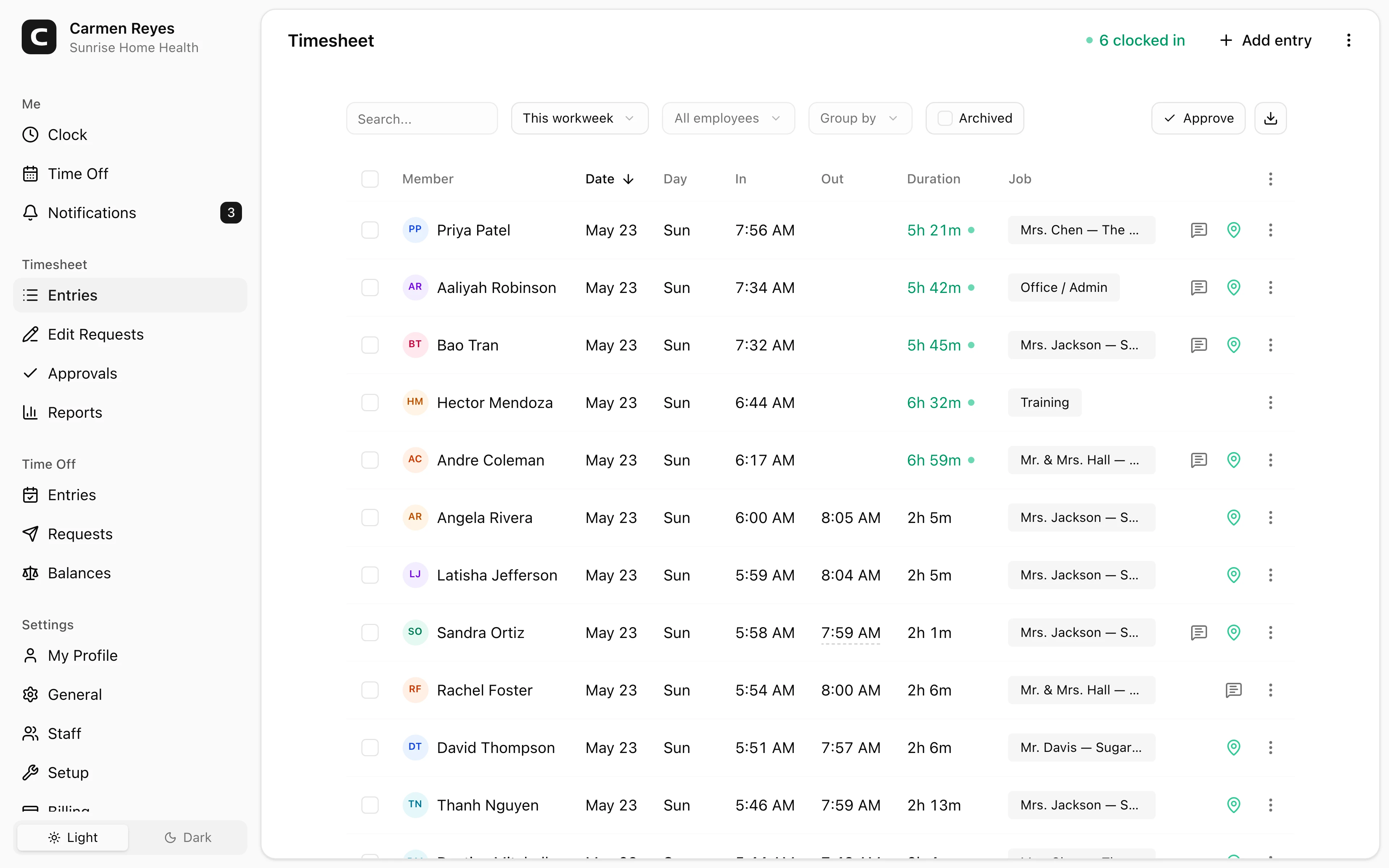
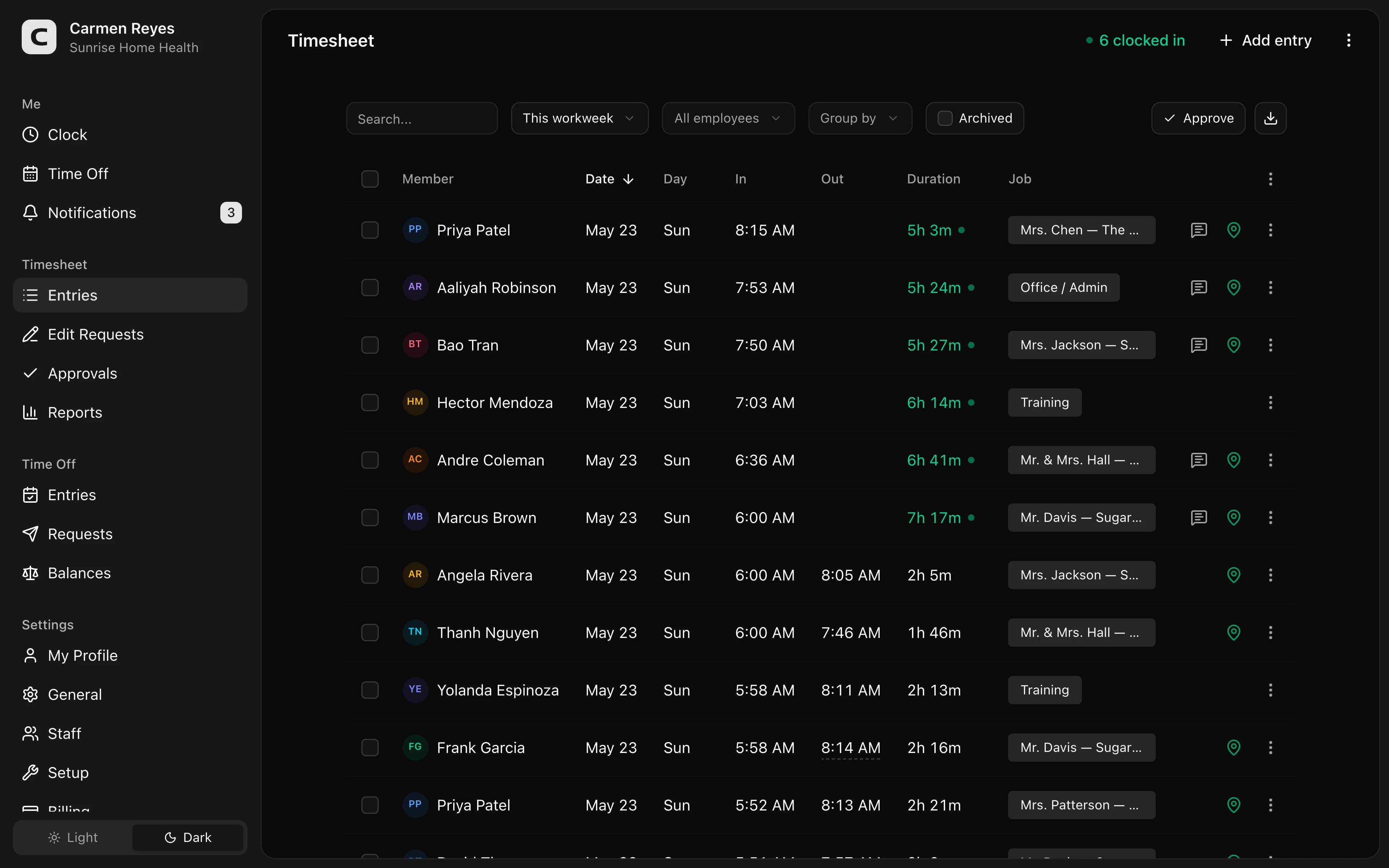 Open a no-login Clockspot demo with time entries, edits, approvals, and payroll-ready records.
Match the time clock to your team
Different teams need different controls.
One-location teams
A simple web or kiosk workflow may be enough. The main needs are easy punching, missed-punch review, manager approval, and payroll export. A large workforce-management suite may be more system than the team needs.
Field teams
Field teams usually need mobile access, job or location tracking, and clearer records of where work happened.
Restaurants and retail
These teams often need break tracking, shift-level review, overtime visibility, and fast approval before payroll.
Office or hybrid teams
These teams may need browser clock-in, project or department tracking, and simple manager review without a heavy scheduling system.
Watch for hidden complexity
Some time clocks are powerful but too heavy for a small business.
Be careful when the product requires:
- Complex setup before basic clock-in works.
- Too many manager permissions to understand.
- Payroll exports that still require manual cleanup.
- Features your team will never use.
- Pricing that gets confusing as the team grows.
The right product should make the normal week easier.
When Clockspot is a good fit
Clockspot is a good fit when the core problem is payroll-ready time tracking:
- Hourly employees need a simple way to clock in and out.
- Managers need to review missing punches, edits, approvals, jobs, and locations.
- Payroll needs approved hours it can trace back to the time record.
- The business wants a focused time clock instead of a heavy HR suite.
It may be a poor fit if you want one system to handle recruiting, applicant tracking, employee messaging, complex scheduling, full payroll processing, and HR documents in the same product. In that case, a broader workforce platform may fit better, even if the time clock itself is not as focused.
To compare the workflow with real numbers, open the demo above, then check Clockspot pricing. If it still looks like the right fit, start a free trial.
Ask these questions before choosing
Use this checklist:
- Can employees clock in without training?
- Can managers see missing punches quickly?
- Can time-card edits include the reason for the change?
- Can time cards be approved before payroll?
- Can payroll see only final approved hours?
- Can you find old records later?
- Does it fit the way employees actually work?
- Is the system simpler than the process it replaces?
For the full operational model, read how to track employee hours for payroll.
Common mistakes
Choosing for features instead of workflow
Features matter only if they support the work you actually do each pay period.
Ignoring manager review
A time clock that collects punches but does not make review easier leaves payroll with the same cleanup problem.
Forgetting recordkeeping
The record should survive after payroll. If old time cards are hard to find, the system is weak.
Buying around a rare edge case
Do not pick a complex system for a rare scenario if it makes the normal week harder.
FAQ
What is the best employee time clock for small business?
The best time clock is the one that fits your payroll workflow: easy punching, visible exceptions, edit notes, manager approval, payroll export, and records you can find later.
Does a small business need mobile time tracking?
Only if employees work away from a shared clock or computer. Field teams usually need mobile access more than one-location teams.
Should a time clock connect to payroll?
It should at least give payroll clean approved hours. Direct integration can help, but the record behind the payroll total still matters.
The bottom line
Choose the time clock that makes payroll more trustworthy.
If employees can record time easily, managers can approve exceptions, and payroll can trace the total back to the record, the software is doing its job.
Keep reading
How to Track Employee Hours for Payroll
Use this payroll-ready time tracking workflow to capture hours, review exceptions, approve edits, and keep records you can explain later.
Employee Time Clock With GPS: When Small Businesses Need It
Use GPS time tracking when location affects payroll, job costing, field work, approvals, or trust. Here is what to look for before choosing a GPS time clock.
Time Clock App for Restaurants: What to Look For
Choose a restaurant time clock app by checking shift clock-ins, breaks, overtime, approvals, edits, payroll export, and records managers can trust.
How to Handle Missed Punches Before Payroll
Use this missed-punch workflow to correct time cards before payroll, keep an audit trail, and avoid paying from hours nobody can explain.
About Clockspot
Clockspot helps small businesses track employee time and keep payroll-ready records. Used in all 50 states since 2007, we focus on getting time and pay right — including the wage-and-hour rules that shape both.
Clockspot is built for small businesses that need online time cards, manager approvals, payroll-ready records, and a simple way to track hourly work. See Clockspot's employee time clock.