Time Clock App for Event Staffing and Valet Teams: What to Look For
Quick-read version · 1 minEvent staffing and valet teams often work where the office is not.
A crew may clock in at a wedding venue, hotel, parking lot, festival gate, conference center, or private event. If the office has to rebuild the night from texts, schedules, and memory, payroll is already harder than it needs to be.
Start with the event record
Before choosing a time clock, map the record you need after the shift:
- Who worked the event or site.
- When each employee clocked in and out.
- Which venue, job, client, or location the time belongs to.
- Whether anyone arrived late, left early, stayed late, or switched roles.
- Which punches or times were corrected.
- Who approved the final time before payroll.
That record matters because event work moves quickly. By Monday morning, the details from Saturday night are already harder to remember.
Job and location detail matter
Event and valet teams usually need more context than a total number of hours.
A useful time clock should let the business connect time to the right job, event, client, venue, or location when that detail helps review. That does not mean every field belongs on every clock-in screen. It means the final record should make sense to the manager who has to approve it.
For the setup details, read how to track employee hours by job or location.
GPS should support review
GPS can help when employees clock in away from the office. It can show whether a punch was near the venue or job site.
But GPS should not be the whole system. A manager still needs the shift record, correction reason, event or location label, and approval status. Location context helps review the record; it does not replace manager judgment.
If location tracking is part of your process, read employee time clock with GPS.
The demo below shows the time-card workflow behind an event or valet shift: employee hours, locations, corrections, approvals, and payroll-ready records in one place.
No login required. Opens in one click.
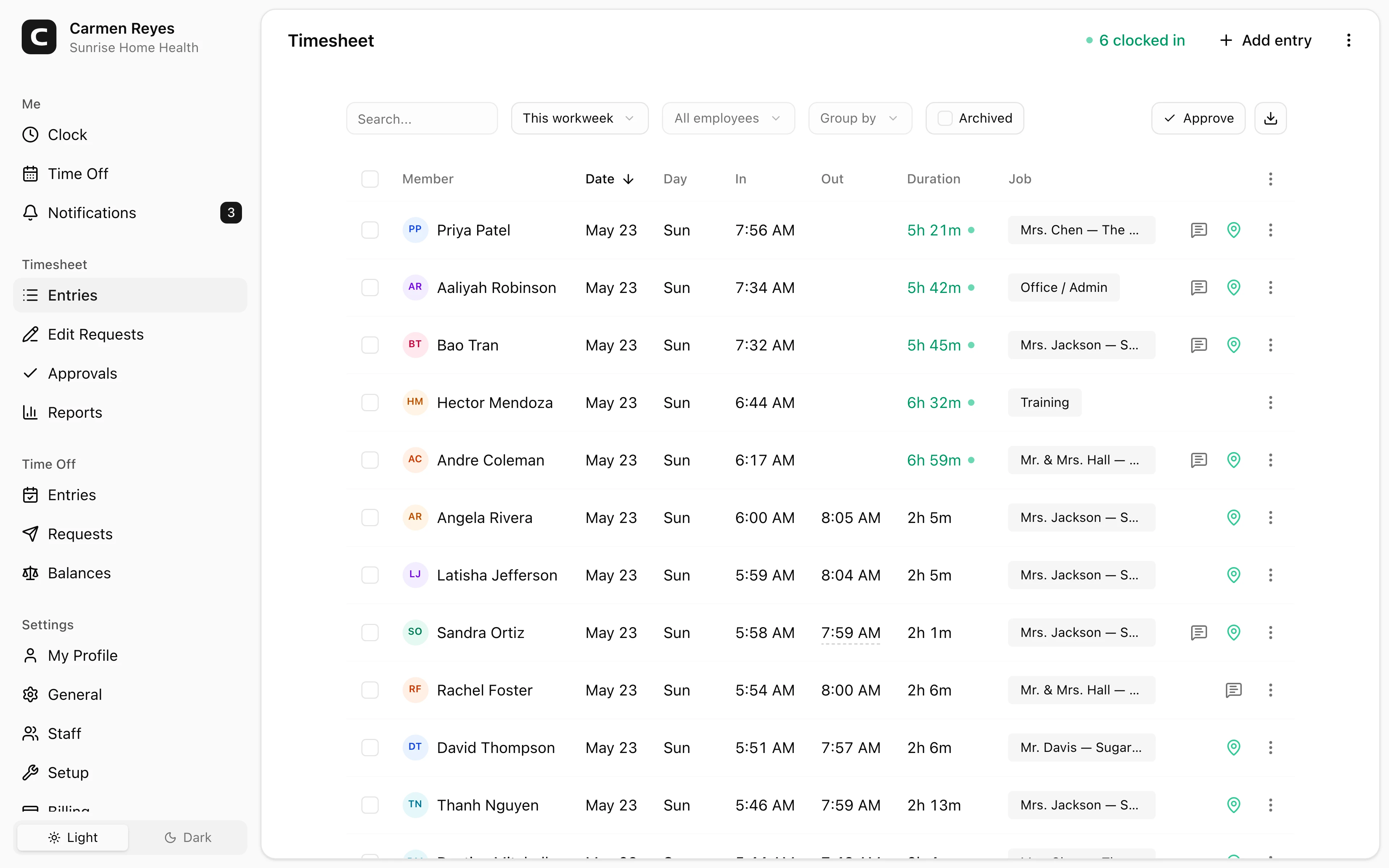
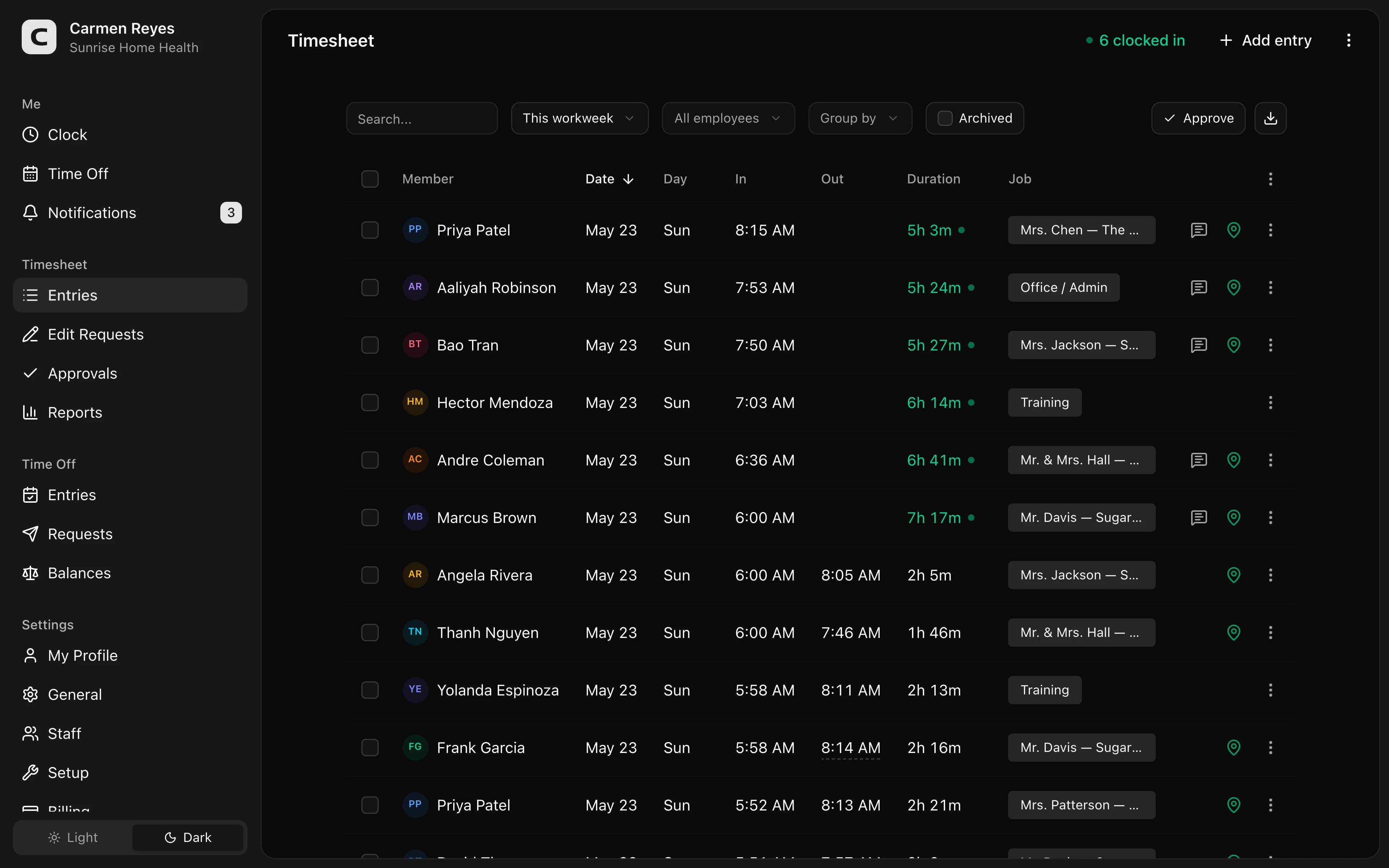 Open a no-login Clockspot demo with time entries, edits, approvals, and payroll-ready records.
Corrections should be easy to explain
Missed punches happen during event work.
An employee may forget to clock out after cleanup. A valet lead may correct a start time because parking setup began earlier than scheduled. A server may move from one event room to another.
The time clock should keep the correction attached to the record:
- Original time.
- Corrected time.
- Reason for the change.
- Person who made the correction.
- Manager approval.
For correction workflow, read how to handle missed punches before payroll.
Approve before payroll
Event and valet businesses should not wait until payroll to find open questions.
Before payroll, the manager should be able to answer:
- Are all event staff clocked out?
- Are job, venue, client, or location labels correct?
- Were late arrivals or long shifts reviewed?
- Were missed punches corrected with a reason?
- Did the event lead or manager approve the final hours?
- Can the office find the record later if the client or employee asks?
Use the event staffing time tracking policy template if you need a written starting point for expectations.
When Clockspot is a good fit
Clockspot is a good fit when an event staffing, hospitality staffing, or valet team needs focused employee time tracking:
- Employees clock in and out from event sites or job locations.
- Managers review missed punches, GPS context, edits, and approvals.
- Job, venue, client, or location detail can be captured when it helps review.
- Approved hours are ready before payroll.
- Time records stay available after the event is over.
Clockspot may be a poor fit if you need one system for event scheduling, dispatch, ticketing, guest lists, parking operations, tips, client invoicing, payroll processing, HR, or venue management.
If this is the workflow you need, open the demo above, then check Clockspot pricing or start a free trial.
Questions to ask before choosing
Ask:
- Can employees clock in from the venue or job site?
- Can managers see location context without treating GPS as the only proof?
- Can time be tied to the right event, client, job, venue, or location?
- Can missed punches and manual edits include a reason?
- Can an event lead or manager approve time before payroll?
- Can the office find the approved record weeks later?
- Is the software focused enough for managers to use after a long shift?
For the general buying guide, read best employee time clock for small business.
FAQ
What should an event staffing time clock track?
An event staffing time clock should track clock-in and clock-out times, event or job detail, location context when useful, missed punches, corrections, manager approvals, and payroll-ready records.
Should valet teams use GPS time tracking?
GPS can help valet teams review whether a punch was near the event, hotel, parking lot, or job site. It should support manager review, not replace the full time-card record.
Do event teams need job or client tracking?
Often, yes. If hours need to be reviewed by event, venue, client, or job, the time clock should capture that detail while the shift is happening.
The bottom line
An event staffing or valet time clock should make each shift easier to approve after the event ends.
Choose the app that helps employees clock in from the right place, helps managers review exceptions quickly, and keeps approved hours connected to the event record behind them.
Keep reading
How to Track Employee Hours for Payroll
Use this payroll-ready time tracking workflow to capture hours, review exceptions, approve edits, and keep records you can explain later.
Best Employee Time Clock for Small Business: What to Look For
Choose an employee time clock for small business by checking payroll workflow, missed punches, approvals, overtime, breaks, locations, and records.
How to Handle Missed Punches Before Payroll
Use this missed-punch workflow to correct time cards before payroll, keep an audit trail, and avoid paying from hours nobody can explain.
How to Track Employee Hours by Job or Location
Track employee hours by job or location so payroll, job costing, overtime review, and manager approval all use the right time record.
About Clockspot
Clockspot helps small businesses track employee time and keep payroll-ready records. Used in all 50 states since 2007, we focus on getting time and pay right — including the wage-and-hour rules that shape both.
Clockspot helps event staffing and valet teams keep shift hours, locations, corrections, approvals, and payroll-ready records together. See how Clockspot supports event and valet time tracking.