How to Approve Employee Time Cards Before Payroll
Quick-read version · 1 minApproving time cards should not mean clicking "approve all" because payroll is due.
For a small business, approval is the last chance to catch missing punches, unexplained edits, overtime surprises, break issues, and job or location mistakes before hours turn into paychecks. The goal is not more paperwork. The goal is to make sure the final hours are real, reviewed, and ready for payroll.
The time card approval workflow
Each pay period, approval should move the time card from employee review to manager approval to payroll export:
- Employees record their hours when the work happens.
- Employees flag missing punches or obvious mistakes.
- Managers review exceptions before payroll closes.
- Each correction includes a reason and timestamp.
- Managers approve the final time card.
- Payroll exports only approved hours.
- Late corrections are documented after payroll closes.
That workflow gives each person a clear job. Employees report what happened. Managers confirm the record. Payroll pays from approved time instead of reconstructing the week from memory.
What managers should review
Managers do not need to reread every normal shift line by line. They need to review the parts of the time card most likely to change pay.
Start with:
- Missing clock-ins or clock-outs.
- Manual edits.
- Shifts longer or shorter than expected.
- Overtime or near-overtime weeks.
- Breaks that are missing, short, or late.
- Work under the wrong job, department, or location.
- Time entered after the shift instead of when the work happened.
This is the practical difference between approval and rubber-stamping. A manager approval should mean someone looked at the exceptions that matter.
The demo below shows the approval screen as a review queue, not just a final button. Look for which time cards are still waiting, which records need attention, and where approval turns reviewed hours into payroll-ready hours.
No login required. Opens in one click.
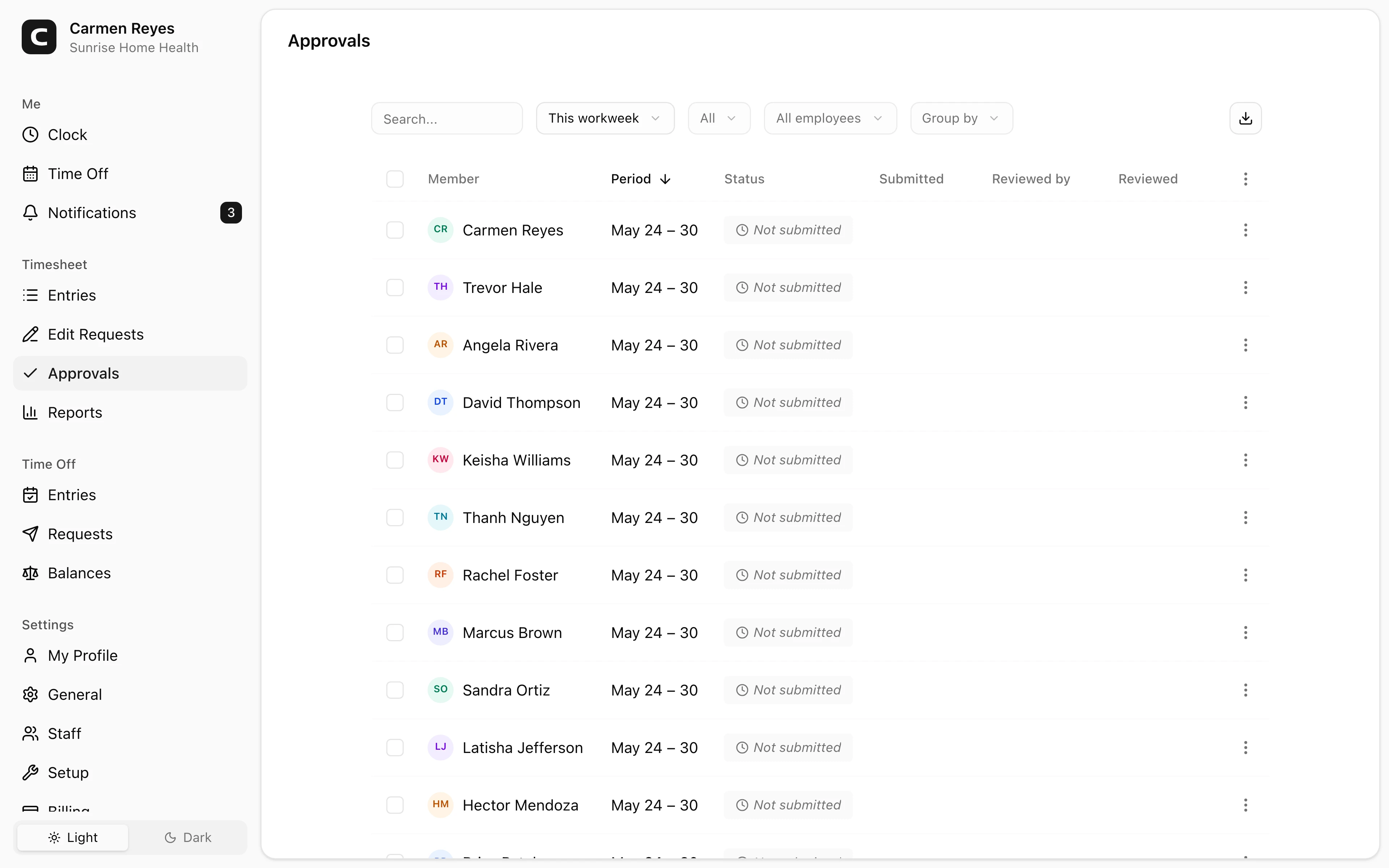
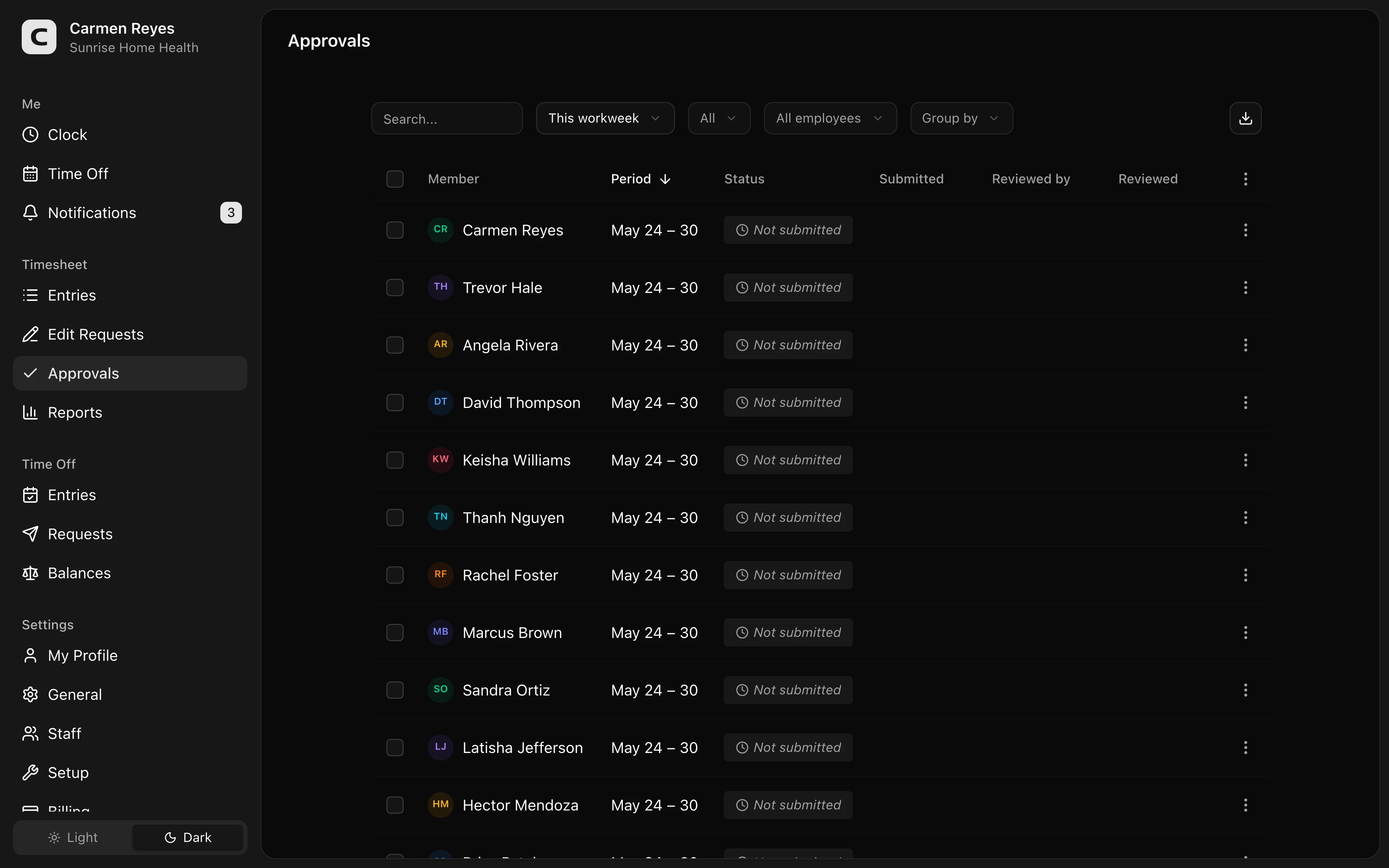 Open a no-login Clockspot demo with time entries, edits, approvals, and payroll-ready records.
Approve exceptions first
Managers can approve faster when the system shows them the time cards most likely to change pay.
Normal shifts can move quickly. Exceptions need attention:
- A missed punch needs a corrected time and reason.
- A long shift needs confirmation that the employee actually worked the extra time.
- A break issue needs a clear record of what happened.
- A job or location change needs the right assignment before payroll or job costing.
- A manual edit needs a note showing why the original record changed.
If the exception is still unresolved, the time card is not ready. Approving it anyway just pushes the problem into payroll.
For a deeper workflow on missed punches, read how to handle missed punches before payroll.
Keep employee review separate from manager approval
Employee review and manager approval are related, but they are not the same thing.
Employee review helps catch mistakes: "I forgot to clock out," "that break time is wrong," or "I worked at the north location, not the main shop."
Manager approval confirms the business accepts the final record for payroll. The manager should look at the time card, resolve exceptions, and approve the hours before payroll exports them.
For many small teams, both steps can be simple:
- Employees review their hours at the end of the shift or week.
- Managers review exceptions daily or every few days.
- Payroll checks that all required approvals are complete before export.
You do not need a complicated approval department. You do need a clear handoff.
Do not approve from memory
The more time passes, the weaker the approval gets.
If a manager approves Monday's shift on Friday from memory, small mistakes become harder to catch. If payroll asks why a time card changed, the answer may become "I think that is what happened."
Approve while the work is still fresh. For hourly teams, daily or midweek exception review is usually better than waiting until payroll day.
This is especially important when the employee is near overtime, worked a different job or location, missed a break, or had a corrected punch. Those records are easier to verify close to the shift.
What approval should preserve
A useful approval record should let the business answer five questions later:
- Which time card was approved.
- Who approved it.
- When it was approved.
- Whether unresolved exceptions remained.
- What changed after approval, if anything.
That last point matters. If a time card changes after manager approval, the change should create a new review trail. Otherwise, approval stops meaning anything.
For the broader recordkeeping layer, read recordkeeping requirements by state.
Payroll should not be the first reviewer
Payroll can catch obvious issues, but payroll usually did not supervise the shift.
If payroll is the first person reviewing time cards, every problem becomes slower:
- Payroll has to ask the manager what happened.
- The manager has to ask the employee.
- The employee may not remember.
- The pay run is delayed or the business pays from a weak record.
The better workflow is to make managers responsible for time card accuracy before payroll sees the final hours. Payroll should verify completion, not investigate every shift.
For the full payroll-ready workflow, read how to track employee hours for payroll.
Common mistakes
Approving all time cards at once
Bulk approval can be useful only after exceptions are resolved. If it replaces review, it weakens the record.
Letting payroll approve manager work
Payroll can verify that approvals exist. The manager who knows the shift should approve the shift.
Approving before edits are complete
If the time card still has a missing punch or unexplained edit, it is not ready for approval.
Changing time after approval without a new note
Post-approval changes should be visible. Keep the original approval, the later change, the reason, and the person who made it.
Treating approval as a legal magic word
Approval helps the record. It does not fix bad data. A signed or clicked approval on inaccurate hours is still a problem.
A simple approval policy
Your policy should answer:
- Who approves each employee's time card?
- When must approval happen?
- What exceptions must be reviewed before approval?
- Who can edit time after approval?
- What happens when payroll closes before an issue is resolved?
Keep it short enough that managers can actually follow it.
For a manager checklist at the approval step, start here and adapt the exceptions to your workflow.
If you need a signed record instead of a checklist, use the time card approval form template.
FAQ
Do managers need to approve employee time cards?
Federal law does not require one universal manager-approval form, but manager approval is a strong payroll control. It helps catch errors before payroll and creates a clearer record of who reviewed the final hours.
Should employees approve their own time cards?
Employee review is useful, but it should not replace manager approval. The employee can confirm the hours, while the manager confirms the business accepts the record for payroll.
What should a manager check before approving time cards?
Start with exceptions: missing punches, manual edits, overtime, break issues, unexpected job or location changes, and time entered after the shift.
Can payroll approve time cards?
Payroll can verify that time cards are complete, but payroll usually should not be the only approver. The manager closest to the work should review the shift record before payroll exports it.
What if a time card changes after approval?
Keep a new edit trail. The record should show what changed, who changed it, why it changed, and whether the updated time was approved again.
The bottom line
Time card approval is not a formality. It is the point where the business says, "These are the hours we are ready to pay."
Make approval exception-based, do it before payroll, and keep the record of who approved what.
Keep reading
How to Track Employee Hours for Payroll
Use this payroll-ready time tracking workflow to capture hours, review exceptions, approve edits, and keep records you can explain later.
How to Handle Missed Punches Before Payroll
Use this missed-punch workflow to correct time cards before payroll, keep an audit trail, and avoid paying from hours nobody can explain.
How to Close a Pay Period for Hourly Employees
Use this pay-period close workflow to review time cards, resolve exceptions, approve hours, export payroll, and keep records after payroll runs.
How to Write an Employee Time Tracking Policy
Create a simple employee time tracking policy that tells workers when to clock in, how to report mistakes, who approves time, and what records the business keeps.
About Clockspot
Clockspot helps small businesses track employee time and keep payroll-ready records. Used in all 50 states since 2007, we focus on getting time and pay right — including the wage-and-hour rules that shape both.
Clockspot helps small businesses keep time cards, edits, manager approvals, and payroll-ready records in one place. See how Clockspot handles time card approvals.