Photo Time Clock: When to Use Verification Photos
Quick-read version · 1 minA photo time clock is useful when a shared clock-in station needs more than a timestamp. It gives managers a photo to review when employees use the same kiosk, while keeping the normal clock-in flow simple.
The important distinction is that a photo is a review signal. It is not the same as facial recognition, and it should not be treated like automatic proof.
What a photo time clock captures
In Clockspot, photo capture belongs to the time clock kiosk. Employees still clock in and out with their own kiosk PIN. If photo capture is enabled for that kiosk, the device attempts a verification photo for the clock-in or clock-out.
That photo stays tied to the time entry event the manager reviews later. If the camera is unavailable, permission is denied, or capture fails, Clockspot records why the photo is missing instead of pretending the photo exists.
That makes the record honest: a stored photo when capture worked, or a missing-photo reason when it did not.
Where photo capture helps
Photo capture is strongest when several people use the same clock-in device and a manager may need to answer, "Who was at the kiosk for this punch?"
Common fits include:
- A front-desk tablet used by hourly employees at the start of each shift.
- A warehouse or shop computer used by rotating crews.
- A staffed location where PIN sharing has been a concern.
- A disputed punch where the manager needs one more piece of context.
It is usually unnecessary when a manager already sees every clock-in or when employees clock in from their own account with enough location, device, or job context.
What it is not
Clockspot photo capture is not facial recognition. It does not enroll employees in face templates, compare faces automatically, or decide whether a person is allowed to clock in.
It also is not mobile selfie clock-in. The photo feature is scoped to kiosk clock-ins and clock-outs. Employees using their own account can still create reviewable time records, but that is a different clock-in path.
And it is not a legal guarantee. A photo can help a manager review a time entry, but workplace monitoring rules vary. Use your own payroll, legal, or compliance advice for policies and notices.
Set a fair workplace rule before turning it on
Photo capture works best when employees know exactly where it is on and why it is being used. The rule should be simple:
- Which kiosks capture photos.
- When photos are captured.
- Who reviews them.
- How managers handle a missing photo.
- Why the photo is a review signal, not an automatic discipline trigger.
If your real concern is buddy punching, do not jump straight to invasive tools. Start with clear PIN ownership, manager review, and the least intrusive proof that works. This buddy punching guide explains the difference between better records and biometric overreach.
Review the record before payroll
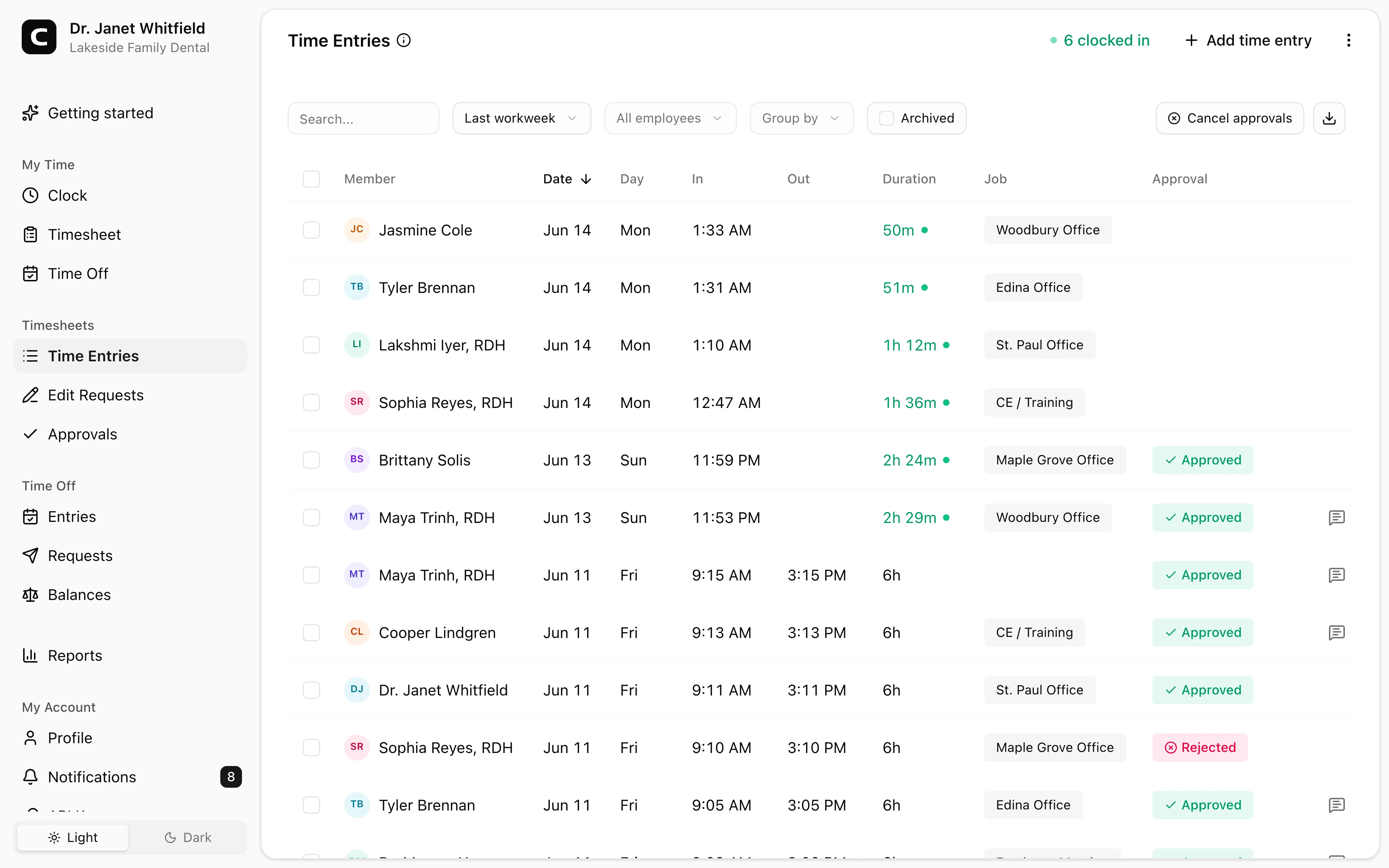
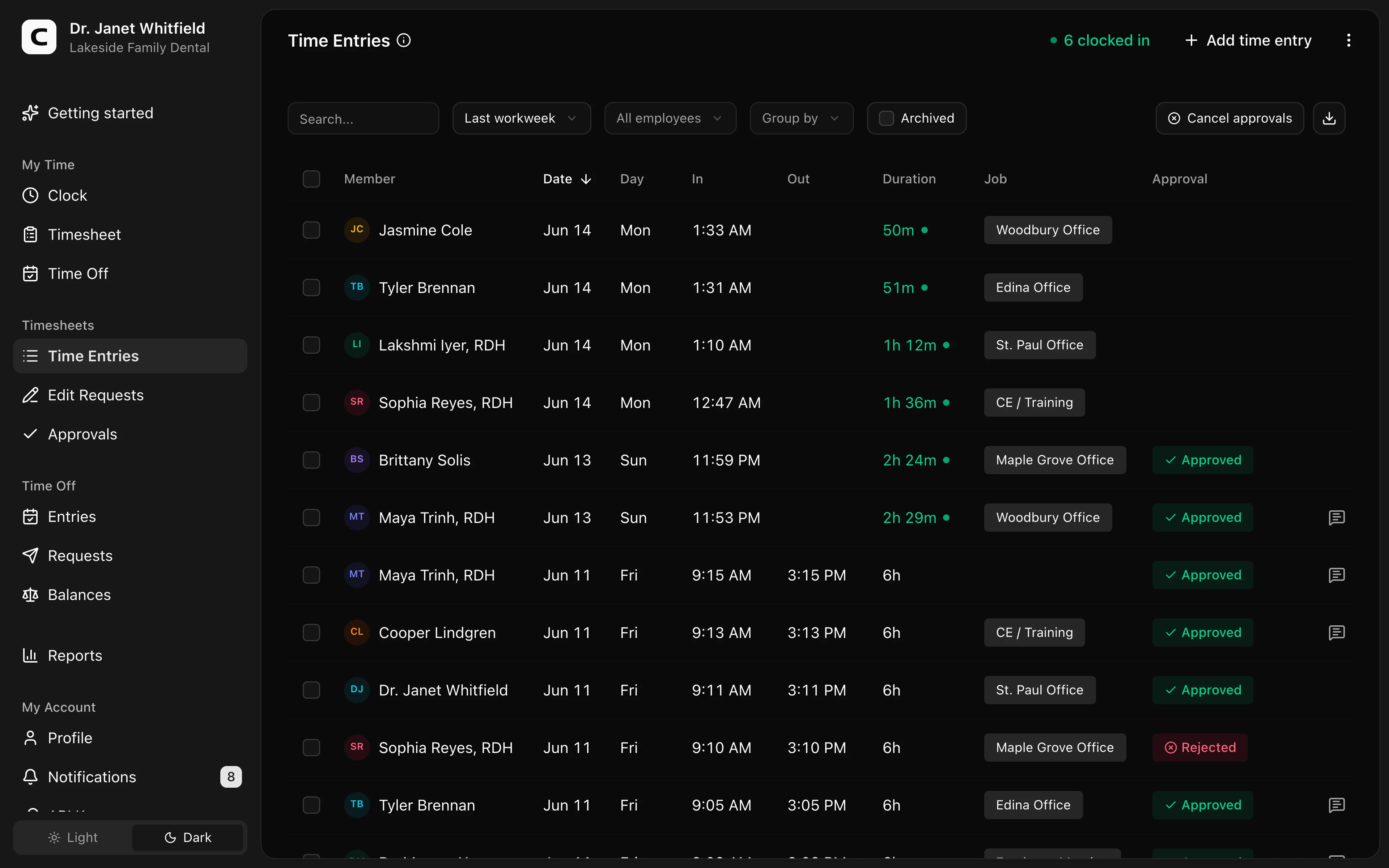
The photo matters only if managers can review it with the time entry. In Clockspot, the time entry review view is where hours, jobs, notes, and available clock-in context come together before payroll.
Here is the kind of review surface photo time clock records flow into:
Explore the sample account
Lakeside Family Dental is an example dental practice in the Twin Cities, Minnesota, with staff hours, multiple office locations, corrections, approvals, and reports already filled in with sample data.
No login required. Opens in one click.
For broader recordkeeping context, see the Clockspot time clock audit trail.
The rule to carry forward
Use photo capture where a shared kiosk needs identity context. Keep it optional, explain it clearly, review the entry before acting, and avoid pretending a stored photo is the same as automatic face matching.
To set it up, see the Clockspot photo time clock, compare it with the broader Clockspot time clock kiosk, then check Clockspot pricing or start a free trial.
Keep reading
How to Track Employee Hours for Payroll
Use this payroll-ready time tracking workflow to capture hours, review exceptions, approve edits, and keep records you can explain later.
Mobile Time Clock: How Employees Clock In From Their Phone
A mobile time clock lets employees clock in from their phone with no app to install. What it captures, when GPS helps, and how to keep mobile hours payroll-ready.
Employee Time Clock Without a Smartphone or App: Your Options
How employees clock in without a smartphone or an app: phone call-in with a PIN, a shared computer or kiosk, and a browser link. What to look for before you choose.
Time Clock App for Medical Clinics: What to Look For
Choose a medical clinic time clock by checking staff hours, breaks, missed punches, approvals, location detail, and payroll-ready records.
About Clockspot
Clockspot helps small businesses track employee time and keep payroll-ready records. Used in all 50 states since 2007, we focus on getting time and pay right — including the wage-and-hour rules that shape both.
Clockspot lets employees clock in from a shared kiosk with a PIN and optional verification photo, then keeps the entry ready for manager review. See how Clockspot supports photo time clock review.