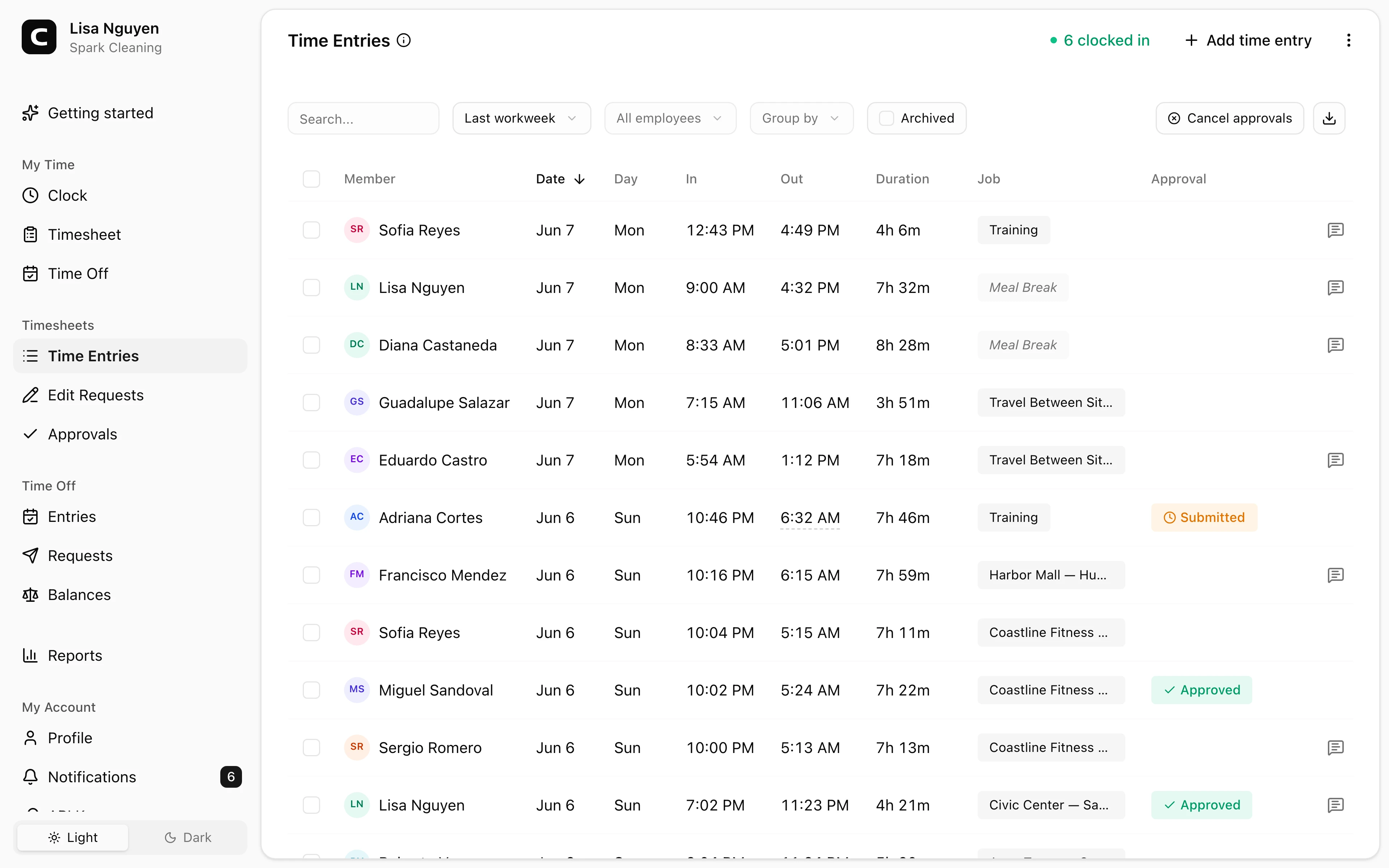
Keep entries visible
Clock-ins, clock-outs, jobs, notes, photo captures, and source details stay attached to the time record.
Time clock audit trail
Keep the records behind payroll totals connected: punches, edit requests, approval status, notes, and the clock-in context Clockspot can capture, including kiosk photos when enabled.
Time entries
Review the source records behind each total.
Edit requests
Keep employee correction requests visible.
Approvals
See the manager review state before payroll.
Clock-in context
Review available GPS, IP, device, phone, or photo details.
Audit trail benefits
When a payroll question comes up, managers need more than one total. They need the entries, corrections, approvals, and context that explain how the total was created.
Built for practical payroll review, not legal overclaiming.
Clock-ins, clock-outs, jobs, notes, photo captures, and source details stay attached to the time record.
Employee edit requests show the original entry, proposed change, and reason before approval.
Approval status gives managers a clear checkpoint before payroll reports are exported.
Employee-account clock-ins can include GPS, IP, and device context; kiosk entries can include photos when enabled; phone entries include calling number and voice check details.
Customer story
Clockspot gives me clear timesheets for the hours worked, and it is much more cost-efficient for our small business than an expensive office time clock.
Kristen Marks
Attorney & Founder, Marks Legal Services, P.A.
The audit trail is the practical record managers use to review time before payroll.
Source entries
The time entries page is where managers inspect the punches and details behind a pay period.
Corrections
Corrections are easier to trust when managers can see what changed and why.
Review proof
Different clock-in methods create different proof signals. Clockspot keeps those signals with the record instead of pretending every method captures the same thing.
No. Clockspot helps you keep practical time records for review. Recordkeeping rules vary, so use your own payroll, legal, or compliance advice for legal requirements.
No. GPS is available when employees clock in from their own account and the device shares location. Kiosk photo capture is separate and optional per kiosk. Phone clock-ins use calling number and voice check details instead.
Yes. Employees can submit edit requests, and managers can approve or reject them before payroll review.
Approval status shows the manager review checkpoint for the pay period, so payroll reports are based on reviewed records.
Keep reading
A time card audit trail shows punches, edits, reasons, approvals, late corrections, and the records behind payroll totals.
A quick pre-payroll check for missing punches, overtime risk, manual edits, approvals, and the records behind the final hours.
Manager approval is not one universal federal form, but it is a useful payroll control before hours are exported.
Keep a time card audit trail that shows punches, edits, reasons, approvals, late corrections, and the records behind payroll totals.