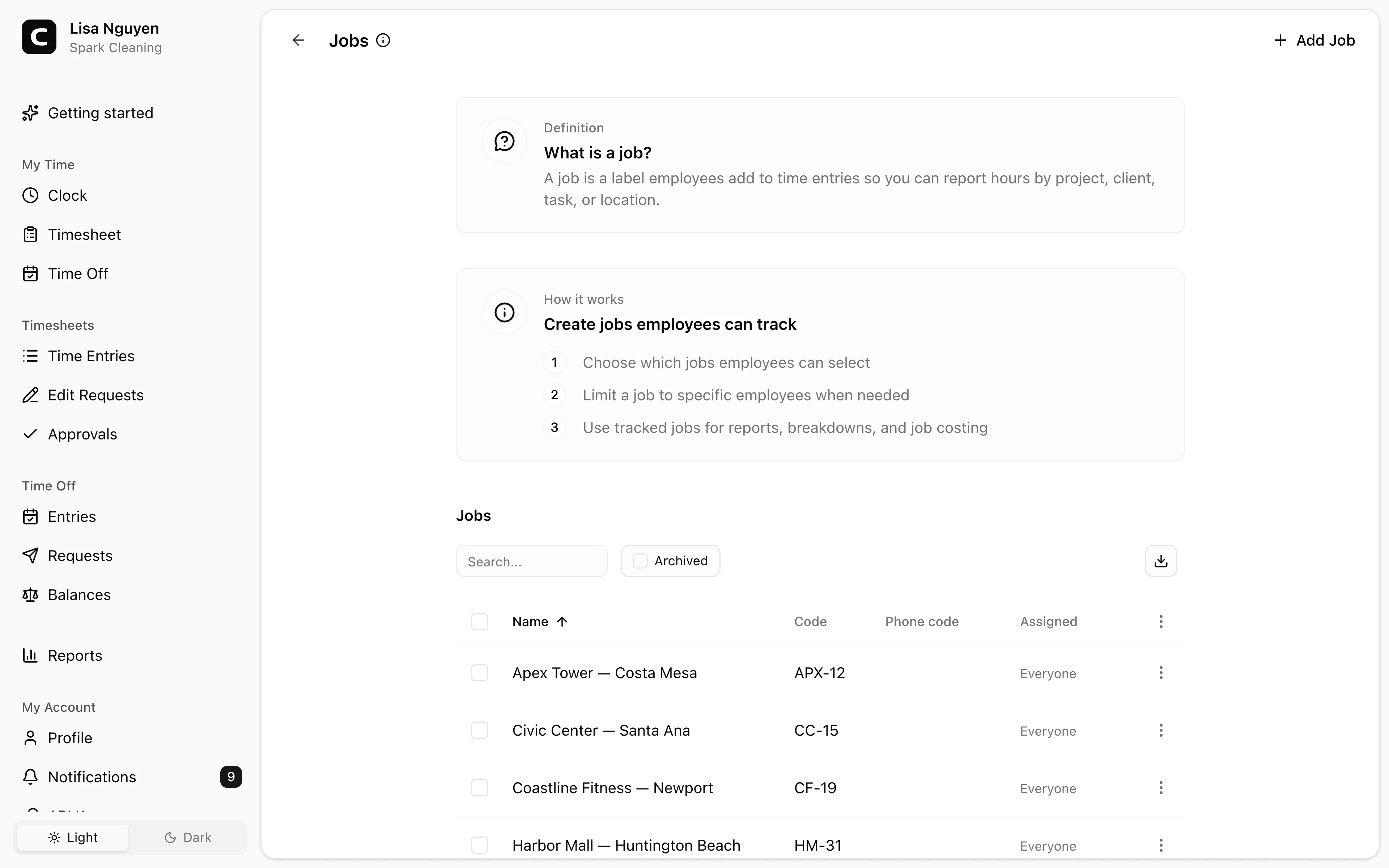
Match your real workflow
Jobs can represent clients, projects, cost codes, departments, routes, service calls, or work locations.
Job code time clock
Employees can assign clock-ins to the job, client, project, location, or cost code your office needs to review. Phone clock-ins can ask for a job phone code during the call.
Jobs and cost codes
Use the label your office already reviews.
Phone job codes
Let dial-in employees enter a job during the call.
Required when needed
Require job selection for employee-account and kiosk entries.
Hours by job
Review and export hours by job, employee, or summary.
Job code benefits
Job codes help when a payroll total is not enough. They give managers a way to see which job, client, department, route, or location each block of time belongs to before reports are exported.
Built for job review, job costing, and payroll cleanup.
Jobs can represent clients, projects, cost codes, departments, routes, service calls, or work locations.
Employees choose the job while recording time, so the office is not reconstructing assignments later from memory.
Active jobs can have phone codes employees enter when they clock in or out by calling Clockspot.
Hours without a job are grouped under (No job), so managers can find and fix missing context before relying on the report.
Set up the jobs employees should pick, capture the job with the time entry, and review the hours before payroll or client review.
Set up jobs
A job can be a client, project, cost code, department, route, location, or task. Use the language employees and managers already recognize.
Capture job time
The most reliable job record is created while the work is happening, not after payroll starts asking questions.
Review and export
Clockspot turns job-coded entries into report views managers can review by job, by employee, or in summary.
Job code questions
A job can represent a client, project, work order, department, location, route, cost code, or task. Use the label your managers actually review.
Yes. Active jobs can have phone codes. When employees clock in by phone, the call can ask for a job phone code when your setup needs one.
Yes, for employee-account and kiosk clock-ins. For phone clock-ins, add phone codes to active jobs when you want the call to collect the job. If the workspace requires jobs and active jobs have phone codes, the call requires a matching code.
The Job Costing report shows hours by job. Payroll dollars, regular pay, overtime premiums, and time off totals live in Payroll Summary.
Keep reading
Cleaning companies should track hours by client or job when that detail affects billing, job costing, approvals, payroll review, or records.
Construction crews should track time by job site when job detail affects payroll review, job costing, billing, approval, or records.
Set up a time clock by deciding who tracks time, when employees clock in, how mistakes are fixed, who approves hours, and how records are kept.
Set up cleaning crew time tracking so hours stay tied to the right client, job, location, approval, and payroll record.
30 days freeFull accessNo card required