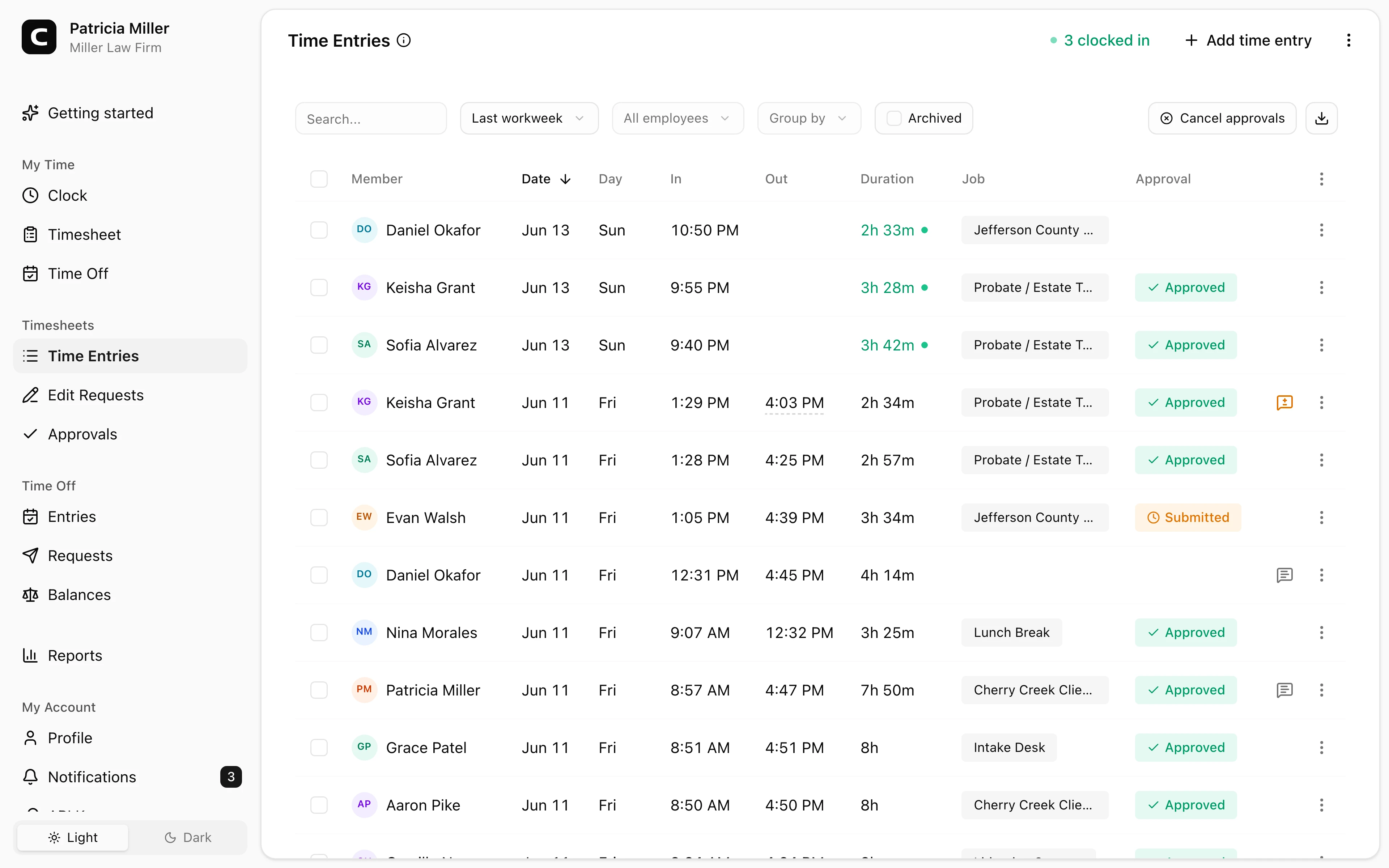
Separate from billable time
Payroll hours stay distinct from the billable time your case and billing software tracks.
Law firm time clock
Paralegals, assistants, reception, and intake staff clock in from the office or a shared computer. This is payroll time for hourly staff, kept separate from the billable hours in your practice software.
Staff hours, not billing
Track payroll time separate from billable hours.
Office and remote
Cover the main office, satellite offices, and approved remote work.
Corrections on record
Review missed punches and manual edits with reasons.
Payroll-ready reports
Approve and export reviewed staff hours.
Law firm benefits
A law firm already tracks billable time in its practice software. Clockspot handles the other side: accurate payroll hours for paralegals, assistants, and office staff, ready for review before payroll.
Made for hourly staff time and payroll review, not billing.
Payroll hours stay distinct from the billable time your case and billing software tracks.
Use jobs for reception, intake, file room, court runner, or admin when you review hours by role.
Track hours across the main office and satellite offices, plus approved remote work.
Managers review corrections and approvals before exporting hours.
Customer story
Thanks to Clockspot, I was able to relocate to Tennessee and keep track of my employees in Florida. It gives me the peace of mind I need to expand my business.
Eliana Leal
President, Paramount Title Services, Inc.
Built for firms that need accurate payroll hours for hourly staff, kept separate from billable time.
Staff clock-ins
Reception, paralegals, and clerks can clock in from their own computer or a shared front-desk station.
Roles and offices
Use jobs and locations when an office manager reviews hours by role, department, or office.
Payroll review
An office manager can catch missed punches, approve corrections, and export reviewed hours.
Law firm questions
No. Clockspot tracks payroll hours for hourly staff. Billable time, case management, and trust accounting stay in your practice software.
No. It does not replace legal billing, case management, practice management, trust accounting, HR, or payroll processing. It creates payroll-ready staff time records.
Yes. Run a kiosk on a shared computer or tablet, and each employee clocks in with a personal PIN.
Yes. Use offices or jobs for the main office and satellite locations, and review each office on its own.
Keep reading
A law firm time clock should track payroll hours, corrections, approvals, roles, locations, and records separate from billable time.
A professional services time clock should track employee hours, corrections, approvals, and payroll-ready records.
A quick pre-payroll check for missing punches, overtime risk, manual edits, approvals, and the records behind the final hours.
A practical guide to choosing a law firm time clock for employee hours, approvals, corrections, office roles, and payroll-ready reports.