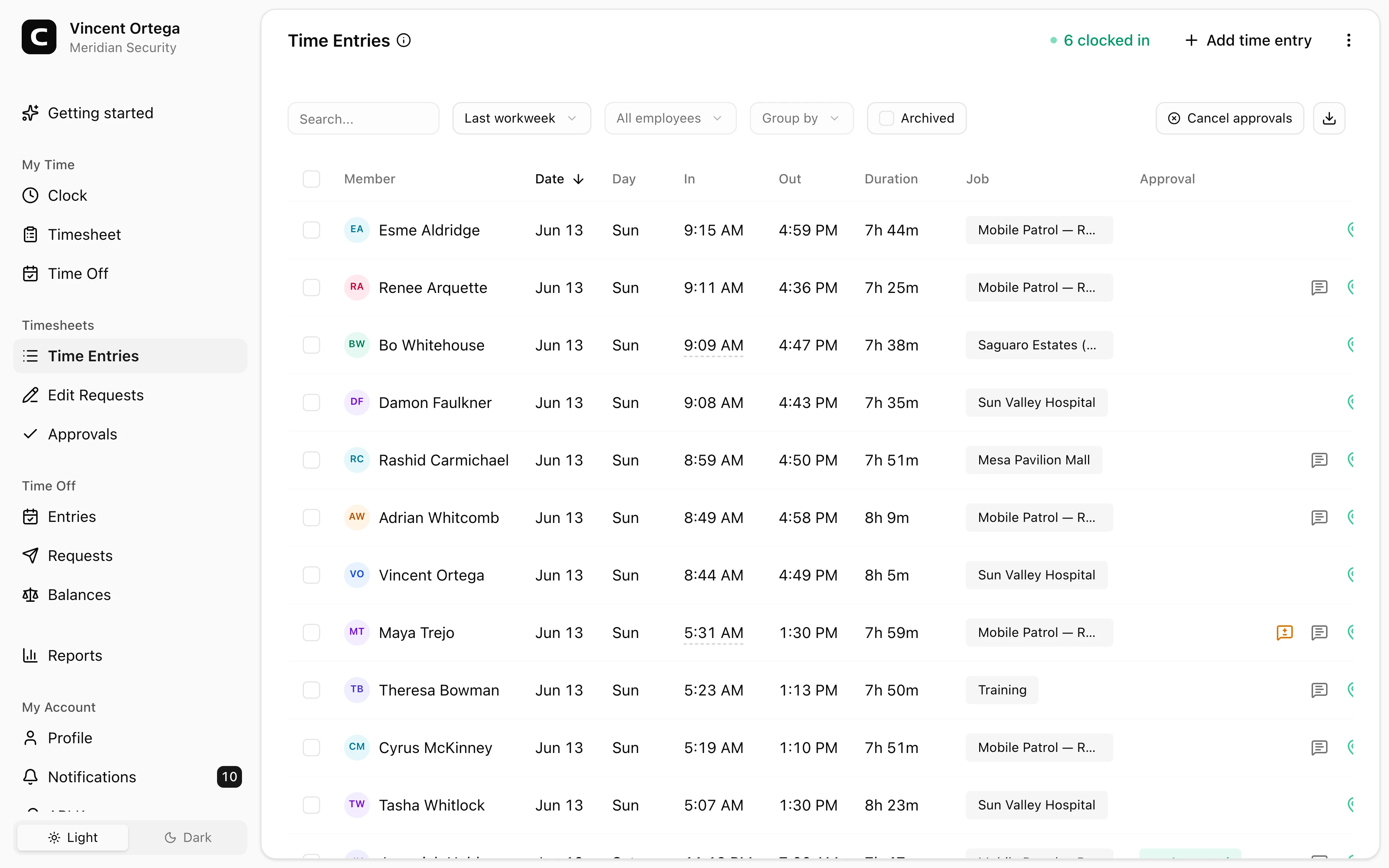
Fits post-based work
Guards can clock in from a phone or computer, or dial in by phone when internet is limited.
Security guard time clock
Guards can clock in from posts, patrol sites, offices, or shared devices. Managers review site, job, correction, and available location context before payroll.
Clock in at posts
Use phone, computer, or shared-device clock-ins.
Track sites and jobs
Assign hours to posts, contracts, or locations.
Review context
Check GPS, IP, device, or phone details when available.
Payroll reports
Export reviewed guard hours for payroll.
Security benefits
Security companies need a clear record of who worked which shift, where they clocked in, and what still needs review before payroll.
Built for guard shifts, site records, and payroll review.
Guards can clock in from a phone or computer, or dial in by phone when internet is limited.
Use jobs for posts, contracts, client sites, routes, or cost codes so hours are easier to review.
Employee-account clock-ins can include GPS, IP, and device context; phone entries include calling number and voice check details.
Managers can review, correct, approve, and export guard hours for the pay period.
Customer story
Clockspot has been the best investment our young company has yet to make. We've saved hours and hundreds of dollars.
Ashlee Cervantes
Guardian Protection Force, Inc.
Clockspot focuses on the employee time records behind guard payroll and site labor review.
Clock in at the post
Use browser clock-ins when internet is available, phone clocking when coverage is poor, or a kiosk where guards report to one location.
Sites and jobs
Use jobs to label security posts, client locations, patrol routes, contracts, or cost codes.
Payroll review
Managers can resolve missed punches, review corrections, approve time cards, and export payroll-ready records.
Security questions
No. Clockspot is employee time tracking for payroll-ready records. It does not replace guard tour, incident reporting, dispatch, or patrol verification software.
Yes. Phone clocking lets guards dial in from a landline or cell phone when a browser clock-in is not reliable.
Yes. Use jobs for posts, client sites, contracts, routes, or cost codes, then review hours by job before payroll.
No. GPS can be captured at clock-in when guards use their own account and share location. Clockspot is not continuous guard tracking.
Keep reading
A security guard time clock should track guard hours, post or site detail, GPS context, missed punches, corrections, approvals, and payroll-ready records.
Use GPS time tracking when location helps explain hours, jobs, field work, approvals, or payroll records.
Set up a time clock by deciding who tracks time, when employees clock in, how mistakes are fixed, who approves hours, and how records are kept.
Choose a security guard time clock by checking post clock-ins, site detail, GPS review, missed punches, approvals, payroll export, and records.