Close the pay period cleanly
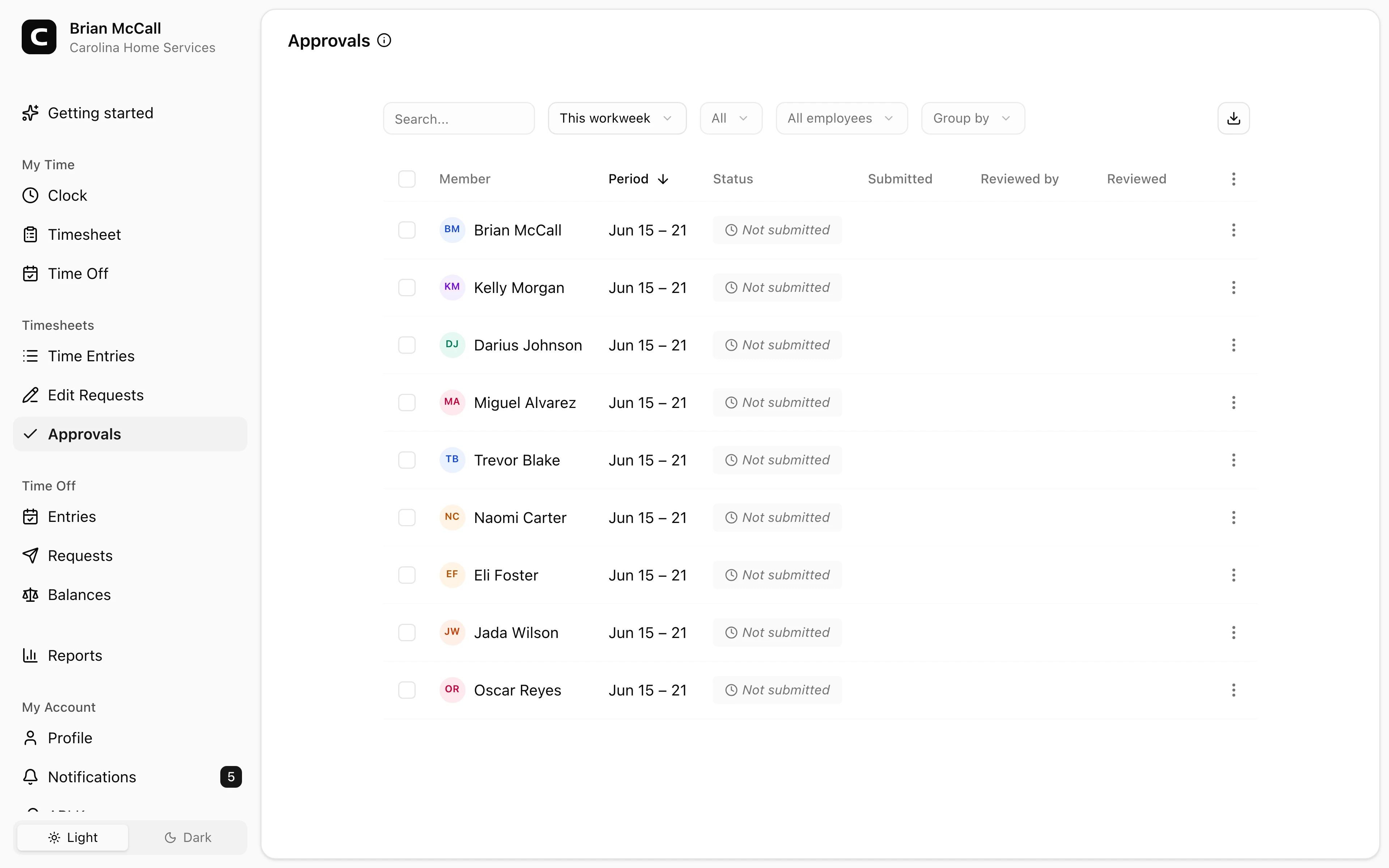
Managers can see which timesheets are not submitted, submitted, approved, or rejected for the selected period.
Time card approvals
Managers review each employee and pay period, approve accurate timesheets, reject ones that need attention, and keep edit requests connected to the entries they change.
Submitted status
See who is ready for manager review.
Approve or reject
Decide one time card or many at once.
Edit requests
Review proposed corrections with reasons.
Locked records
Approved time stays final until reopened.
Approval benefits
Approvals give managers a clear checkpoint before hours become payroll records. They help separate everyday corrections from final time cards.
Review, decide, lock, and reopen when a correction is needed.
Managers can see which timesheets are not submitted, submitted, approved, or rejected for the selected period.
Open a time card from the approvals page to inspect entries, jobs, notes, and location context before approving.
Edit requests show the original entry, the proposed change, and the reason the employee gave.
Approved timesheets are locked until a manager cancels the approval or an employee submits an edit request.
Employees submit, managers approve or reject, and corrections stay connected to the time entries they change.
Review the pay period
The approvals page shows one row per employee, per period, so managers know exactly what still needs attention.
Make a decision
Managers can decide one time card at a time or use bulk actions when several rows are ready for the same decision.
Handle corrections
When an employee requests a correction, managers can see the original entry and the proposed change before deciding.
Common questions
Yes. Use Approve on a not-submitted row when the manager trusts the entries and the employee is unavailable.
Approved time cards are locked. To change an entry, cancel the approval and edit it, or have the employee submit an edit request.
Yes. Select eligible rows and use bulk Approve, Reject, or Cancel. Bulk decisions do not carry per-row notes, so use individual review when a note matters.
Yes. Employees can submit edit requests for approved timesheets. The request shows the original entry, the proposed change, and the employee note.
Keep reading
Manager approval is not one universal federal form, but it is a useful payroll control before hours are exported.
Close a pay period by completing time cards, resolving exceptions, approving hours, exporting approved hours, and keeping the record.
A quick pre-payroll check for missing punches, overtime risk, manual edits, approvals, and the records behind the final hours.
Use this time card approval workflow to review exceptions, confirm corrections, and send payroll hours you can explain later.