Supports landlines
Employees can clock in by calling from a landline at the office, job site, shop, or front desk.
No smartphone required
Not every employee has a smartphone, wants to use a personal phone, or works where mobile data is reliable. Clockspot supports dial-in phone clocking, shared kiosks, and browser clock-ins from computers.
Phone call clock-ins
Dial in from a landline or cell phone.
Shared kiosk
Use a tablet or computer with employee PINs.
Computer clock-ins
Employees can clock in from a browser.
Manager review
Entries still go through timesheets and reports.
No smartphone required
A time clock should fit the way employees actually start work. Clockspot gives employers options for employees who use shared devices, landlines, office computers, or basic phones.
Phone call, kiosk, and browser options in one system.
Employees can clock in by calling from a landline at the office, job site, shop, or front desk.
Run a kiosk on a shared tablet or computer when you do not want personal phones used for clock-ins.
Employees can use a browser or phone call instead of installing a native mobile app.
Phone, kiosk, and browser entries still become reviewable time entries, approvals, and payroll reports.
Use the method that fits the workplace: phone call, kiosk, or computer browser.
Phone call
Phone clocking works when employees have access to a landline or cell phone but not a reliable browser clock-in.
Shared device
A kiosk lets employees clock in from one shared tablet or computer using personal PINs.
Browser
Employees can also clock in from a desktop, laptop, or shared office computer with a browser.
No smartphone required
No. Employees can clock in from a computer, a shared kiosk, or by calling in from a landline or cell phone.
Use a shared time clock kiosk on a tablet or computer. Employees clock in with personal PINs instead of using their own phones.
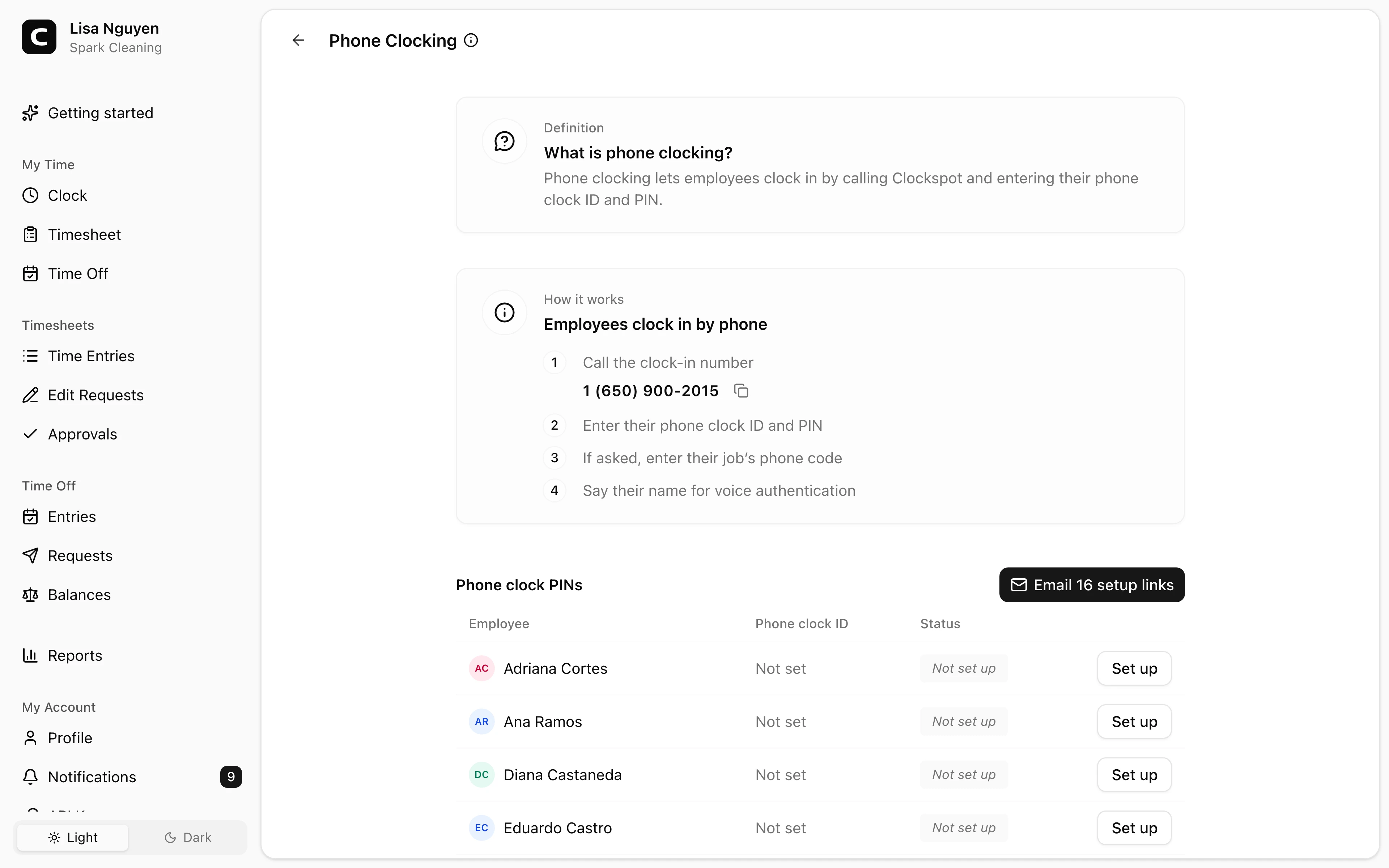
Yes, if it can place a phone call. Phone clocking uses a call flow with employee ID, PIN, and voice check.
Yes. Phone, kiosk, and browser entries become time records managers can review, approve, and export.
Keep reading
Employees can clock in by phone call, a shared computer, or a browser link, with no app to install. Here is how to keep those hours payroll-ready.
Set up a time clock by deciding who tracks time, when employees clock in, how mistakes are fixed, who approves hours, and how records are kept.
How to reduce buddy punching without turning a payroll problem into a biometric privacy problem.
How employees clock in without a smartphone or an app: phone call-in with a PIN, a shared computer or kiosk, and a browser link. What to look for before you choose.
30 days freeFull accessNo card required