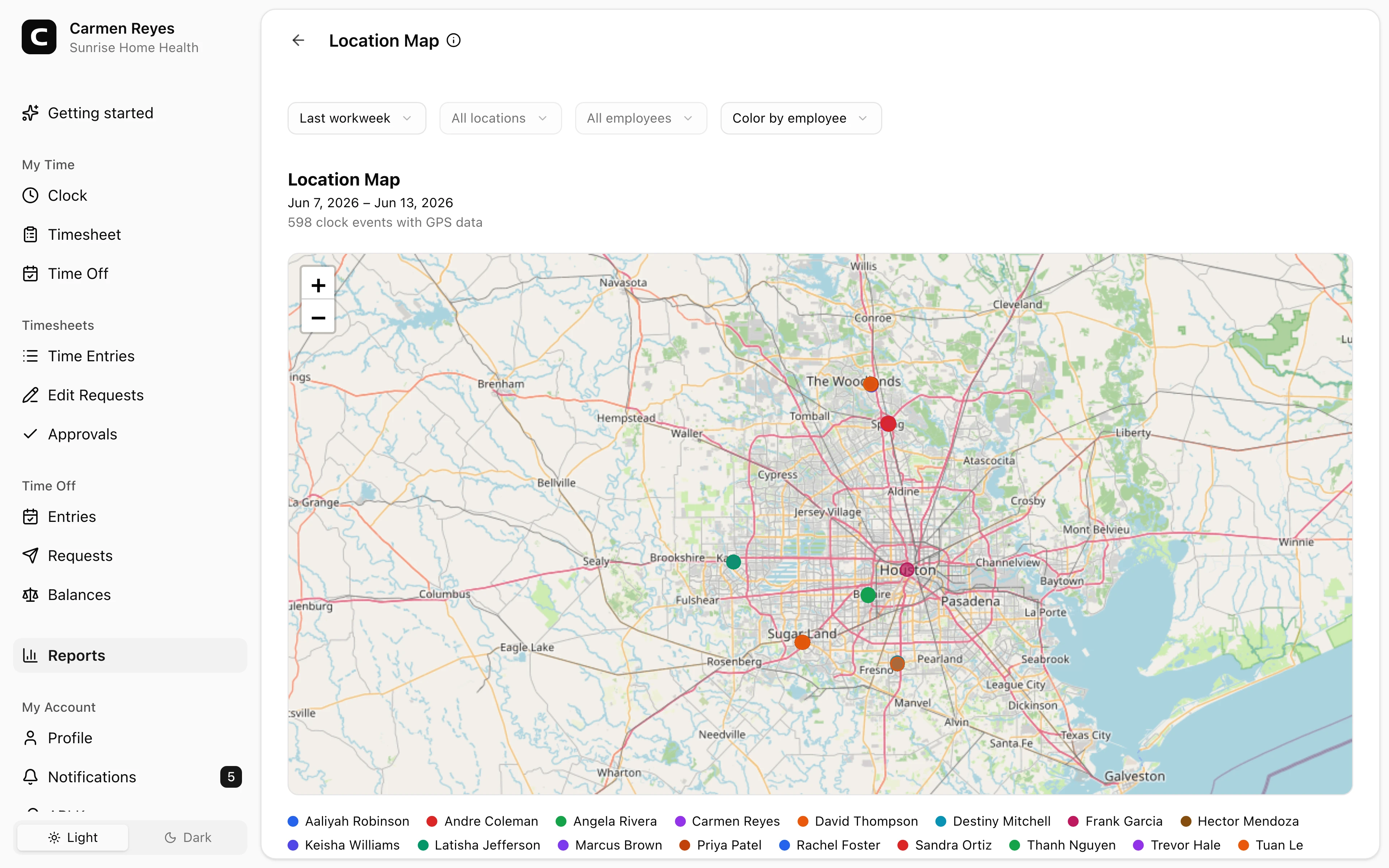
See where clock-ins happened
Clock-ins from an employee account can capture GPS, IP, and device details, so each entry carries a location record.
GPS time tracking
Clock-ins from an employee account can capture GPS, IP, and device details. Set approved clock locations, and flag clock-ins from unrecognized places for a manager to review.
GPS on clock-ins
Capture GPS, IP, and device.
Approved locations
Match a geofence, IP, or device.
Flag off-site clock-ins
Warn and highlight for review.
Location reports
A map plus hours by location.
GPS tracking benefits
Location verification gives each clock-in a place, so you can confirm employees clocked in where the work was, catch off-site clock-ins, and keep a record you can review after the shift.
Match clock-ins by GPS area, office IP, or device.
Clock-ins from an employee account can capture GPS, IP, and device details, so each entry carries a location record.
Save a clock location as a GPS area, an office IP, or a device. A single location can combine rules, like office Wi-Fi or its geofence.
With unrecognized-location warnings on, an off-site clock-in warns the employee, can notify admins, and is highlighted for review.
Location reports keep a record long after the shift, including a map of every GPS-tagged clock-in and clock-out.
Customer story
I can log in from anywhere and see exactly when my employees clocked in. I would recommend Clockspot for anyone looking for a simple, user-friendly solution.
Charlice Arnold
Your Office Staff Inc.
Clock-ins capture location, you decide what counts as on-site, and reports show where time was logged.
Capture location
A clock-in from an employee account can carry GPS coordinates, the IP address, and device details.
Set approved clock locations
Save the places, networks, and devices a clock-in should match.
Review locations
Location reports turn captured coordinates into a record you can review.
Common questions
It flags them. With unrecognized-location warnings on, an off-site clock-in warns the employee, can notify admins and the owner, and is highlighted on the Location Compliance report for review.
GPS is captured when the device shares it. Employees on devices that do not share location still clock in; those entries simply have no coordinates, and you can also match by IP or device.
You decide what counts as on-site. Save approved clock locations by GPS area, office IP, or device, and turn on warnings so clock-ins from unrecognized places are flagged.
On the location map for GPS-tagged events, the Location Sites report for hours by approved location, and the Location Compliance report for entries outside an approved location.
Keep reading
Use GPS time tracking when location helps explain hours, jobs, field work, approvals, or payroll records.
GPS can help cleaning companies review client jobs, travel between sites, corrections, and approvals before payroll.
GPS can help home health agencies review caregiver time records, but it should not be treated as EVV or clinical documentation.
Use GPS time tracking when location affects payroll, job costing, field work, approvals, or trust. Here is what to look for before choosing a GPS time clock.