Landlines and cell phones
Employees can call in from the phone available at the job site or from a cell phone.
Phone time clock
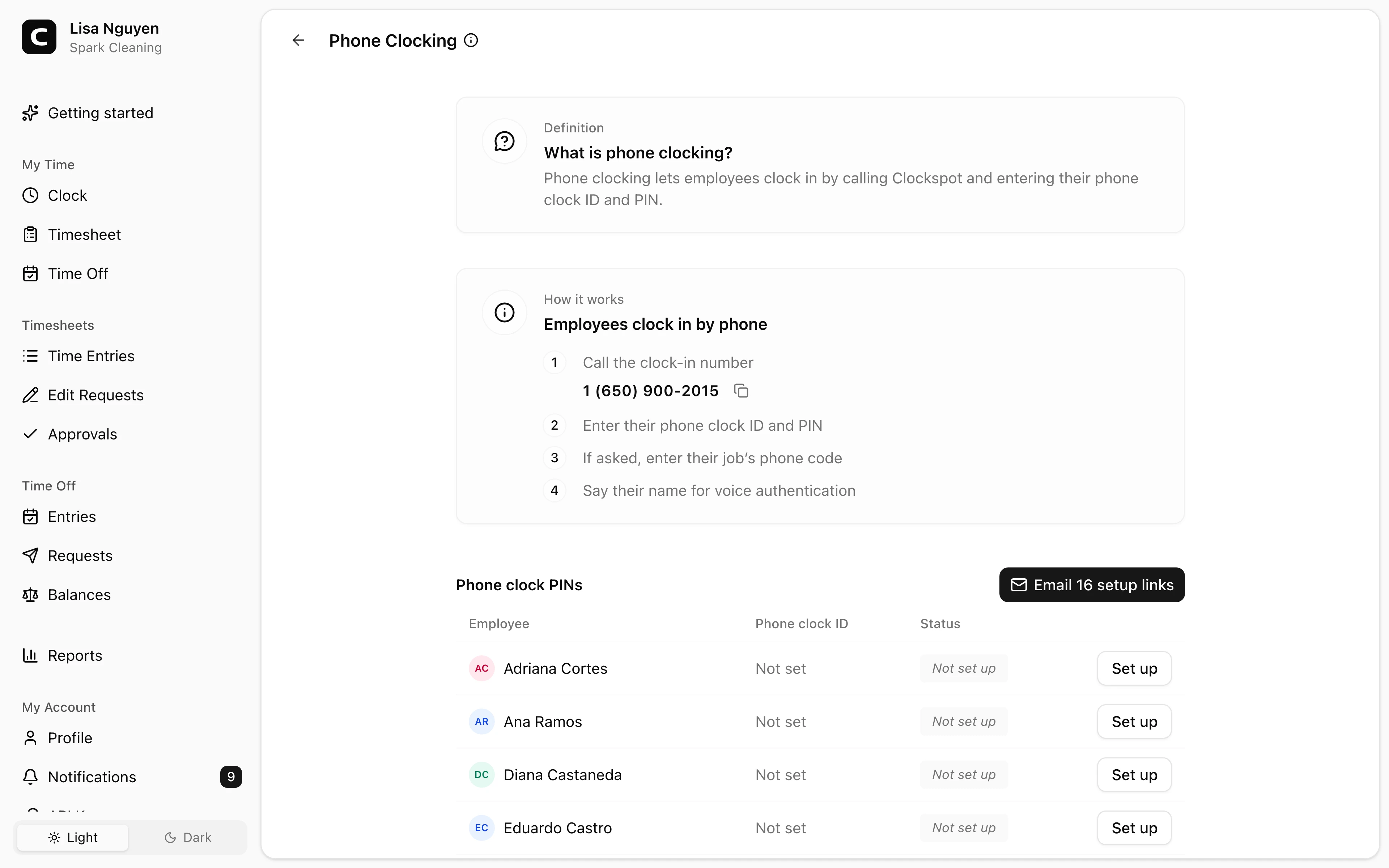
Employees call Clockspot from any landline or cell phone, enter their phone clock ID and PIN, and say their name for a voice check. Managers can review the entry before payroll.
Call the number
Employees can call from any landline or cell phone.
Enter ID and PIN
The ID and PIN confirm who is clocking in.
Add a job code
Employees enter the job's phone code during the call.
Say their name
A voice check is saved with the time entry.
Phone clocking benefits
Phone clocking gives employees a clock-in path when a browser clock-in or reliable job-site internet is not practical. It also gives managers details they can review before payroll.
Useful for job sites, shared phones, and low-connectivity work.
Employees can call in from the phone available at the job site or from a cell phone.
A phone call can be easier than a browser clock-in when job-site internet is weak or unavailable.
Employees do not need to install an app or open a computer during the shift.
Calling number, voice check, and job code details help managers review phone entries before payroll.
Customer story
Letting employees call to clock in or out has helped us save a lot of time manually entering time cards.
Thomas Hlavac
Vice President, Select Trenchless Pipelines, Inc.
For job sites with unreliable internet, employees can clock in from any landline or cell phone.
Call in
The phone clock ID identifies the employee, and the PIN keeps the clock-in private to that person.
Set up access
From the Clockspot dashboard, admins can see who is ready, who has a setup link, and who still needs a PIN.
Review records
Each phone clock-in creates a time entry with the calling number, job code when used, and voice check.
Common questions
No. If they can place a call from a landline or cell phone, they can use phone clocking. No app, computer, or job-site internet is required.
No. Phone entries capture the calling number and a voice check. Clock-ins from an employee's own account can capture GPS, IP, device details, and geofence results.
Yes. Admins can email setup links so employees choose their own PIN, or they can set a PIN manually.
Yes. Admins can assign a phone code to any active job. During the call, employees enter the matching code, or press pound to skip when job selection is optional.
Keep reading
Employees can clock in by phone call, a shared computer, or a browser link, with no app to install. Here is how to keep those hours payroll-ready.
Set up a time clock by deciding who tracks time, when employees clock in, how mistakes are fixed, who approves hours, and how records are kept.
A quick pre-payroll check for missing punches, overtime risk, manual edits, approvals, and the records behind the final hours.
How employees clock in without a smartphone or an app: phone call-in with a PIN, a shared computer or kiosk, and a browser link. What to look for before you choose.
30 days freeFull accessNo card required