Settings / Setup
Jobs
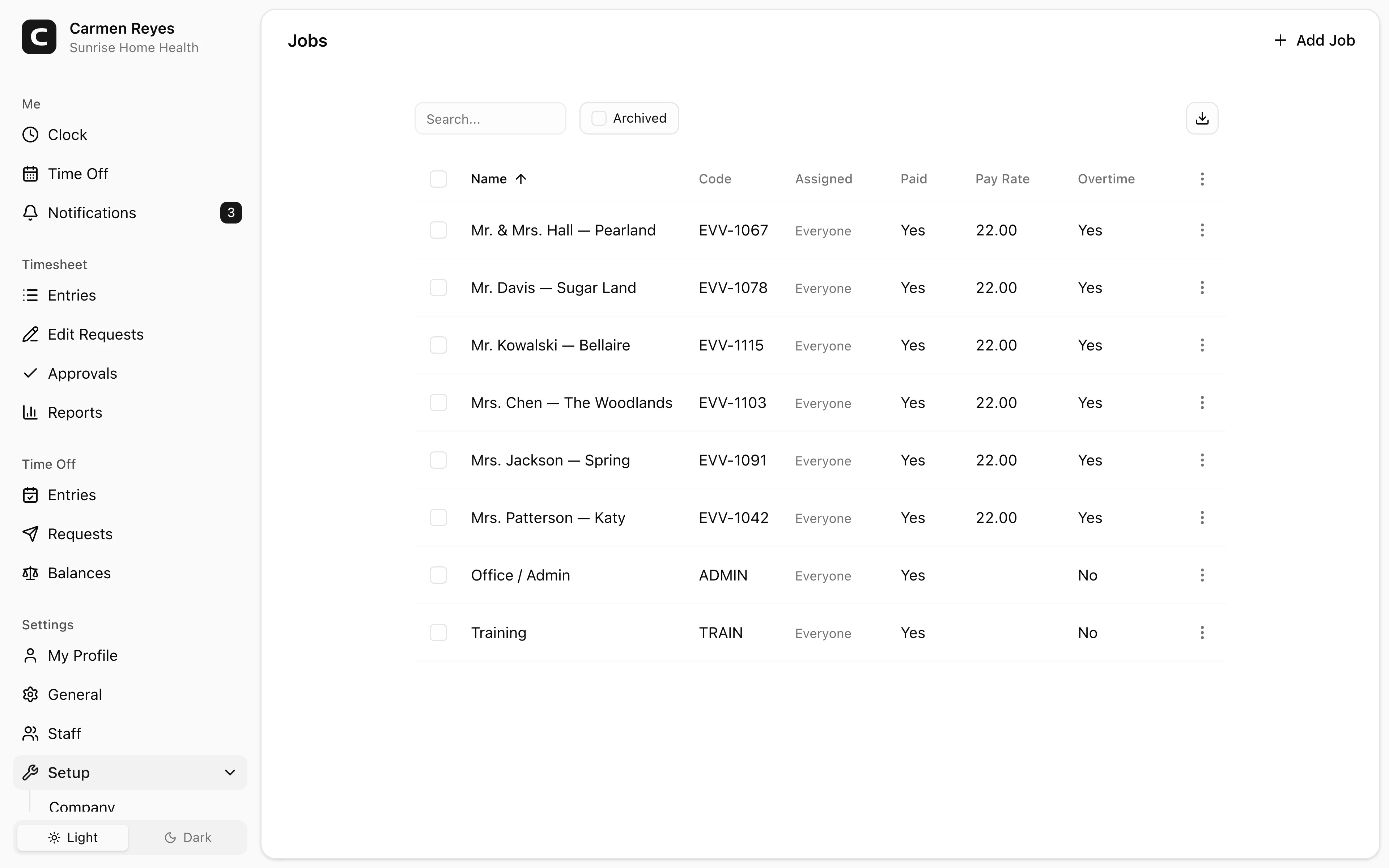
Create and manage the jobs employees pick when clocking in.
What you can set per job
- Name — what employees see in the clock-in picker.
- Code — optional, for matching against your accounting or job-costing system.
- Pay rate — optional. When set, hours on this job use this rate instead of the employee's profile rate.
- Paid — whether hours on this job are paid (uncheck for volunteer / unpaid work).
- Overtime eligible — whether hours on this job count toward overtime thresholds.
- Assigned to — either Everyone or a specific subset of members. Only assigned members see the job in their clock-in picker.
Archiving
Use Archive (row menu or bulk action) to remove a job from the clock-in picker while keeping its history in reports. Toggle the Archived view and use Restore to bring it back.
Jobs can't be deleted — archiving is the way to retire one without losing past data.
Common questions
A job isn't appearing in an employee's clock-in picker. Either it's archived, or its Assigned to is limited and that employee isn't on the list. Open the job to check.
Can two jobs have the same name? Yes, but it's confusing — use codes to disambiguate, or rename one.
An employee clocked in against the wrong job. Open the entry on the Timesheet page and use Edit entry in the row menu. If the timesheet is already approved, cancel the approval first or have the employee submit an edit request.