Time Off
Balances
Current leave balance for every employee, across every leave type.
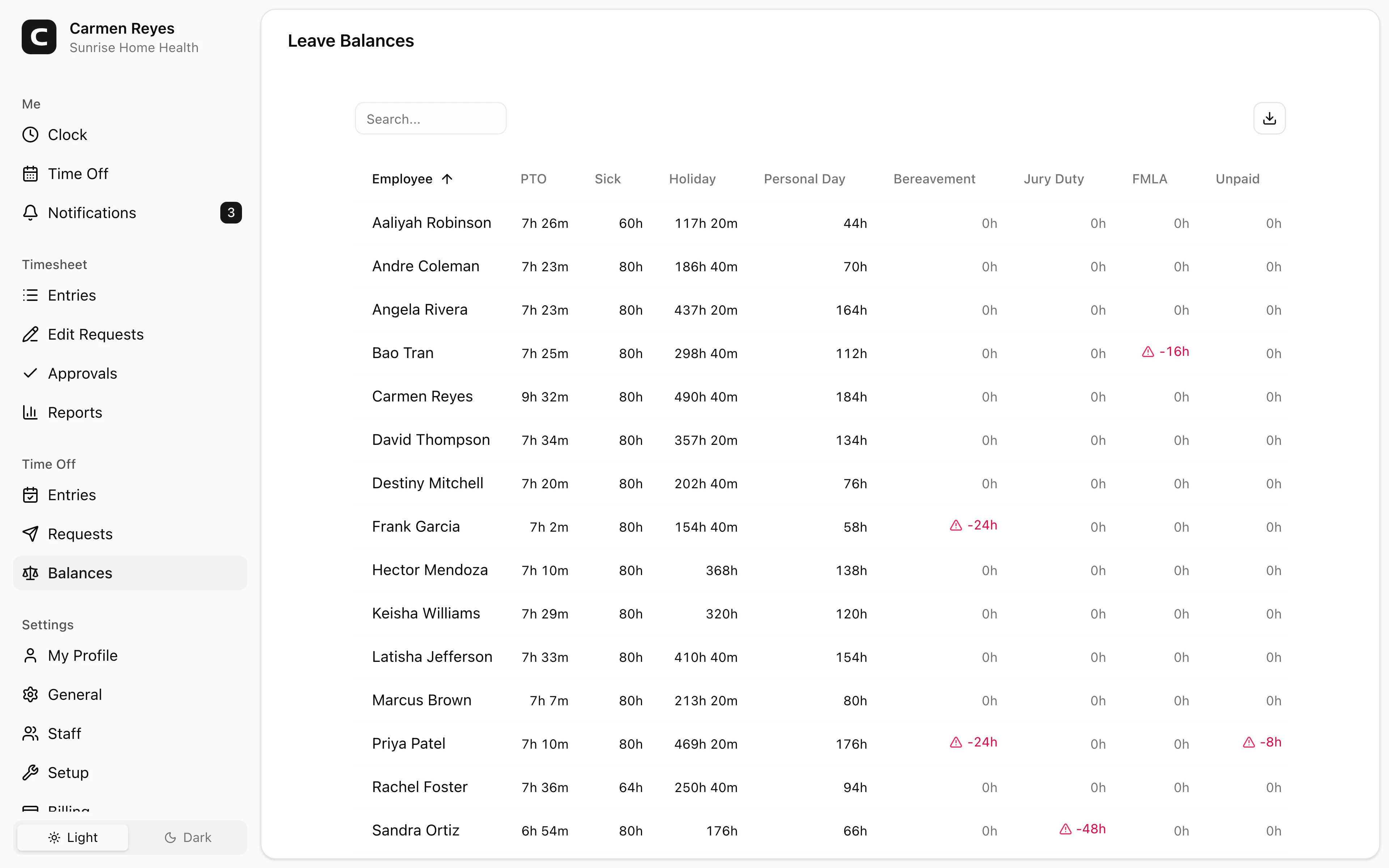
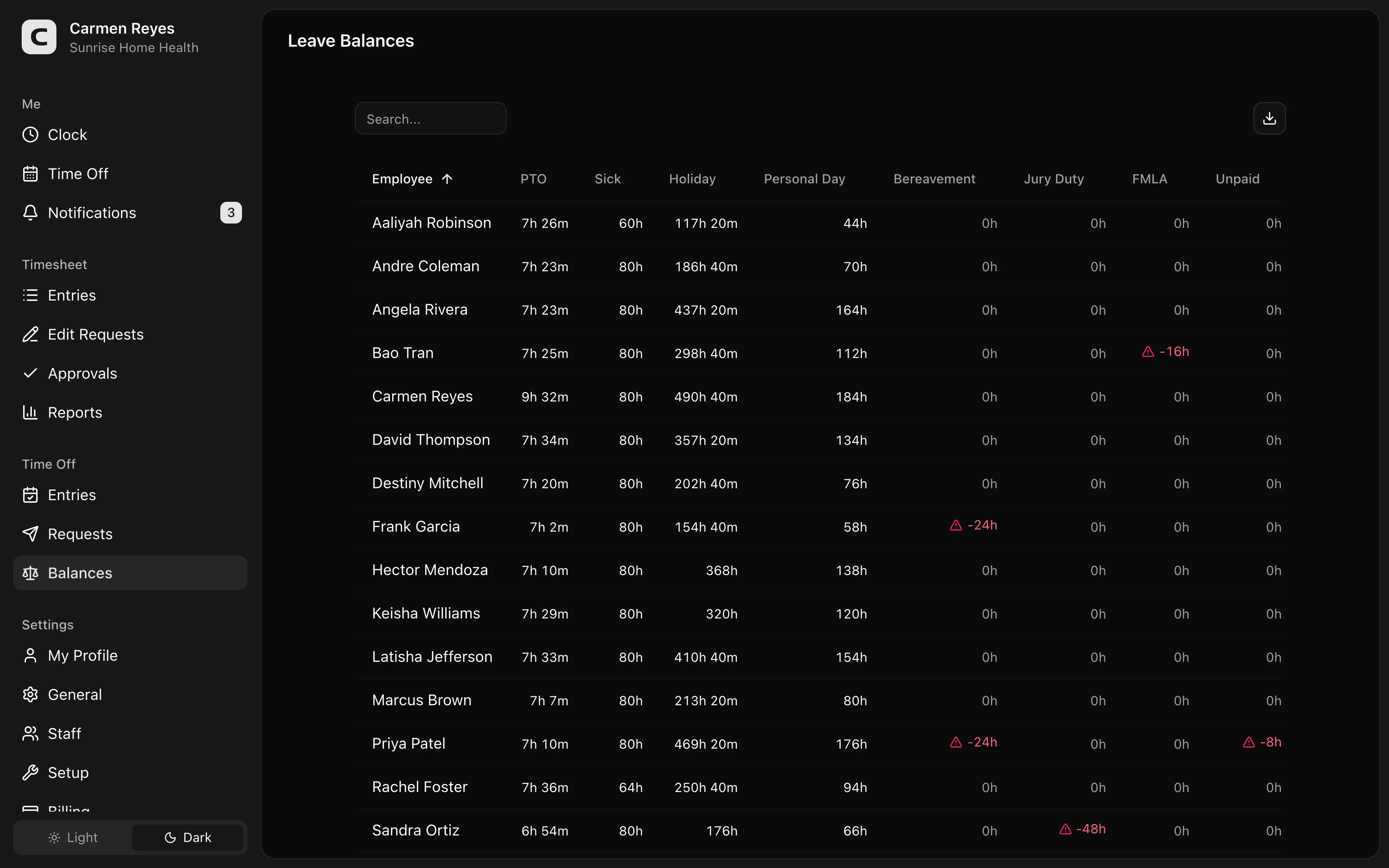
What this page shows
A matrix of every employee (rows) against every leave type (columns). Each cell is that employee's current balance for that leave type.
Cells with visual cues:
- Negative (red text + warning triangle) — balance is below zero.
- Low (amber triangle) — balance is close to running out.
Drilling in
Click any balance cell to open the ledger for that employee + leave type. The ledger lists every accrual, usage, adjustment, and carryover in chronological order, with a running balance.
Making an adjustment
From the ledger dialog, press Adjust to open the adjustment form. Enter a positive amount to grant or a negative amount to deduct, with a note explaining why. The adjustment appears in the ledger immediately and updates the balance.
Use adjustments for one-off bonuses, corrections, or carry-over from another time-tracking system.
When to use a different page
- Approved leave entries → Leave Entries
- Pending leave waiting for review → Leave Requests
- Accrual rules per leave type → Leave Types (Settings → Setup)
Common questions
A balance looks wrong. Click the cell to open the ledger and check for unexpected adjustments, carryovers, or usages. The running balance column shows when the divergence started.
An employee says they earned more leave than shown. Check the accrual rule for that leave type on the Leave Types page. They may be expecting an annual grant that hasn't fired yet, or per-hour accrual that's slower than they realize.
Can I export balances? Yes — use the export button in the toolbar for a CSV snapshot.