Settings / Setup
Leave Types
Define the categories of leave your workspace tracks — vacation, sick, personal, etc. — and how each one accrues.
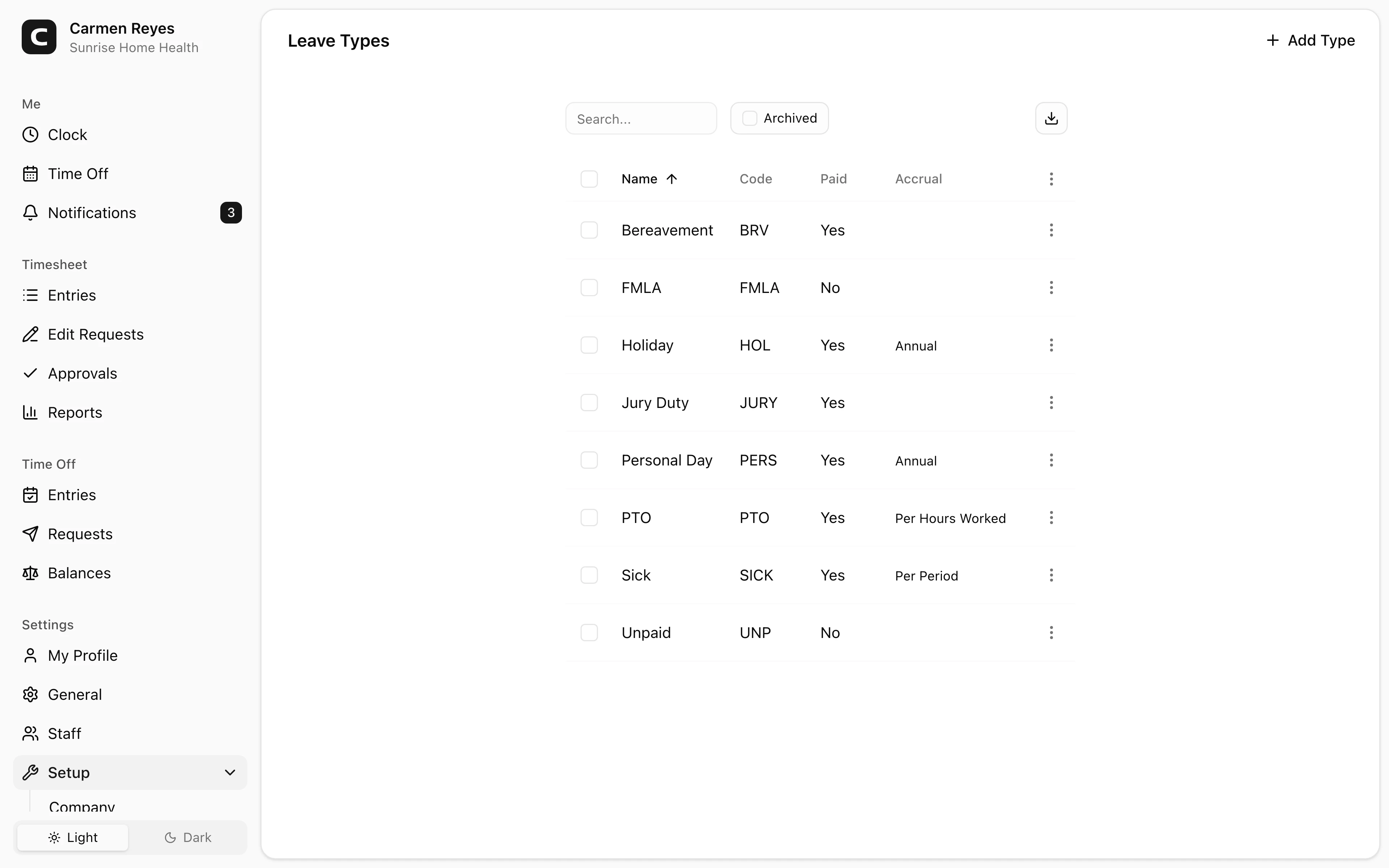
What you can set per leave type
- Name — what employees see when requesting time off.
- Code — optional, for matching against payroll or accounting systems.
- Paid — whether hours on this type are paid. Counts toward Paid Leave columns on Hours Summary and Payroll Summary; unpaid types count toward Unpaid Leave.
- Accrual method — how balance grows over time:
- None — no automatic accrual; admin grants manually via balance adjustments.
- Annual — a fixed number of hours per year, granted on the accrual start date.
- Per-period — the annual total divided across weekly, biweekly, semi-monthly, or monthly periods.
- Per-hours-worked — earn X hours of leave for every Y hours worked.
- Accrual start — anchor the accrual to the Calendar Year (Jan 1) or the employee's Hire Date.
- Waiting period — days from hire before accrual begins.
- Limits (optional, expand to configure) — max balance, max carryover, max usage per year, max accrual per year, max negative balance, and whether the balance is paid out on termination.
- Milestones (optional) — escalate accrual based on tenure.
Archiving
Use Archive (row menu or bulk action) to retire a leave type. Toggle the Archived view and use Restore to bring one back. Past leave on archived types stays visible in reports.
Common questions
I changed an accrual rule. Does it affect past balances? No — rule changes apply forward. Past accruals stay as they were calculated under the previous rule.
An employee's balance didn't reset at year-end. Check the Max carryover limit. With no carryover cap, the full balance rolls over each year. Set Max carryover to 0 to zero out at year-end, or to a number to cap the carryover at that amount.
How do I give someone a one-time bonus of leave? On the Leave Balances page, click the employee's cell for that leave type to open the ledger, then press Adjust to add a positive amount with a note.