Settings
General
Workspace-wide timesheet configuration — clock-in requirements, overtime rules, and the work schedule.
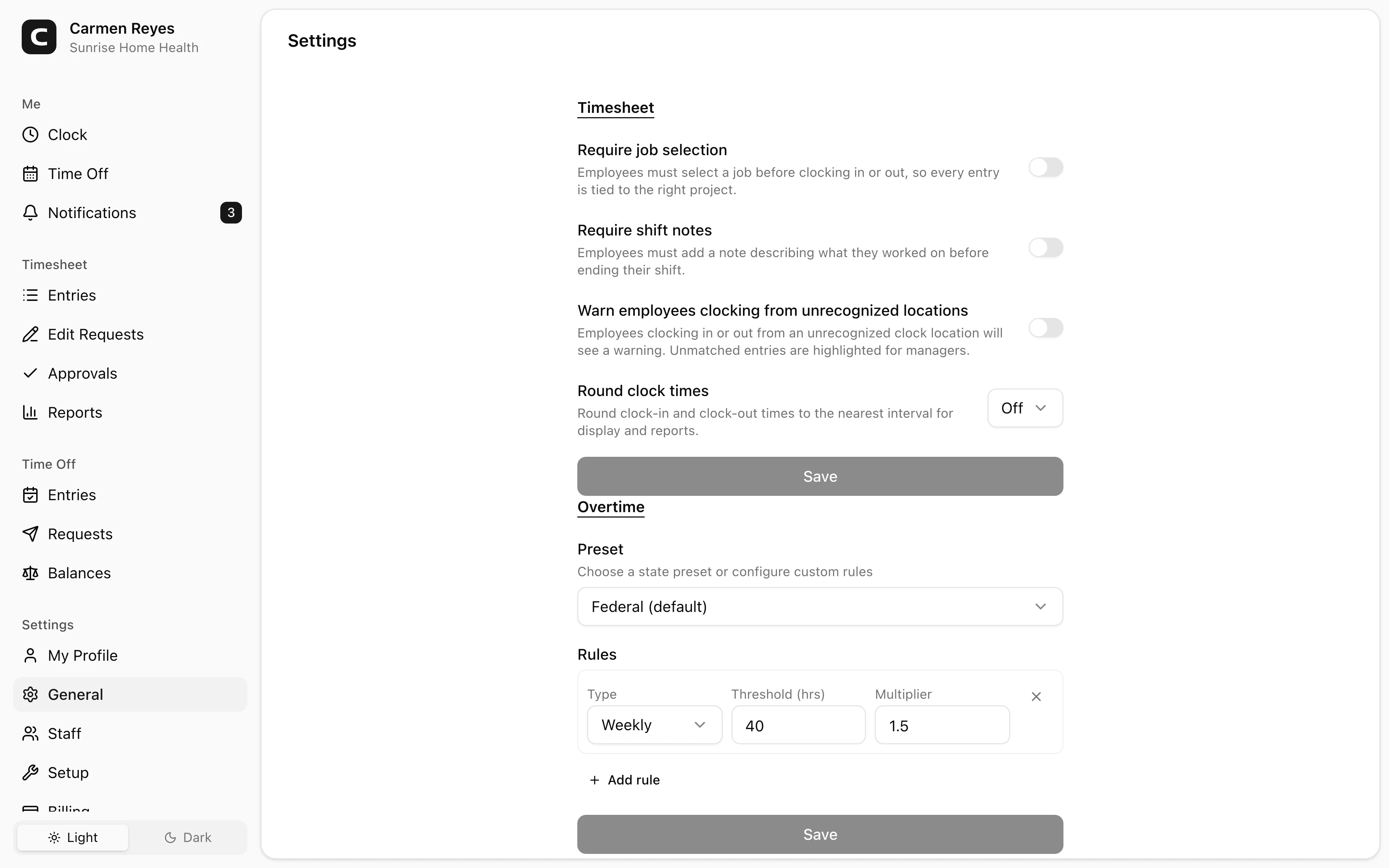
Timesheet
Top-level rules for how employees clock in and how time is rounded:
- Require job selection — every clock-in needs a job assigned. Slower clock-ins, but every entry is tied to a project.
- Require shift notes — every clock-out needs a note describing what was worked on.
- Warn employees clocking from unrecognized locations — employees clocking outside any defined clock location see a confirmation; the entry is flagged for managers to follow up.
- Round clock times — round each clock-in/out to a fixed interval. Affects every total in the app.
Overtime
Pick a state preset or define custom rules. Each rule has a type (daily, weekly, or 7th consecutive day), a threshold in hours, and a multiplier (e.g. 1.5×, 2×). Up to 5 rules can be active at once — useful for states with stacked thresholds (e.g. 1.5× over 8h/day plus 2× over 12h/day).
Overtime rules apply forward only — changing them doesn't retroactively recalculate past entries.
Work Schedule
The default weekly schedule for the workspace:
- Workweek start day — anchors weekly overtime calculation and report grouping.
- Per-day hours — toggle each weekday on/off and set the expected hours.
Individual employees can override this on their Staff page if their schedule differs.
Common questions
I changed an overtime rule. Will it apply to past entries? No — rules apply from the change forward. Past entries keep the overtime they were originally calculated with.
I want different overtime rules for different employees. Overtime rules are workspace-wide. For per-employee control, see Exemption status on the Staff page — that excludes the employee from overtime calculation entirely.
Where do I configure pay rates and pay periods? Both are per-employee. Set them on each member's Staff page.