Reports
Reports
Open the report that matches the hours, payroll, job, or clock-location question you need to review.
No login required. Opens in one click.
What this page shows
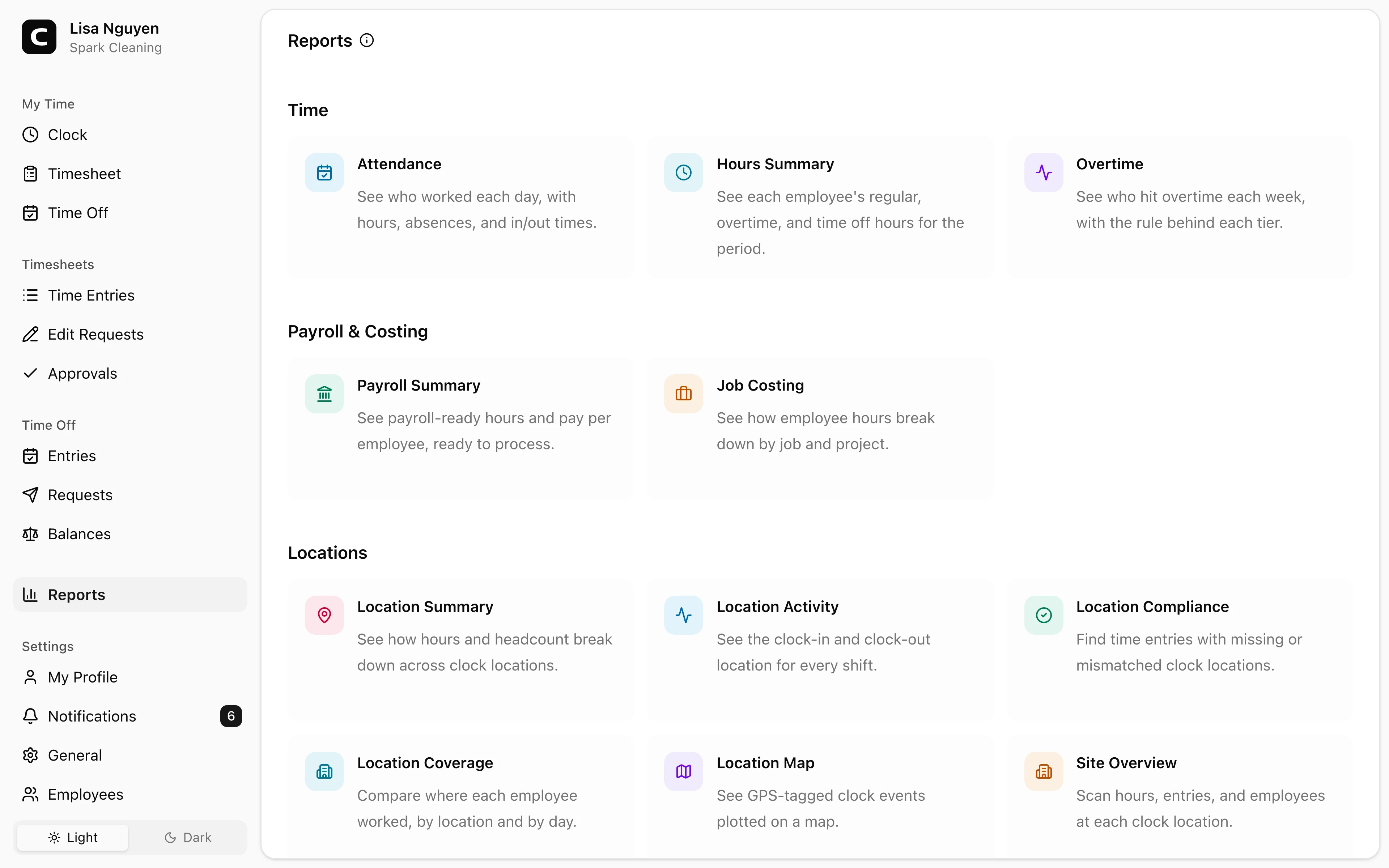
The Reports page groups admin reports into Time, Payroll & Costing, and Locations. Open a card to view the report.
Choosing a report
- Use Attendance, Hours Summary, and Overtime to review daily work, total hours, time off, and overtime.
- Use Payroll Summary when you are preparing payroll numbers, and Job Costing when you need hours by job.
- Use the location reports to review clock-location totals, activity, exceptions, coverage, and map views.
After opening a report
Each report keeps its own filters and export options. Use Reports in the report header to return to the directory.
Common questions
- Where do I find a specific report?
Open Reports from the sidebar, then choose the report card. The sidebar keeps one Reports entry so the app menu stays shorter.
- Which report should I start with before payroll?
Start with Payroll Summary after the period's timesheets are approved. Use Hours Summary, Overtime, or Job Costing when you need to explain the totals before exporting.
Related
How overtime works
How Clockspot classifies overtime hours into report tiers.
Running payroll
The path from a closed pay period to numbers you can hand to your payroll provider.
Attendance
See who worked each day, with hours, absences, and in/out times.
Hours Summary
See each employee's regular, overtime, and time off hours for the period.
Overtime
See who hit overtime each week, with the rule behind each tier.
Payroll Summary
See payroll-ready hours and pay per employee, ready to process.
Job Costing
See how employee hours break down by job and project.
Location Summary
See how hours and headcount break down across clock locations.
Location Activity
See the clock-in and clock-out location for every shift.
Location Compliance
Find time entries with missing or mismatched clock locations.
Location Coverage
Compare where each employee worked, by location and by day.
Location Map
See GPS-tagged clock events plotted on a map.
Site Overview
Scan hours, entries, and employees at each clock location.