Workspace setup
Time Tracking Settings
Find the settings that control clock-ins, schedules, overtime, jobs, time off types, locations, kiosks, and phone clocking.
No login required. Opens in one click.
What this page controls
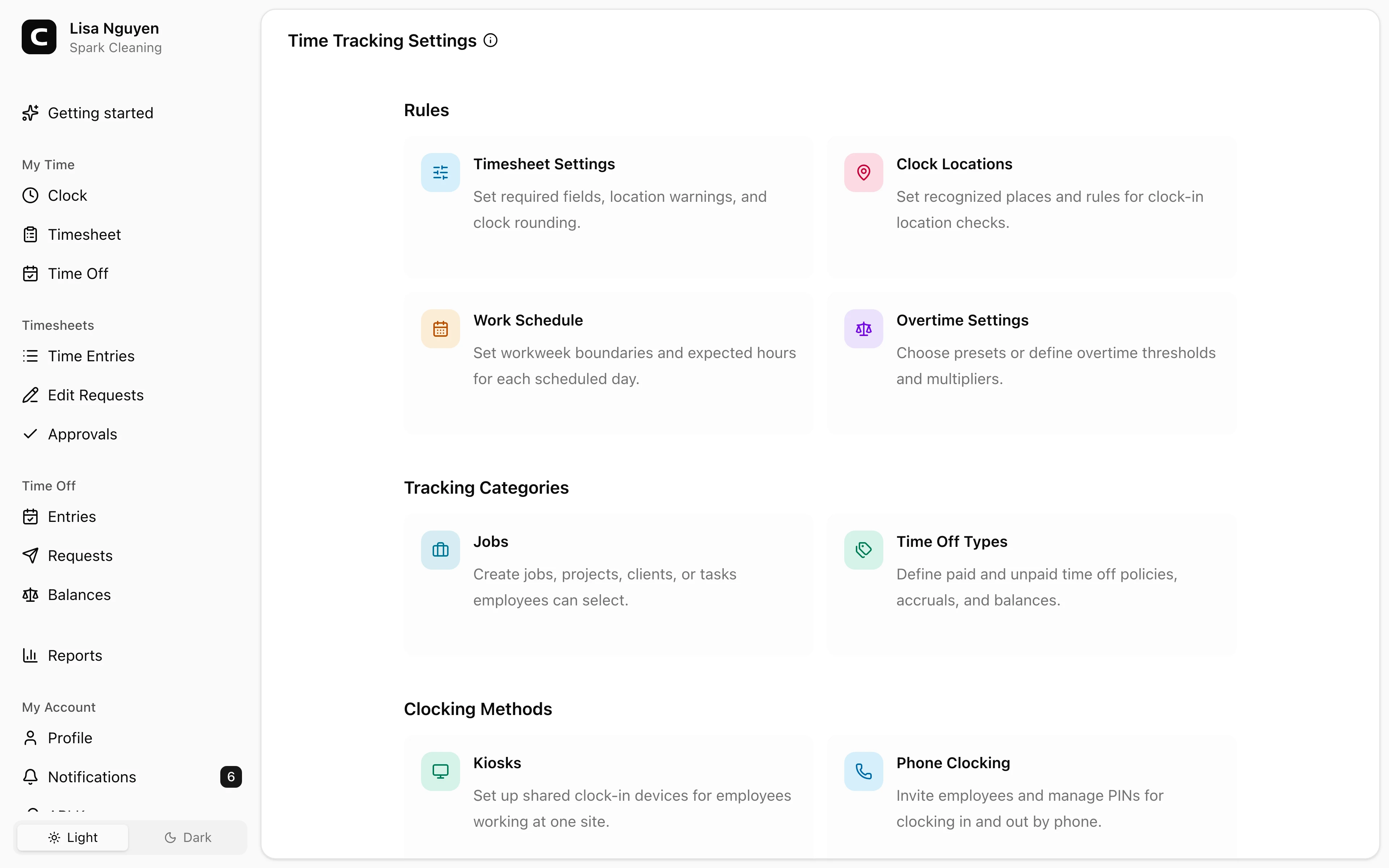
Time Tracking Settings is a directory. Open a card to edit the area you need; there are no settings forms on the directory page itself.
Rules
- Timesheet Settings — require active job selection or shift notes, warn about unrecognized clock locations, and choose clock-time rounding.
- Clock Locations — the places and rules used to validate clock-in location.
- Work Schedule — set the workspace workweek start day and expected hours for each workday.
- Overtime Settings — choose a preset or define overtime rules with a Type, Threshold (hrs), and Multiplier.
Tracking Categories
- Jobs — the jobs, projects, clients, or tasks employees select when recording time.
- Time Off Types — paid and unpaid time off policies and accrual rules.
Clocking Methods
- Kiosks — shared devices employees use to clock in at one site.
- Phone Clocking — phone-based clock-in setup.
Individual employees can override the workspace schedule and set pay details on the Employees page.
Common questions
- I changed an overtime rule. Will older reports change?
Yes. Overtime reports calculate from the current saved rules for the selected date range, so rerunning an older report can show a different breakdown.
- I want different overtime rules for different employees.
Overtime rules are workspace-wide. For per-employee control, see Exemption status on the Employees page — that excludes the employee from overtime calculation entirely.
- Where do I configure pay rates and pay periods?
Both are per-employee. Set Pay rate and Pay schedule on each employee's Employees page.
Related
Employees
Invite employees, edit profile and pay details, and handle owner-only access changes.
Roles & access
Who can see and do what — the difference between employees, admins, and the owner.
Custom fields
Add employee and time-entry fields for the details your workspace needs to track.
Jobs
Group time entries by job, project, client, or task so you can review where hours and labor costs go.
Company
Keep your company name, time zone, and address current.
Timesheet Settings
Set required time-entry details, unrecognized-location warnings, and clock-time rounding.
Work Schedule
Set the default workweek and scheduled hours used by attendance and workweek-based reports.
Overtime Settings
Choose the current overtime thresholds and multipliers used by Clockspot reports.
API Keys
Connect third-party apps to your Clockspot workspace without sharing your password.