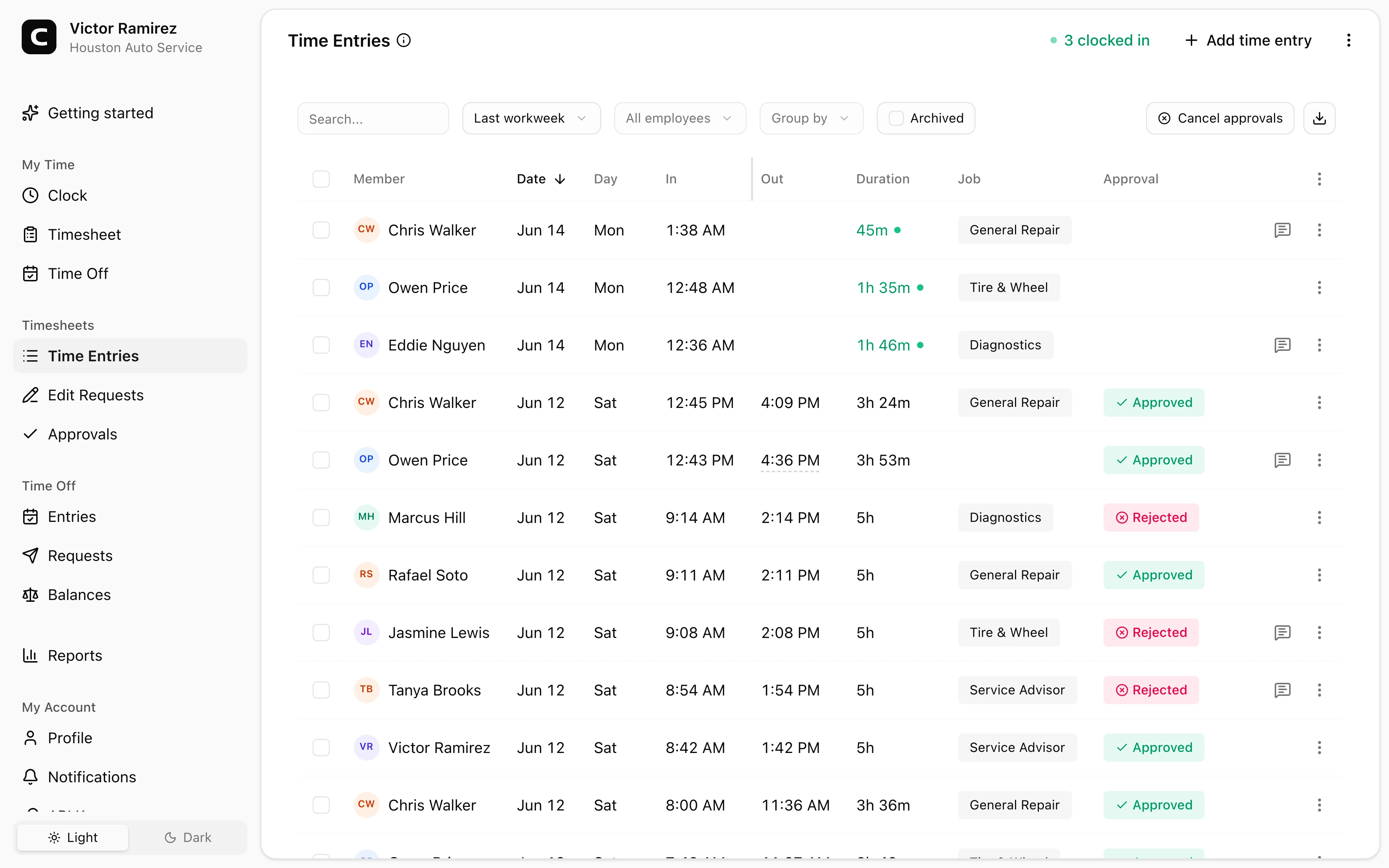
Fits shop departments
Use jobs for service, parts, detail, lot, office, repair orders, bays, or departments when that detail helps review.
Auto repair time clock
Track technician, parts, detail, service desk, lot, and office hours in one place. Managers can review departments, missed punches, edits, approvals, and reports before payroll.
Shop departments
Track service, parts, detail, lot, and office time.
Missed punches
Review corrections before payroll.
Approvals
Lock reviewed time cards before export.
Payroll reports
Export reviewed hours as CSV, clipboard, or print.
Auto repair benefits
Auto repair shops and dealership departments often have hourly employees moving between service, parts, detail, lot, and office work. Clockspot keeps the time record organized without trying to replace your shop management system.
Made for employee time tracking, not repair orders or DMS workflows.
Use jobs for service, parts, detail, lot, office, repair orders, bays, or departments when that detail helps review.
Managers can review missed clock-outs, wrong departments, employee edit requests, and approval status before payroll.
Employees can clock in from their own account, a shared kiosk, or phone clocking when that is the better fit.
Approved hours, job context, and payroll reports stay connected after the pay period closes.
Built for shops that need clean employee time records across departments, corrections, approvals, and payroll review.
Shop clock-ins
A repair shop may need one clock-in method at the service desk and another on the shop floor. Clockspot supports multiple paths without separate systems.
Department records
Some shops only need total hours. Others need department, bay, repair-order, detail, or parts-counter context before payroll or review.
Payroll review
Clockspot is built around the review steps that keep payroll from becoming a Friday scramble.
Auto repair questions
No. Clockspot tracks employee time and payroll-ready records. Repair orders, parts inventory, scheduling, customer texting, DMS workflows, payroll processing, HR, and accounting stay in their own systems.
Yes. Jobs can represent service, parts, detail, lot, office, bay, repair-order, or department labels when that detail helps managers review time.
Yes. Use a kiosk on a shared tablet or computer, or let employees clock in from their own account when that fits your shop better.
Yes. Managers can add or edit time entries, review employee edit requests, cancel approval when an approved period needs a fix, and approve the corrected time again.
Keep reading
An auto repair time clock should track shop hours, job or bay context, corrections, approvals, and payroll-ready records.
Set up a time clock by deciding who tracks time, when employees clock in, how mistakes are fixed, who approves hours, and how records are kept.
A quick pre-payroll check for missing punches, overtime risk, manual edits, approvals, and the records behind the final hours.
Choose an auto repair or dealership time clock by checking department hours, mobile clock-ins, missed punches, edits, approvals, payroll export, and records.
30 days freeFull accessNo card required