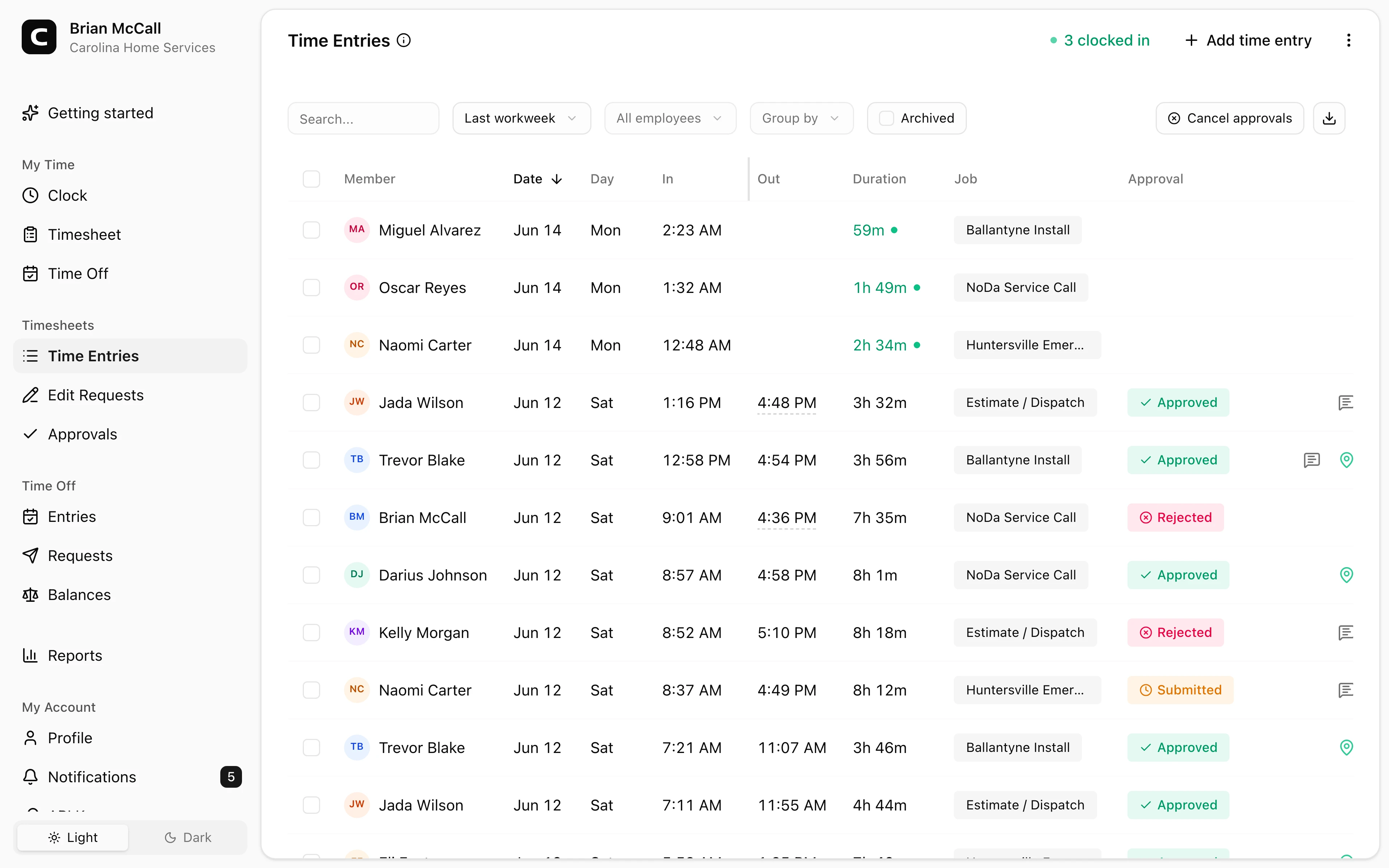
Fits technician workdays
Employees can clock in from the shop, a customer job, a supply stop, a service route, or another field location.
Home services time clock
Track employee time across shops, customer jobs, supply stops, routes, and service calls. Managers review job, location, correction, and approval records before payroll.
Field clock-ins
Employees record time from the shop, job, or road.
Jobs and locations
Track hours by service call, customer, shop, or route.
GPS context
Review location details when employee devices share them.
Payroll-ready reports
Approve and export reviewed hours.
Home services benefits
Plumbing, HVAC, electrical, repair, restoration, and other home services businesses need clear employee time records. Clockspot keeps time tracking separate from dispatch, routing, work orders, invoicing, and customer communication.
Made for employee time, job context, and payroll review.
Employees can clock in from the shop, a customer job, a supply stop, a service route, or another field location.
Use jobs for service calls, customers, job types, shop time, routes, or locations when managers need that context.
GPS, IP, and device context can support manager review when employees clock in from their own accounts.
Managers review corrections and approvals before exporting payroll-ready hours.
Built for businesses that need clear employee time records across job sites, service calls, travel context, corrections, and payroll review.
Field clock-ins
Home services employees may start at the shop, a customer job, a parts stop, or a field assignment. Clockspot gives them practical clock-in options.
Jobs and locations
Use jobs and locations when managers need to understand which customer, service call, route, shop, or job type the time belongs to.
Payroll review
The review workflow helps managers handle wrong jobs, missing punches, open shifts, and approvals before hours are exported.
Home services questions
No. Clockspot tracks employee time and payroll-ready records. Dispatch, routing, work orders, estimates, inventory, invoicing, customer communication, payroll processing, HR, and accounting stay in their own systems.
Yes. Employees can clock in from a phone or computer with internet, use a shared kiosk at the shop, or dial in by phone from any landline or cell phone.
Yes. Jobs can represent service calls, customers, job types, shop time, routes, projects, or cost codes. Employees can choose the job when they clock in.
No. GPS can be captured when employees clock in from their own account and the device shares location. Clockspot is built around clock-in records and manager review, not all-day route tracking.
Keep reading
A home services time clock should track technician hours, job or location detail, corrections, approvals, and payroll-ready records.
Set up a time clock by deciding who tracks time, when employees clock in, how mistakes are fixed, who approves hours, and how records are kept.
A quick pre-payroll check for missing punches, overtime risk, manual edits, approvals, and the records behind the final hours.
Choose a home services time clock by checking technician hours, job or location detail, travel time, corrections, approvals, and payroll-ready records.
30 days freeFull accessNo card required