Fits job-site work
Employees can clock in where the shift starts instead of waiting for one office time clock.
Field employees
Employees who work away from the office can clock in from a phone browser, landline, cell phone, shared kiosk, or computer. Managers review job, location, phone, correction, and approval details before payroll.
Any phone or computer
Use mobile browser, phone call, kiosk, or computer clock-ins.
Job-site context
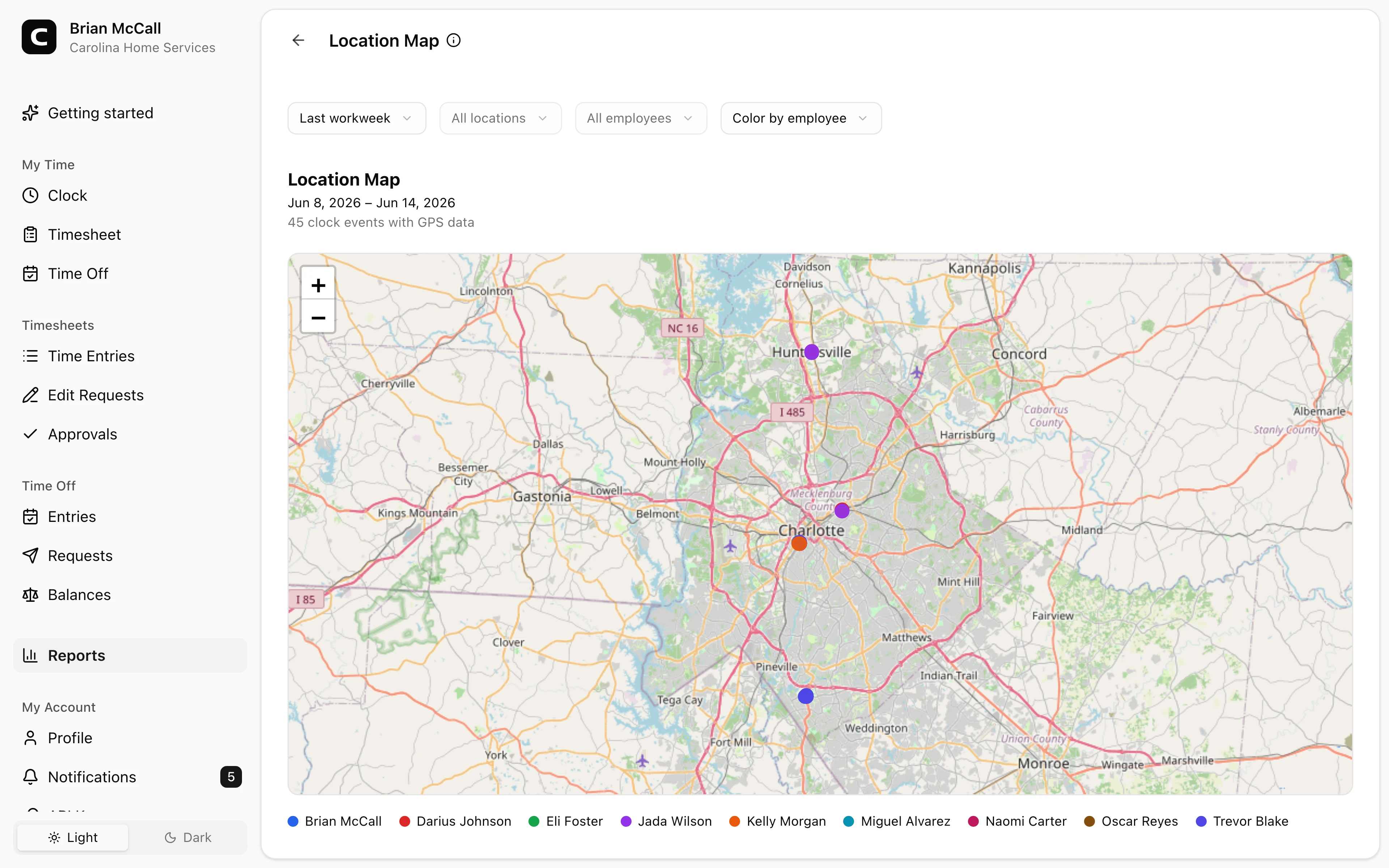
Review jobs, locations, GPS, IP, device, or phone details.
Low-internet option
Dial in from a landline or cell phone.
Payroll review
Approve and export reviewed field hours.
Field employee benefits
Field employees may start at job sites, client locations, vehicles, shops, or remote offices. Clockspot gives them simple ways to clock in and gives managers records they can review.
Built for job sites, mobile work, and payroll review.
Employees can clock in where the shift starts instead of waiting for one office time clock.
Phone clocking lets employees dial in from a landline or cell phone when browser clock-ins are not reliable.
Employee-account clock-ins can include GPS, IP, and device context; phone entries include calling number and voice check details.
Managers can review corrections, approve time cards, and export payroll-ready reports.
Customer story
Clockspot has enabled us to efficiently track time out in the field and save money on costly time clock equipment.
Eric Pelezo
Elite Computer Solutions
Choose the clock-in method that fits the job site, then review the records before payroll.
Clock in from the field
Field employees can clock in from the method that works at the site instead of forcing every worker through one device.
Job-site review
Clockspot keeps field time tied to the details managers need before payroll.
Payroll review
Managers can resolve missed punches, approve corrections, approve time cards, and export reports.
Field employee questions
It is a time clock setup for employees who start work away from a central office, such as job sites, client locations, routes, vehicles, yards, or branch locations.
Yes. Phone clocking lets employees dial in from a landline or cell phone when browser clock-ins are not reliable.
No. Mobile browser clock-ins are available, but you can also use phone dial-in, shared kiosks, office computers, or job-site devices.
No. GPS can be captured at clock-in when employees use their own account and share location. Phone entries use calling number and voice check details instead of GPS.
Keep reading
Use GPS time tracking when location helps explain hours, jobs, field work, approvals, or payroll records.
Set up a time clock by deciding who tracks time, when employees clock in, how mistakes are fixed, who approves hours, and how records are kept.
A simple employee time tracking policy should explain clock-ins, breaks, missed punches, edits, approvals, and record retention.
Track employee hours by job or location so payroll, job costing, overtime review, and manager approval all use the right time record.
30 days freeFull accessNo card required