Fits yard and job-site work
Employees can clock in from a mobile browser or computer, or call in from a landline or cell phone.
Landscaping time clock
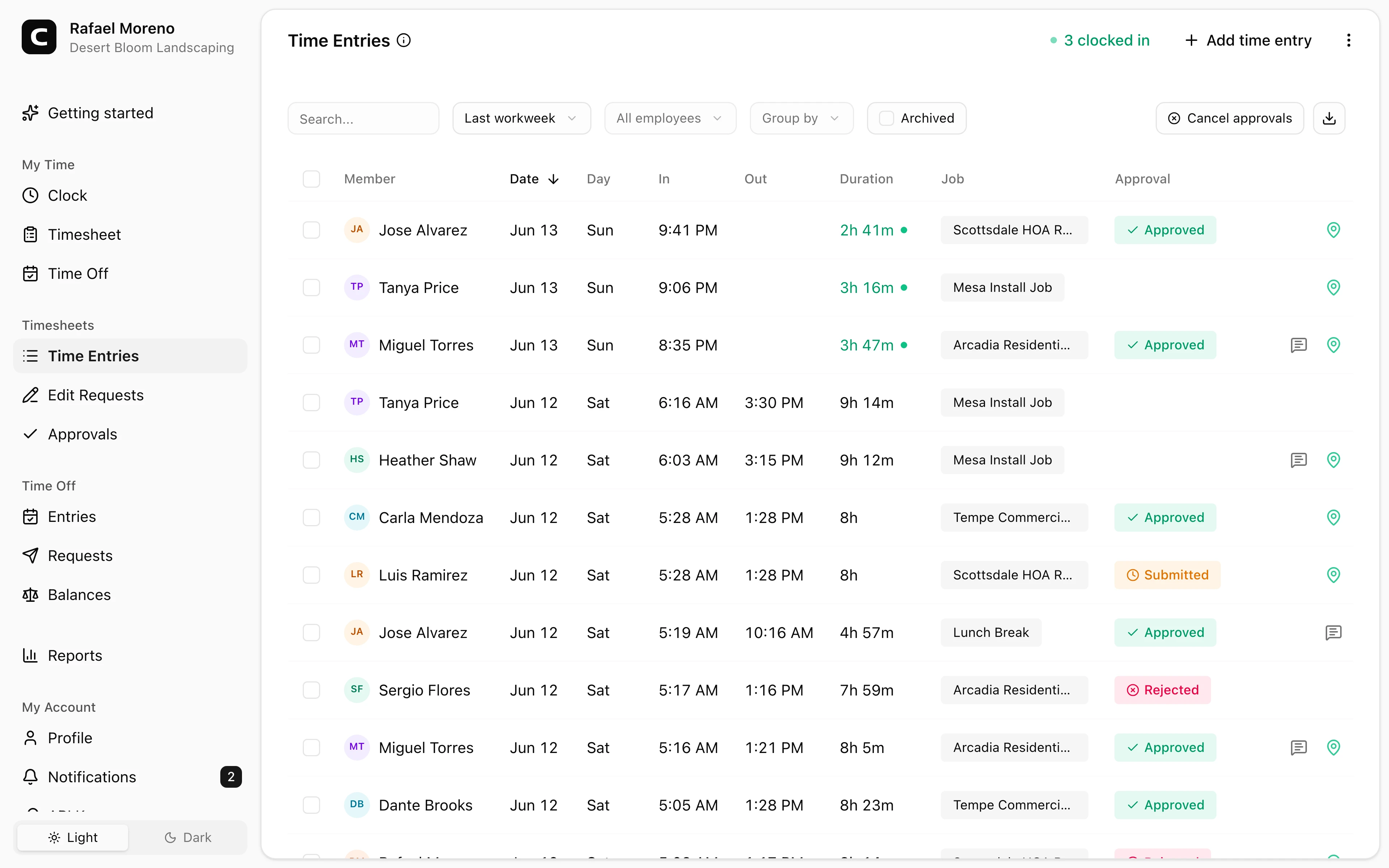
Landscaping crews clock in from yards, job sites, vehicles, or properties using any phone or computer. Managers review job, location, correction, and approval details before payroll.
Clock in from the field
Crews track time from any phone or computer, or dial in by phone when internet is spotty.
Job and property detail
Hours can be tied to the right job, property, yard, or location.
Review GPS context
Check location details when employees clock in from their own accounts before approving field hours.
Payroll-ready reports
Approved hours export cleanly after review.
Landscaping benefits
Landscaping companies need time records that still make sense after crews leave the yard or job site. Clockspot helps employees record time in the field and gives the office the job details to review before payroll.
Made for field time, job records, and payroll review.
Employees can clock in from a mobile browser or computer, or call in from a landline or cell phone.
Hours can be tied to properties, jobs, yards, routes, or locations for clearer review.
Managers can review GPS, IP, or device details when employees clock in from their own accounts, and calling number or voice check details on phone entries.
Reviewed landscaping crew hours can be exported without rebuilding the week from texts or paper notes.
Built for landscaping companies that need clear time records across yards, job sites, properties, corrections, and payroll review.
Field clock-ins
Employees can clock in from a phone or computer with internet. If a job site has poor coverage, phone clocking lets them dial in from a landline or cell phone.
Job records
Use jobs for properties, routes, yards, customers, or service categories so reports reflect the way your office reviews labor.
Payroll review
Managers can catch missed punches, approve corrections, and keep a record of what changed.
Landscaping company questions
No. Clockspot is focused employee time tracking for payroll-ready records. It does not replace route optimization, dispatch, crop management, pesticide records, equipment tracking, customer invoicing, payroll processing, HR, or accounting software.
Yes. Employees can clock in from a phone or computer with internet. When a job site has low or spotty internet, they can also dial in from any landline or cell phone using phone clocking.
Yes. Jobs can represent properties, customers, yards, routes, service categories, or locations. Employees can choose the job when they clock in, or enter a job phone code during a phone clock-in.
No. GPS can be captured when employees clock in from their own account and the device shares location. Phone entries instead capture the calling number and voice check so managers can check the record before payroll.
Keep reading
A landscaping time clock should track crew hours, job or location context, travel time, corrections, approvals, and payroll-ready records.
A farm time clock should track employee hours, fields, crews, locations, corrections, approvals, and payroll-ready records.
Use GPS time tracking when location helps explain hours, jobs, field work, approvals, or payroll records.
Choose a landscaping or farm crew time clock by checking mobile clock-ins, GPS, job or field detail, corrections, approvals, payroll export, and records.
30 days freeFull accessNo card required